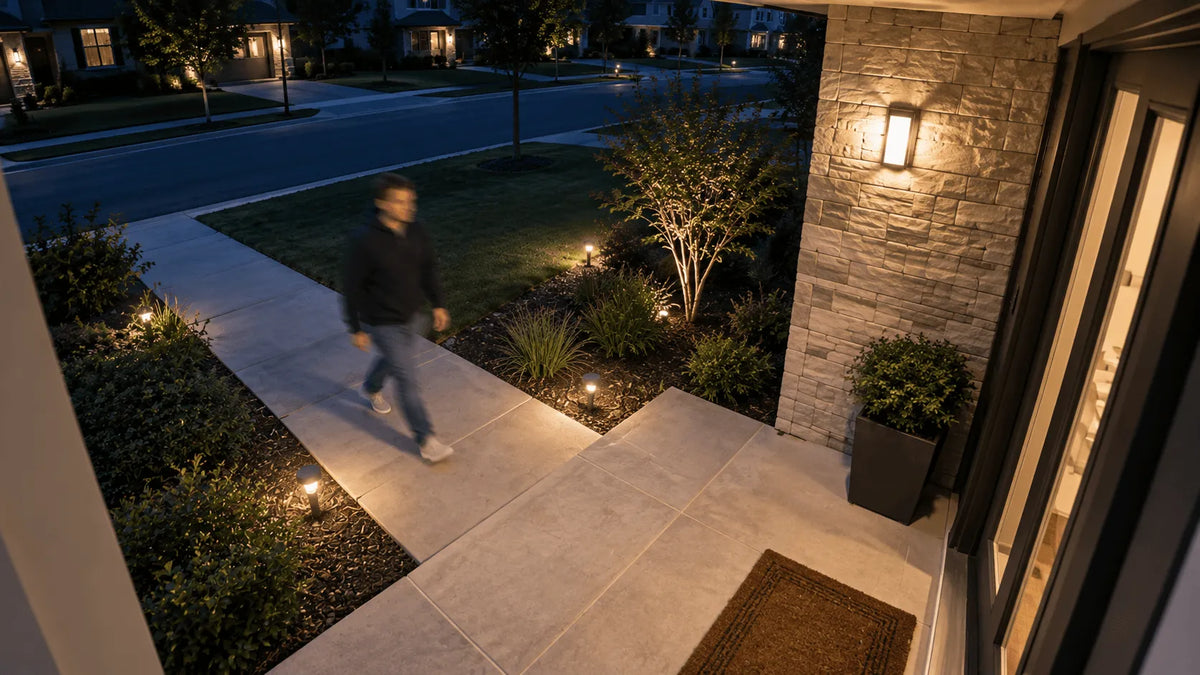
If a person looks smeared or ghosted while the background stays sharp, your camera is probably focused correctly. The more likely problem is motion blur.
At night, a security camera may keep its shutter open longer to collect more light. That brightens the scene, but it also gives a moving person more time to travel across the image. Better lighting, a more useful camera angle, or a shorter exposure—when the camera provides that control—can produce clearer footage.
Why Do People Look Blurry When Moving at Night?
People blur because they change position while the camera is collecting one frame. The wall, path, or yard does not move, so it can remain sharp. That pattern usually points to subject motion blur rather than a focus problem.
Start by matching what you see to the most likely cause before changing several settings at once.
| What you see | Most likely cause | First check |
|---|---|---|
| The background is sharp, but the person is smeared | Subject motion blur during a longer exposure | Repeat the same walk with more even light |
| People become much harder to see in the darkest area | The scene may be using a longer exposure, while noise reduction removes shadow detail | Compare the same route at dusk and later at night |
| The entire image shifts or jitters | Camera shake or a loose mount | Check the bracket, siding, pole, and nearby branches |
| Faces have haze, halos, or a washed-out glow | A dirty lens or infrared reflecting from a nearby surface | Clean the lens and check walls, soffits, glass, and protective film |
| Live view looks poor, but the saved clip is clear | Streaming quality or connection conditions | Download the recording and compare it with the preview |
Use the saved recording—not only the live preview—when comparing symptoms.
Learn more:
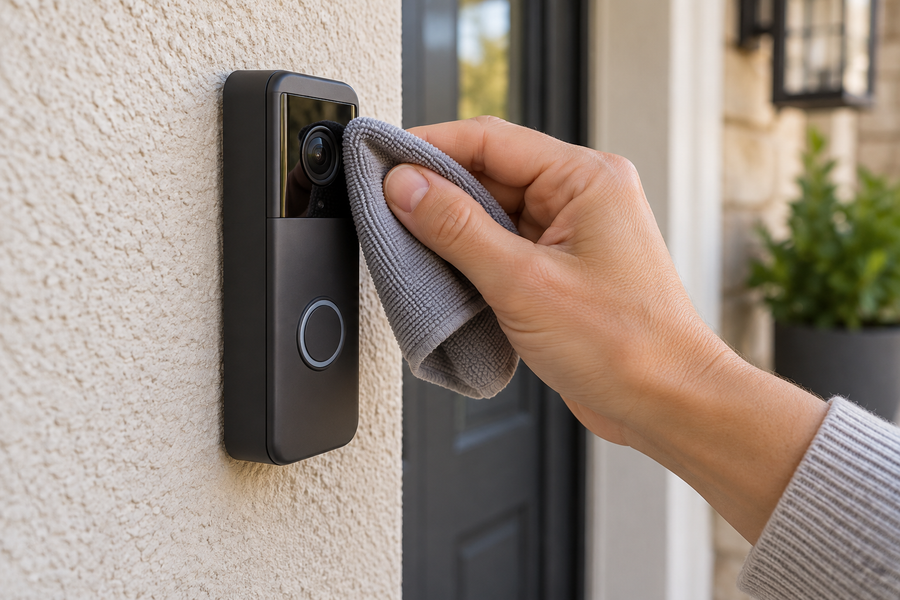
How to clean a video doorbell lens correctly
How Do Shutter Speed and Low Light Cause Blur?
Shutter speed is the amount of time the sensor gathers light for one frame. In dim conditions, automatic night mode may lengthen that exposure to make the scene brighter.
This is the basic cause of night vision camera motion blur: a person moves across multiple pixels before the exposure ends. The camera must balance brightness, noise, and motion detail, so a brighter night image is not always a sharper one.
A high-resolution security camera can preserve more detail when the frame is sharp, but it cannot recover detail already smeared during capture.
Longer exposure
- Collects more light and can brighten a still scene
- Records more movement from a walking person
Shorter exposure
- Limits how far a subject moves during one frame
- Needs more usable light to keep the image from becoming too dark
Higher gain and noise reduction
- Can brighten or clean up the picture without a longer exposure
- May add noise or soften fine detail

How Do Speed, Distance, and Placement Affect Footage?
Movement looks blurrier when it covers more pixels during one exposure. A person walking close to the lens and directly across the frame may therefore look softer than someone moving at the same speed farther away or more toward the camera.
For clearer outdoor security camera footage, place the camera so the most important route approaches more toward the lens than straight across the near foreground. Keep faces large enough to be useful without forcing visitors to pass extremely close to the camera.
Check the near foreground
A sidewalk, driveway edge, or gate line passing within a few feet of the lens can make sideways motion especially obvious.
Watch the direction of travel
Movement across the frame usually creates more visible smear than movement toward or away from the camera.
Balance coverage and subject size
A very wide view can make people too small for useful detail, while a tightly framed path can lose the surrounding context.
Make sure the camera is stable
A loose bracket, vibrating siding, flexible pole, or branch touching the housing can blur the whole image instead of only the moving person.
Can a Porch Light Improve Security Camera Footage?
Yes. More even light can help the camera use a shorter exposure, which can reduce motion blur. Aim porch lighting across the approach path instead of creating one bright patch beside the door or shining directly into the lens.
Visible light can help a camera preserve color. Infrared illumination can improve a black-and-white night view without lighting the area for people, but nearby walls, soffits, glass, signs, or even protective film can reflect infrared back into the lens.
What looks like infrared security camera ghosting is often a combination of longer exposure, strong noise reduction, or reflected infrared light. If faces wash out only at close range, test for reflections before treating the problem as poor focus.
Related links
Which Settings Can Make Motion Look Blurry?
Available controls vary by camera, so change only settings your device actually provides. Test one adjustment at a time and keep a saved clip from each test.
Do not treat every poor-looking preview as motion blur. A smeared moving edge, a blocky compressed image, a pulsing light, and a buffering live view have different causes.
Night vision or color-night mode
Compare the available modes at the same time and location. A spotlight-assisted color mode may handle porch lighting differently from infrared black-and-white mode.
Exposure or shutter controls
If your camera provides them, a shorter maximum exposure can reduce motion blur. The tradeoff is a darker or noisier image unless the scene has enough light.
Gain and image enhancement
Strong gain, noise reduction, digital zoom, or aggressive low-light enhancement can make moving edges look softer. Compare a moderate setting with the default.
Anti-flicker
Use the option that matches the local electrical frequency if artificial lights pulse or band across the picture. Anti-flicker can fix lighting artifacts, but it is not a general motion-blur control.
Frame rate, recording quality, and connection
A higher frame rate provides more moments in time, but exposure still determines sharpness inside each frame. Weak Wi-Fi may make live view stutter or look compressed; if the saved clip also looks blocky, review recording quality or compression settings.
Related links
How Can You Test Nighttime Motion Footage?
Run a short, repeatable test after dark using the same route you want the camera to cover every day.
Clean and inspect the camera
Use a dry microfiber cloth on the lens and infrared window. Look for webs, rain spots, protective film, reflections, and anything touching the housing.
Choose one realistic path
Have someone walk at a normal pace where visitors usually approach, then repeat at a faster pace.
Record a baseline
Save clips with the existing lighting and settings before making any changes.
Change one variable
Turn on a porch light, adjust the camera angle, or change one supported image setting. Then repeat the same route.
Compare the saved recordings
Pause on several frames and compare the face area, clothing edges, and background. Use downloaded or recorded clips rather than judging only from the live preview.
Improve Lighting and Placement for Clearer Nighttime Motion Footage
Most blurry security camera footage at night improves through a combination of modest, even lighting and a camera view that does not make the most important movement happen very close to the lens. Keep bright light sources out of the frame, aim the camera at the approach path, and repeat the same walk test after each adjustment.
If the background stays sharp but the person does not, start with light, exposure, and movement direction. If the entire image is soft, hazy, blocky, or unstable, use the diagnostic table to check focus, reflections, compression, and mounting before replacing the camera.
FAQs About Nighttime Security Camera Motion Blur
Why is the background clear but the person blurry?
The background stays sharp because it does not move during the exposure. A walking person changes position while the camera is collecting the frame, creating subject motion blur.
Does a high-resolution or 4K security camera fix nighttime motion blur?
No. A 4K security camera can preserve more detail when a frame is sharp, but additional pixels cannot restore detail smeared during the exposure. Light and shutter time still determine whether a moving subject is captured clearly.
Can a higher frame rate make moving people look sharper at night?
A higher frame rate can make movement look smoother and provide more frames to review, but it does not guarantee that each frame will be sharp. Exposure time still controls how much movement is recorded inside each frame.
Can a dirty camera lens make nighttime motion look worse?
Yes. Dust, water spots, protective film, pollen, and spider webs can scatter visible or infrared light and create haze around moving subjects. Clean the lens and infrared window, then record a new nighttime test.
Why is nighttime footage blurry at only one camera location?
That location may have less usable light, more sideways movement, a reflective wall or soffit, a weaker mount, or a poorer connection. Compare the same walking test at both locations and change one variable at a time.