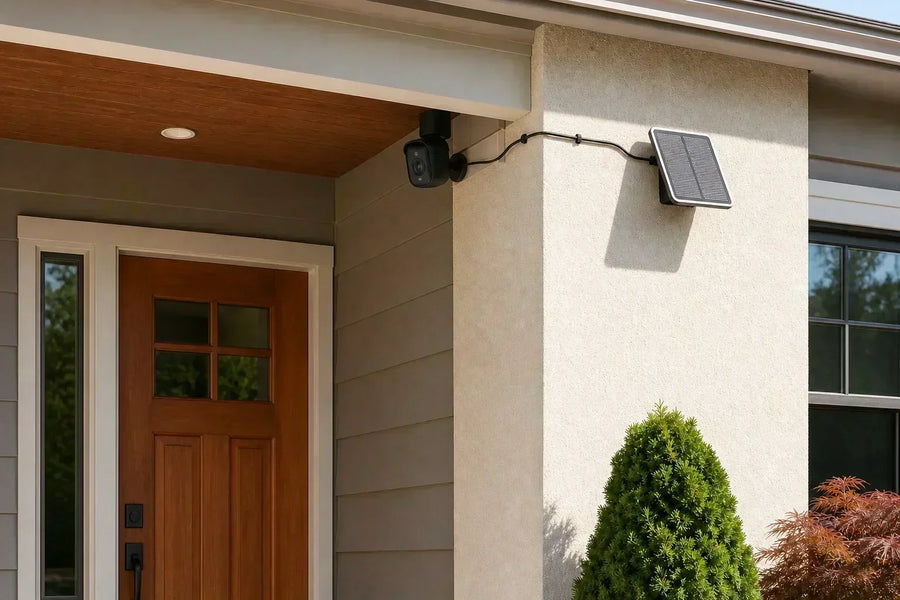
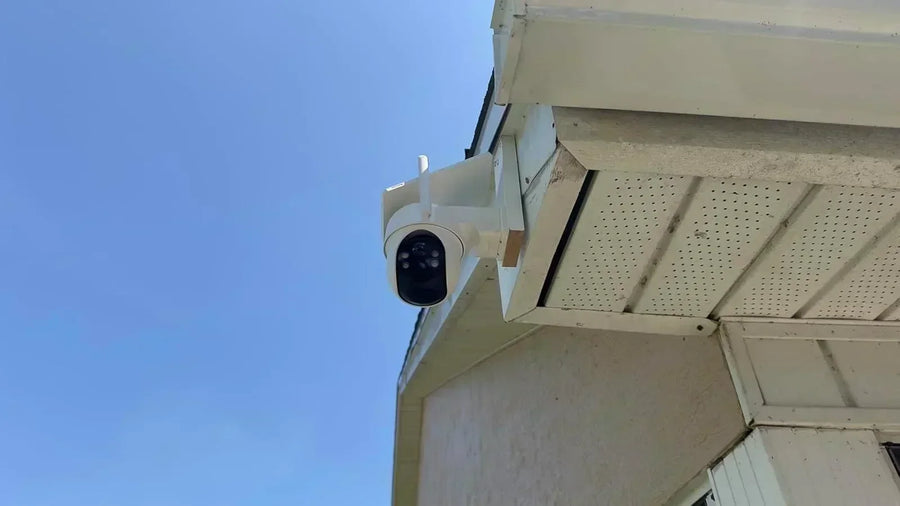
Choose a single-lens security camera when one well-framed view covers the area you care about. Choose a dual-lens camera when the same mounting point needs to keep a wider scene visible while also showing closer detail or a second direction.
The second lens does not automatically make a camera sharper or better. The useful difference comes from what the two lenses capture, whether both views remain available together, and how well that layout fits your driveway, yard, gate, or porch.
This comparison separates single fixed cameras, single-lens PTZ cameras, and the main dual-lens designs so you can judge coverage, detail, and tradeoffs without relying on the lens count alone.
Dual-Lens vs. Single-Lens Security Cameras at a Glance
A single fixed camera is the simplest choice for one stable area. A single-lens PTZ camera can move to inspect different directions, but it still shows one camera view at a time. A dual-lens camera can keep two native views available when its hardware and app support simultaneous viewing or recording.
| Decision point | Single fixed lens | Single-lens PTZ | Dual lens |
|---|---|---|---|
| Coverage | One stable framed area | One movable view | Two views that may cover the same scene or different directions |
| Detail | Best where the subject fills enough of the frame | Can turn or zoom toward an area of interest | A second narrow or PTZ view can add detail while another view keeps context |
| Continuity | The view does not move | The original direction leaves the frame when the camera moves | One view can remain available while the other follows or inspects |
| Setup | Simplest to aim and review | Requires useful home and tracking positions | Both lenses, app layout, and recording behavior need checking |
| Best fit | Doorways, narrow paths, small porches, defined gates | Open areas where activity moves between directions | Driveways, broad yards, corners, or scenes needing context and detail together |
 A PTZ camera can move between directions; a dual-lens camera can keep two views available together.
A Single-Lens Camera Can Be Fixed or PTZ
Single-lens does not mean one type of coverage. A fixed camera keeps the same scene in frame. A PTZ camera can pan left and right, tilt up and down, and change how closely you inspect part of the scene, depending on the model.
That difference matters. A fixed camera gives you a dependable reference view of a door, gate, or parking space. A single-lens PTZ camera can follow someone across a yard or turn toward a side area, but the camera is no longer showing its previous direction while it points elsewhere.
For a narrow front path or one garage door, movement may add little value. A well-placed fixed camera can provide the cleanest answer because the important area always stays in frame.
Dual-Lens Cameras Do Not All Use the Same Two Views
Dual-lens tells you that the device contains two camera views. It does not tell you what those views are. The practical benefit depends on the lens pairing and on what the app records and displays.
Wide view plus PTZ view
· The fixed wide view keeps the larger scene visible.
· The PTZ view can follow movement, inspect a closer area, or rest on another direction.
Wide view plus telephoto view
· The wide lens preserves the surrounding scene.
· The narrower telephoto view makes a distant subject occupy more of its own captured frame.
Two fixed views
· The lenses may face different directions or use different fields of view.
· Coverage stays stable, but neither view follows a person by physically moving.
Coverage: What Stays Visible During an Event?
Coverage is not the largest angle printed on the box. It is the part of your property that remains useful while someone walks through the scene.
A single fixed camera works well when every important action happens inside one frame. If the camera faces a side gate, you can keep the gate and the path beside it visible before, during, and after someone enters.
A single-lens PTZ camera covers more directions over time, but not all directions at once. When it turns from the driveway toward the yard, the driveway leaves the live view. A useful home position and reliable return behavior matter because that is the view the camera provides when it is not tracking or being moved.
A dual-lens design can preserve an overview while the second view follows a person or watches another angle. This is most valuable when one event crosses connected areas: a car enters the driveway, someone steps out, then walks toward the porch or side gate.
Two separate cameras are still the stronger choice when walls, trees, rooflines, or distance divide the property into genuinely separate scenes. Two lenses on one body share one mounting point; they cannot see through a building or replace a camera installed on the other side of the home.
Detail: How Much of the Frame Does the Subject Fill?
A wide view can show more of the yard while making a person near the far fence look small. A narrower view shows less of the scene but lets the same person occupy more of the frame. NIST's video-quality guidance makes the underlying point directly: the size of a target within the field of view affects how much detail a viewer can distinguish.
This is why resolution alone does not settle the comparison. Two cameras can carry the same resolution label while producing different useful detail because the subject is farther away, smaller in the frame, moving, poorly lit, or heavily compressed.
A dual wide-and-telephoto camera captures the closer view with a separate lens. A dual wide-and-PTZ camera can direct its second view toward activity. In both cases, the benefit is stronger when the wide view remains available for context.
Digital enlargement only enlarges the detail already captured in that view. If close-range evidence matters, compare the native view, lens design, subject distance, night performance, and sample footage instead of treating a high digital-zoom number as proof of clarity.
The Tradeoffs That Matter Beyond Lens Count
1. Recording and playback: Confirm whether both views record, whether they create separate clips or one combined event, and whether you can review them together. A second live tile is less useful if the saved event drops the view you needed.
2. Alerts and tracking: Check which lens detects movement, which lens tracks it, what happens when two people move in different directions, and where a PTZ lens returns after tracking ends.
3. Storage and network use: Two streams can create more video data than one stream. Compare the actual recording modes, clip behavior, local-storage support, cloud requirements, and bandwidth settings for the model you are considering.
4. Night performance: Check both lenses after dark. Their lighting, exposure, infrared coverage, and usable range may differ even when daytime footage looks similar.
5. Price and complexity: A single fixed camera is usually easier to aim and review. A dual-lens model earns the extra complexity when both views solve a real coverage or detail problem at that mounting point.
6. One mounting point: Dual-lens hardware can reduce the number of devices in a connected scene, but both views share the same height, power, network conditions, and physical location. Separate cameras give you more freedom when the best viewpoints are far apart.
Which Camera Design Fits Your Location?
Choose a single fixed camera
· One doorway, gate, hallway, or parking space defines the whole scene.
· You want the same area recorded at all times.
· The subject will pass close enough to fill a useful part of the frame.
Choose a single-lens PTZ camera
· One open area benefits from movement and tracking.
· You can accept one active direction at a time.
· The camera has a useful resting view when it is not moving.
Choose a dual-lens camera
· You need context and a closer view during the same event.
· People or vehicles cross two connected zones from one mounting point.
· The model keeps both relevant views available in live view and recording.
Choose two separate cameras
· The areas are divided by a wall, corner, tree, or long distance.
· Both directions need continuous independent coverage.
· The best mounting height or angle is different for each scene.
Check These Details Before You Buy
Start with a simple sketch of the property and mark the actions you want to understand: a visitor approaching the door, a car entering the driveway, someone opening a gate, or a dog running from the yard toward the side path. Then compare camera designs against those moments.
1. Name the view that must never disappear: This is the stable overview, such as the front steps, driveway entrance, or gate. It determines whether a fixed view needs to remain available.
2. Name the detail you need: Decide whether you need to see a person at the curb, a package at the door, a vehicle near the garage, or movement around a corner.
3. Confirm both lenses' actual roles: Read the specifications and app description. Identify whether the second view is fixed, telephoto, PTZ, independently aimable, or only an enlarged crop.
4. Check simultaneous live view and recording: Make sure the two views you are buying are available in the way you expect during live monitoring and saved playback.
5. Test the proposed mounting point: Use a phone photo or temporary mount to check height, obstructions, night lighting, Wi-Fi, and privacy boundaries before drilling.
Two aosu Examples Show Why Lens Layout Matters
aosu's current SolarCam T2 Pro page lists a 170-degree wide-angle view and a separate 360-degree PTZ camera, with both camera streams available together. That layout is built for keeping the larger scene visible while the moving view follows activity or watches another direction.
A different dual-lens layout pairs a wide view with a telephoto view. The wide view shows the whole driveway or yard, while the telephoto view makes a person near the far gate appear much larger in the image. You can keep the surrounding scene visible and take a closer look at the person at the same time. The SolarCam T2 deep dive and its dedicated zoom explainer show how that product-specific design works.
These examples are not a reason to choose two lenses by default. They show why the words dual lens are only the starting point: the lens pairing must solve the view you actually need.
Related links:
· Read the SolarCam T2 dual-lens deep dive
· See how SolarCam T2 wide, telephoto, and digital views work
Common Comparison Mistakes
1. Treating every single-lens camera as fixed: A single-lens PTZ camera can cover several directions over time. Its limitation is that the lens still shows one active direction at a time.
2. Treating every dual-lens camera as wide plus PTZ: Some models use wide and telephoto lenses or two fixed views. Check the architecture before comparing features.
3. Comparing resolution labels without the scene: A distant person can remain small in a high-resolution wide frame. Judge subject size, distance, light, movement, and sample footage together.
4. Assuming two lenses replace two cameras: One device cannot overcome a wall or a poor shared mounting point. Use separate cameras when the important views are physically separated.
To Wrap Up
The best choice is the simplest camera design that keeps the right scene visible and captures enough detail for the decision you need to make later.
Choose a single fixed camera for one clear, stable area. Choose a single-lens PTZ camera when one movable view fits an open space. Choose a dual-lens camera when two complementary views solve a real coverage problem from the same mounting point. If the important areas are truly separate, install separate cameras instead.
FAQs
Is a dual-lens security camera better than a single-lens camera?
A dual-lens camera is better when you need two useful views from one mounting point, such as a wide overview plus a closer or movable view. A single-lens camera is the better choice when one stable view already covers the area.
Do dual-lens security cameras record both views at the same time?
Some do, but the behavior varies by model. Confirm whether both views stream and record simultaneously, how clips are saved, and whether playback shows both views together.
Does a dual-lens camera give you better image quality?
Not automatically. Useful detail depends on the resolution of each view, lens design, subject distance, lighting, motion, and compression. The second lens helps when it gives the subject a larger or better-aimed native view.
Can one dual-lens camera replace two single-lens cameras?
It can replace two cameras when both useful views work from the same mounting point. Use separate cameras when a wall, corner, distance, or different mounting height prevents one device from seeing both areas well.
What should I check first when comparing dual-lens cameras?
Identify what each lens captures, whether both views remain available during live view and recording, and whether the shared mounting point gives both lenses a clear view of the areas you care about.