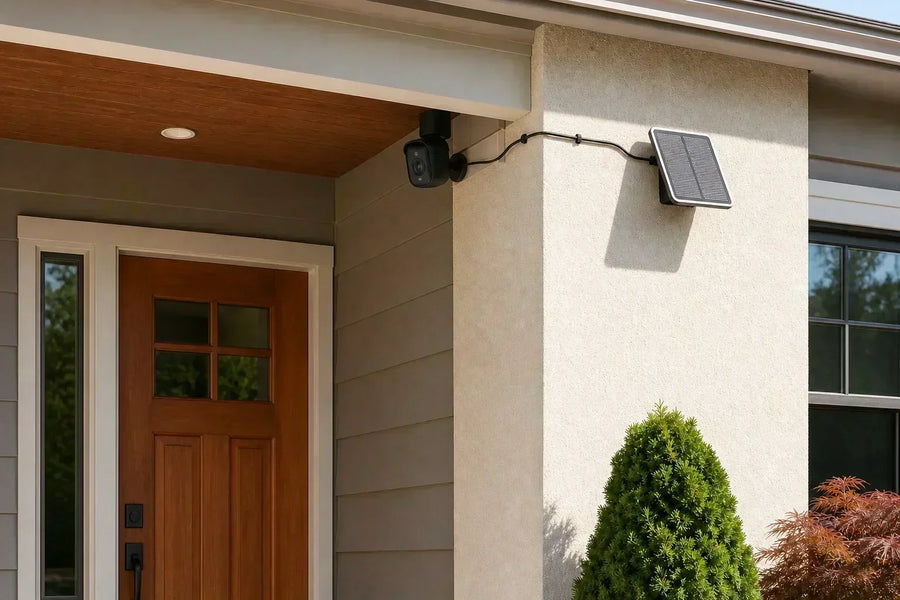
Think of a security camera as a notebook. Motion recording writes down only the moments when something happens. A 24/7 recording camera keeps writing all day. Always Ready Vision keeps watching in a low-power state so normal event recording can begin sooner, but it does not save that standby view. All Day Snapshots adds periodic still images between motion-event recordings.
Those modes sound similar in product descriptions, but they leave very different histories behind. This guide explains what a continuous recording security camera actually saves, where gaps can appear, and which approach fits the question you want your footage to answer.
Four Security Camera Recording Modes at a Glance
The easiest way to compare recording modes is to ignore labels such as “always on” for a moment and ask what you can play back later. A live or low-power visual stream is not the same as saved video history.
| Recording approach | What happens | What is saved | Best suited to | Main limitation |
|---|---|---|---|---|
| Motion-triggered event recording | The camera detects supported activity and starts an event clip | Individual video clips | Routine alerts and efficient recording | There may be no saved footage between events |
| 24/7 continuous recording | The camera records throughout the full schedule | Video throughout the recording schedule while the system is operating | Reconstructing activity before, during, and after an event | Higher power and storage demand |
| Always Ready Vision on SolarCam T2 | A low-power visual stream remains active at roughly one frame per second so normal event recording can begin sooner | Normal event clips; the readiness stream itself is not saved | Improving the beginning of event capture on a solar battery camera | It does not create a playable 24/7 video history |
| All Day Snapshots on SolarCam T2 | The camera saves one still image every five minutes | A sequence of periodic still images | Reviewing broad changes across the day | It cannot show every second of movement |
 Blue sections are saved for playback. Always Ready Vision keeps a low-frame-rate view active before and after an event, but only the normal event clip is saved. Exact behavior varies by camera and settings.
What Is Motion-Triggered Event Recording?
Motion-triggered recording saves a clip after the camera detects activity it is configured to recognize. That might be general motion, a person, a vehicle, an animal, or another supported event, depending on the camera.
This approach can work well when your main goal is to see a visitor arrive, check a delivery, or review movement around a gate. Because the camera does not need to save ordinary quiet periods, event recording can reduce power and storage use compared with recording regular video all day.
The tradeoff is that the saved timeline may contain gaps. Some cameras preserve a short period before detection, while others begin after the trigger. Clip length, recording intervals, activity zones, sensitivity, and subject movement can all affect what appears in the final event history.
An alert and a recording are also different things. Muting a phone notification may not stop the camera from saving an event, and enabling more notifications does not necessarily create more complete footage. Check the recording settings separately from the alert settings.
Related links:
· Learn why continuous recording is difficult for battery cameras
What Is 24/7 Continuous Video Recording?
A continuous recording security camera saves video throughout its active recording schedule, including periods when no motion event is detected. When that schedule covers the full day and night, it is 24/7 continuous recording.
The advantage is context. Instead of jumping from one detected event to the next, you can review what happened between them: when an object first appeared, how long someone remained nearby, or whether an area really stayed quiet.
Continuous recording does not mean the footage is kept forever. Storage normally has a retention limit, and many systems remove or overwrite older video on a rolling basis. The available history depends on recording quality, bitrate, storage capacity, camera count, and the system's retention rules.
It also does not necessarily mean continuous cloud uploading. A compatible camera may record to a memory card, hub, DVR, or NVR, while another sends its history to the cloud. The recording mode and the storage destination are separate choices.
Because the camera must keep capturing, processing, and saving video, continuous recording generally requires more sustained power and storage than event clips. Many purpose-built 24/7 systems use plug-in, hardwired, or Power over Ethernet power, but you should verify the exact camera rather than assuming that every wired model records continuously.
Related links:
· Compare local and cloud security camera storage
What Is Always Ready Vision on SolarCam T2?
Always Ready Vision is aosu's name for the readiness system used by SolarCam T2. A dedicated sensor and software keep an energy-saving visual stream active at roughly one frame per second. When activity is detected, the camera can move into normal event recording sooner than it would if the recording system had to begin from a deeper sleep state.
The important limitation is simple: the low-frame-rate readiness stream is not saved. You cannot scrub back through it as if it were a 24/7 video timeline. What you can review later is the normal event recording that follows a detection.
That makes Always Ready Vision a middle approach to event readiness, not a substitute name for continuous recording. It is designed to improve how an event begins while working within the energy limits of a solar battery camera. Exact clip timing still depends on the real scene, detection settings, and product behavior, so it should not be presented as a guarantee that every event will be captured from the first possible moment.
It is also separate from All Day Snapshots. Always Ready Vision helps the camera prepare for event video; All Day Snapshots creates saved still images for a broader timeline.
Related links:
· See the broader SolarCam T2 feature overview
Where Do All Day Snapshots Fit?
All Day Snapshots saves one still image every five minutes on SolarCam T2. The resulting sequence can help you scan broad changes across the day, including quieter periods when there may not be a normal motion clip. In the combined day review, snapshots move quickly through quiet periods, while recorded motion events play at normal speed.
For example, snapshots can help you estimate when the rain stopped, how much of the day a flowerbed received direct sunlight, or how long the sprinklers appeared to be running. These slow, scene-wide changes may not create the kind of motion event you would expect a camera to save.
A five-minute snapshot interval cannot show the exact second a change happened or prove that something ran continuously between images. It can still narrow the time window and show a useful pattern across the day. The combined review includes sampled stills and event clips, rather than a continuous recording of every moment.
Example All Day Snapshots sequence spanning night to day. Playback is accelerated 5×, and motion-event clips have been removed for clarity. Resolution has been lowered to improve page loading time.
How SolarCam T2 Layers Readiness, Events, and Snapshots
SolarCam T2 uses three related layers rather than claiming conventional full-frame-rate 24/7 video. Each layer answers a different part of the homeowner's question.
1. Stay ready: Always Ready Vision keeps its low-power visual stream active at roughly one frame per second. That readiness stream is not saved.
2. Record the event: When supported activity is detected, normal event recording saves the motion clip that you can review later.
3. Preserve broader context: All Day Snapshots saves one still image every five minutes, creating a day-spanning sequence around the event clips.
Which Recording Mode Fits What You Need?
Start with the question you expect to ask after something happens. The best mode is the one that leaves enough evidence to answer that question without creating power, storage, or installation demands you do not need.
| If you need to… | Start by looking for… | Why |
|---|---|---|
| Review ordinary visitors, deliveries, or motion alerts | Motion-triggered event recording | It saves the important activity without storing every quiet minute |
| Reconstruct every part of a timeline | True 24/7 continuous video | It preserves footage between detected events while the system is operating |
| Improve the beginning of event clips on SolarCam T2 | Always Ready Vision | It keeps an unsaved low-power visual stream active so normal recording can begin sooner |
| See when broad changes occurred across a day | All Day Snapshots | Periodic stills add context between recorded motion events |
| Cover a critical entrance and several lower-risk areas | A mixed system | You can use continuous recording where gaps matter most and event-based cameras elsewhere |
What to Check Before Buying a Continuous Recording Security Camera
Marketing terms are not always precise. Before relying on a camera for a complete timeline, check the following details for the exact model, power setup, storage method, and subscription tier you plan to use.
1. What is actually saved?: Confirm whether the history contains regular video, event clips, lower-frame-rate video, periodic still images, or only a live view.
2. When does it record?: Check whether continuous recording covers the whole day, follows a schedule, or changes modes when the battery falls or the camera loses power.
3. Where is footage stored?: Confirm the supported memory card, hub, recorder, or cloud plan and how long footage remains available before older files are removed or overwritten.
4. What happens during an interruption?: Power loss, a full storage device, weak Wi-Fi, an offline recorder, or an expired cloud plan may affect recording differently. Check the camera's fallback behavior.
5. Can you find important moments quickly?: Continuous history is most useful when the app or recorder provides usable event markers, filters, or timeline navigation.
Common Recording-Mode Misunderstandings
A live view is not automatically a recording. It only becomes video history if the camera saves it to a supported destination.
A camera described as always active may still save only events, low-frame-rate footage, or periodic images. Ask what is stored rather than relying on the phrase “always on.”
Adding a solar panel or memory card does not create a recording mode the camera does not support. Power and storage make recording possible, but the camera's hardware and software still determine which modes are available.
Finally, 24/7 recording does not guarantee a gap-free archive forever. Power interruptions, connection problems, storage limits, settings, and retention rules can still leave missing periods.
To Wrap Up
A continuous recording security camera saves video throughout its recording schedule. Motion recording saves detected events. Always Ready Vision keeps an unsaved low-power view active so SolarCam T2 can begin normal event recording sooner, while All Day Snapshots saves one still image every five minutes for broader context.
None of those approaches is automatically best for every location. Decide whether you need an event, the full timeline around it, or a broad record of change across the day—then verify what the exact camera actually saves.
FAQs
Is continuous recording the same as 24/7 recording?
Continuous recording means a camera saves video throughout its active recording schedule. It becomes 24/7 recording only when that schedule covers the full day and night. A camera can also record continuously during limited hours.
Does SolarCam T2 record continuous 24/7 video?
No. SolarCam T2 does not save conventional full-frame-rate video continuously. It combines normal motion-event recordings with Always Ready Vision, whose low-power readiness stream is not saved, and All Day Snapshots, which saves one still image every five minutes.
What is the difference between Always Ready Vision and All Day Snapshots?
Always Ready Vision keeps an unsaved visual stream active at roughly one frame per second so normal event recording can begin sooner. All Day Snapshots saves one still image every five minutes so you can review broad changes across the day.
Does a continuous recording security camera need the internet?
Not always. A compatible camera may save continuous video to a memory card, hub, DVR, or NVR without continuously uploading it to the internet. Cloud storage, remote playback, and phone alerts normally require an internet connection, but exact offline behavior varies by system.