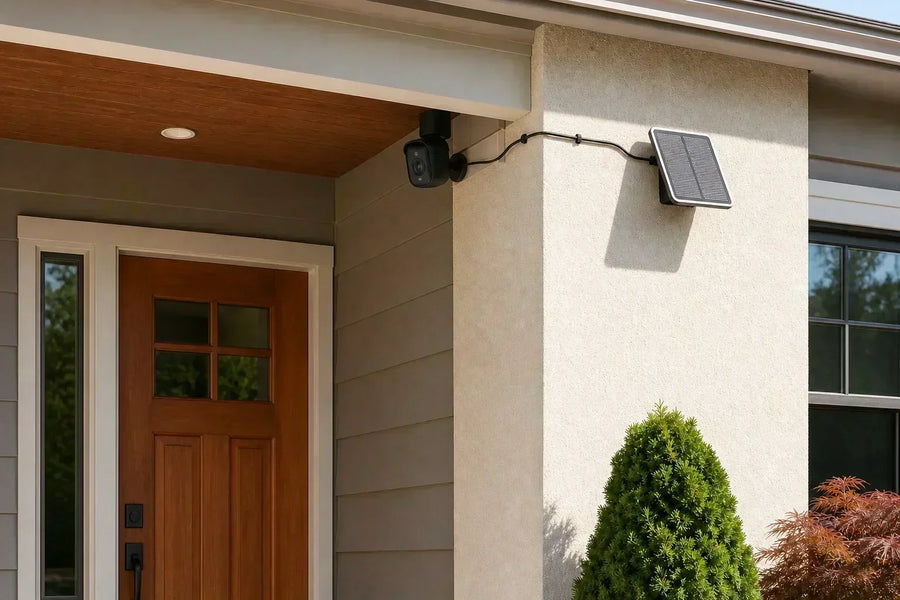
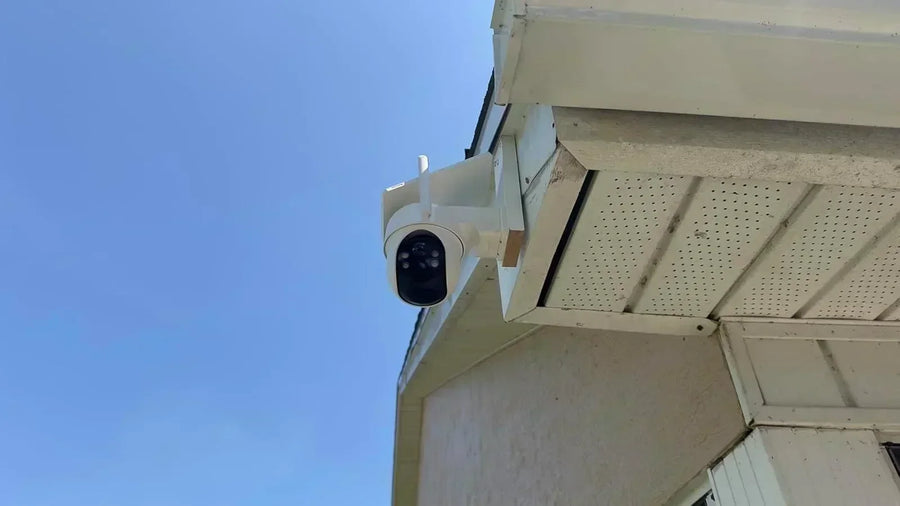
Yes. Solar security cameras work at night by using energy stored in a rechargeable battery. The panel charges the battery during daylight; after sunset, the battery powers motion detection, recording, night vision, alerts, and live viewing.
The more useful question is whether your panel, battery, night mode, and overnight activity can keep the camera working until morning.
How Daytime Charging Becomes Nighttime Coverage
A solar security camera is a battery camera with a solar charging source. Daylight puts energy into the battery. Recordings, wireless communication, night-vision lights, spotlights, alerts, and live viewing use it.
A quiet side gate may trigger only a few clips overnight, allowing the panel to replace that energy the next day. A camera facing a busy street may record people, cars, animals, and moving branches throughout the night. The same panel and battery can struggle at the busier location because the camera spends more energy before sunrise.
Energy added during the day
· Useful sunlight on the panel
· A clear, clean panel surface
· A panel angle suited to the available sun
Energy used after dark
· Motion detection and recordings
· Infrared lights or a visible spotlight
· Alerts, live viewing, and two-way talk
 Daylight charges the battery; stored battery power keeps the camera working after sunset.
Related links:
Read about aosu T2 Ultra's TrueColor night vision
Choose a Night-Vision Mode That Fits the Location
After dark, a camera can build a usable image with infrared, a low-light color mode, light already in the scene, or its own spotlight. These choices affect color, visibility, battery use, and whether the camera announces itself.
A side gate may suit infrared. A porch with a steady light may need no special night vision. A driveway may benefit from discreet color video or a motion-triggered spotlight when color details matter.
| Mode | What you normally see | Best fit |
|---|---|---|
| Infrared | Black-and-white video using infrared light, without a visible spotlight | Very dark areas where discreet coverage matters |
| Discreet color night vision | A low-light sensor and image processing retain color without turning on a visible spotlight; T2 Ultra's Covert Full-Color Mode is one example | Areas where color matters but a spotlight would be intrusive |
| Ambient light | The camera records in normal color using steady porch, landscape, street, or floodlight illumination | Areas that stay evenly lit after dark |
| Motion-triggered spotlight | The camera turns on a visible light when it detects activity and records the event in color | Doors, driveways, and yards where color detail and a visible response are useful |
What Affects Overnight Reliability?
The busiest hours matter more than the number of hours between sunset and sunrise. A long night with three useful clips can use less power than a shorter night with dozens of false triggers and repeated live-view sessions.
Clouds, short days, shade, snow, and dirt reduce the energy the panel can collect. The battery can carry the camera through poor charging weather, but several low-sun days combined with heavy nighttime activity can make the battery level fall faster than the panel restores it.
Power and remote access are separate. The camera can have enough battery but still appear offline when Wi-Fi or internet access is the problem. Watch the battery trend, event history, and connection status before deciding that nighttime operation has failed.
Reduce avoidable power use
· Exclude road traffic and public sidewalks from activity zones
· Reduce repeated false triggers from flags or branches
· Use a clip length that captures the event without running longer than needed
· Limit repeated live view, spotlight, and two-way talk sessions
Check daytime recovery
· Compare the battery level at the same time each day
· Look for shade or debris across the panel
· Check whether the battery rises again after clear weather
· Follow the camera's operating and charging temperature limits
Related links:
· How to Optimize Security Camera Battery Life
Test the Camera at Night Before You Rely on It
A daytime preview cannot show whether the camera will capture a useful nighttime event. Run this test after installation and repeat it when you change the angle, night mode, activity zone, or exterior lighting.
1. Start with a normal charge: Record the battery percentage before the test so you can compare it with the next morning.
2. Walk the route that matters: Have someone approach the gate, car, porch, or side path at a normal pace. Test movement across the view as well as movement toward the camera.
3. Check the alert and saved clip: Confirm when detection begins, whether the person stays visible, and whether the clip contains enough detail to understand the event.
4. Compare the available night modes: Compare infrared and color at the same location. Keep the mode that gives useful detail without adding light you do not want.
5. Check the next-morning battery level: Over several nights, compare battery use with the number of events and the charge recovered during the following day.
To Wrap Up
Solar security cameras work at night because the battery carries daytime energy past sunset. Reliable coverage depends on collecting enough daylight to replace the power used by night vision, recordings, alerts, and live viewing.
Test the route you care about after dark, then watch the battery trend across several days. That tells you whether your camera is merely operating at night or providing useful coverage until morning.
FAQs
Do solar security cameras need sunlight at night?
No. The solar panel charges the camera's battery during daylight. After sunset, the camera uses stored battery power for detection, recording, night vision, alerts, and live viewing.
How long will a solar security camera work at night or through cloudy weather?
There is no single runtime for every camera. It depends on the stored charge, temperature, night mode, number and length of recordings, spotlight use, and live viewing. A charged camera can operate through cloudy weather, but several low-sun days can reduce the battery if the panel does not replace the energy used.
Can a solar security camera show color at night?
Yes. Depending on the model and location, it can use discreet low-light color imaging, existing ambient light, or a motion-triggered spotlight. Infrared mode normally produces black-and-white video.