Wondering
how to fix a doorbell that doesn’t ring? Whether you're missing important visitors or just tired of pressing the button with no response, you're in the right place. This quick guide will help you figure out what’s wrong and show you simple ways to get your doorbell working again—no tech skills required. Also check out our
hot sellers from the last
30 days:
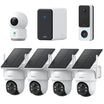
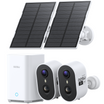
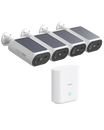
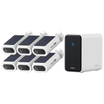
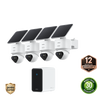
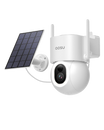
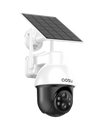
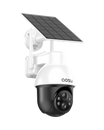
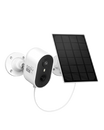
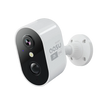
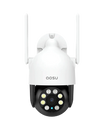
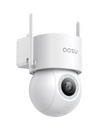
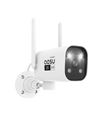
Apartment Security Cameras
Common Reasons Your Doorbell Doesn’t Ring
A silent doorbell might seem like a small problem, but it can quickly become frustrating—especially when you’re expecting a visitor or delivery. Here are the most common reasons your doorbell might not be working, and how you can start figuring out what’s wrong:
• Power problems (dead batteries or no electricity): If you have a wireless doorbell, start by checking the batteries. Low or dead batteries are one of the most common causes. For wired systems, the issue might be a tripped breaker or a faulty transformer.
• Faulty doorbell button: Doorbell buttons are exposed to weather and wear over time. They can stick, break internally, or lose contact due to corrosion.
➤ Tip: Gently press and release the button a few times. If it feels loose, stuck, or mushy, it might need replacing.
• Loose or damaged wiring: Wiring connects all the parts of your doorbell system. In older homes, wires can corrode, come loose, or crack over time, interrupting the signal.
➤ Tip: If you’re comfortable, you can remove the cover plate and check for visible damage or disconnected wires.
• Chime box malfunction: The chime box (the part that makes the sound) might stop working due to internal mechanical failure or dust buildup. Even if the button and power are fine, a broken chime means no sound.
➤ Tip: If you're getting power to the chime but no sound, the unit may need cleaning—or replacing.
• Outdated or incompatible system: If your doorbell is very old, some parts might no longer be compatible with modern devices or smart upgrades. In some cases, repair costs can exceed the value of simply replacing the entire unit.
➤ Tip: If you’ve recently tried to upgrade to a smart doorbell and it’s not working, check if your transformer meets the voltage requirements (often 16–24V for smart models).
How to Fix a Doorbell That Doesn’t Work
If your doorbell has suddenly gone silent, you don’t have to panic—or call in a professional right away. Most common doorbell issues can be diagnosed and fixed at home with a bit of patience and basic tools. Whether your doorbell is wired or wireless, the following step-by-step process will help you identify the problem and take the right action.
Step 1: Turn Off the Power
Before you touch any part of a wired doorbell system, cut the power at the breaker box. This is a crucial safety step. For wireless systems, remove the batteries or unplug the receiver unit.
If you skip this step, you risk shorting the circuit or giving yourself an electric shock. Even low-voltage doorbell systems can be dangerous when opened without precautions.
Step 2: Inspect the Doorbell Button
The doorbell button is often the most exposed part of the system, and over time it can become damaged due to weather, dust, or simple wear and tear. To inspect it:
• Unscrew the faceplate and gently pull the button away from the wall.
• Check the wiring for corrosion, disconnection, or breakage.
• Press the button while the wires are exposed. If you hear a faint clicking sound inside the chime or see any movement, the button might still be functional.
• If nothing happens and the wires are intact, the button itself could be the issue and should be replaced.
Buttons are inexpensive and widely available, and replacing one is typically a quick fix.
Step 3: Check the Chime Box (Ringer Unit)
Next, locate the chime box inside your home. It’s usually mounted on a wall in a hallway or near the front door. Remove the cover and examine the internal components.
• Make sure all wires are securely connected to their terminals.
• Look for signs of burnt wiring, broken springs, or dust buildup.
• Use a multimeter to check for voltage when the button is pressed. If the voltage is reaching the chime but there's no sound, the chime unit may be faulty.
In many cases, a quick cleaning or reattaching a loose wire is all it takes to bring it back to life. If not, replacing the chime box might be necessary.
Step 4: Test the Wiring
Wiring problems are especially common in older homes, where wires may degrade over time. If you suspect a wiring issue:
• Use a multimeter to test the continuity between the doorbell button, chime box, and transformer (if applicable).
• If there’s no continuity, the wire is likely broken or disconnected inside the wall.
Unfortunately, damaged wiring inside walls can be difficult to repair without professional help. However, if the problem is near a terminal or junction point, reattaching or replacing a short section may solve the issue.
Step 5: Examine the Transformer
Wired doorbells rely on a transformer to reduce your home’s standard voltage (typically 120V) down to the 16–24 volts needed for doorbell operation. The transformer is often installed near your electrical panel, in the basement, or mounted in a utility closet.
To test it:
• Turn the power back on and use a multimeter to measure the voltage output.
• If the reading is significantly below 16 volts or there’s no output at all, the transformer is likely the cause of the issue.
Replacing a transformer is a moderately technical task and may require turning off the main circuit breaker. If you're not comfortable working with electrical wiring, consider calling a licensed electrician.
What to Do If Your Doorbell Still Doesn’t Work
If your current doorbell keeps failing or doesn’t give you the peace of mind you want, it may be time to stop fixing and start upgrading. Smart video doorbells not only solve common problems—they also give you better control, better visibility, and stronger security.
|
Traditional Doorbell Problems
|
Why a Smart Doorbell Is Better
|
|
Keeps breaking, needs constant repair
|
One-time install with long-term reliability
|
|
Old wiring, hard to upgrade
|
Simple setup with modern features
|
|
No video, alerts, or remote control
|
See who’s there, get motion alerts, talk via app
|
|
Can’t monitor packages or doorstep area
|
Wide view cameras show people and parcels clearly
|
To help you upgrade with confidence, aosu offers three smart video doorbells, each designed for different homes and budgets:
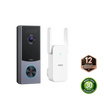
Best for families who want maximum visibility and security. Great if you receive packages often or want a full view of your front door area.
What’s good:
1.Dual-camera design lets you see people and packages at the same time
2.Covers blind spots with wide and downward angles
3.Smart motion detection filters out false alarms
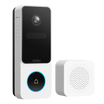
Ideal for homes with tricky lighting or lots of foot traffic. Designed to handle real-world conditions like bright sun and deep shade.
What’s good:
1.HDR video balances lighting for clearer images
2.Clear night vision keeps footage sharp in low light
3.Sleek design fits most doorways without extra parts
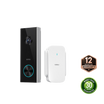
Perfect for first-time users or anyone wanting smart security on a budget. A great fit for apartments, condos, or smaller homes.
What’s good:
1.Affordable without missing key features like real-time alerts and two-way talk
2.Simple installation—no wiring experience needed
3.Compact and modern, blends easily into any entryway
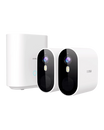
Pairing any of these models with
aosu security cameras gives you full home coverage. From your front door to your driveway and backyard, everything stays connected—and protected—in one smart system.
Conclusion
A doorbell that doesn’t ring might seem like a small issue, but it can affect your daily routine and home security more than you think. By following the steps in this guide, you can troubleshoot most common problems and decide whether a simple fix is enough—or if it’s time to upgrade.
If your current system is outdated or unreliable, switching to a smart video doorbell from aosu can give you more control, better awareness, and peace of mind. Whether you choose a feature-packed model like the Ultra or a budget-friendly option like the SE, you’ll be making a smart move toward a safer home.
Ready to make your doorbell work better—and smarter? It starts with the right tools and the right solution.
FAQ
How Can You Fix a Doorbell That Doesn’t Ring?
Check the power supply, wiring connections, and the doorbell button. Replace dead batteries for wireless models or test the chime and transformer for wired systems. Ensuring all components are secure and functioning usually restores normal operation quickly.
How Do You Fix a Doorbell Transformer That Isn’t Working?
Inspect the doorbell transformer for blown fuses or tripped circuit breakers. Test voltage output with a multimeter. Replace faulty transformers or repair wiring issues to restore proper power to the doorbell system.
How Can You Fix a Faulty Doorbell Button?
Clean or replace the doorbell button if it sticks or fails to make contact. Ensure wiring is secure and corrosion-free. For wireless models, check batteries or reset the device to restore proper function.
How Do You Fix a Doorbell Chime That Isn’t Sounding?
Check the doorbell chime for loose connections, power issues, or mechanical faults. Test the transformer and wiring. Replace defective chime units or clean mechanical contacts to restore audible notifications.
How Do You Install a New Doorbell Correctly?
Turn off power before installation. Mount the doorbell button securely, connect wires properly, and install the chime or receiver. Test the system to ensure proper ringing and functionality. Follow manufacturer instructions for optimal performance.
How Can You Fix a Smart Doorbell That Isn’t Ringing?
For a smart doorbell, check Wi-Fi connection, power supply, and app settings. Restart the device and update firmware. If issues persist, inspect wiring or replace components while ensuring compatibility with your home network.
How Do You Choose the Best Replacement Doorbell?
Consider doorbell type, power source, and features like wireless connectivity, smart alerts, and integration with home systems. Choose a reliable, durable model that suits your home environment and daily usage needs.
How Can You Maintain a Doorbell for Long-Term Use?
Regularly clean contacts, check wiring, and replace batteries in wireless models. Inspect the chime, transformer, and button for wear. Proper maintenance ensures reliable performance and extends the life of your doorbell system, keeping your home secure and notifications consistent.












Leave a comment
This site is protected by hCaptcha and the hCaptcha Privacy Policy and Terms of Service apply.