

























A security camera losing Wi-Fi can feel like the exact moment you need it most. The confusing part is that some cameras can still record during an outage, while other features stop right away.
The short answer is: some security cameras can record without Wi-Fi if they have power and local storage. But remote live view, phone alerts, cloud upload, and app-based sharing usually need an internet connection.
This guide separates recording from access so you can understand what actually works offline, what does not, and what to check before you rely on a camera during an outage.
The Short Answer
Security cameras can record without Wi-Fi only if the camera or system has a way to save footage locally. That might mean a microSD card, built-in camera storage, a home hub, a base station, an NVR, or a DVR.
If the camera depends only on cloud storage, it usually cannot upload new clips while the internet is down. It may still detect motion locally, but the footage may not be saved unless the camera has local storage.
The safest rule is this: Wi-Fi is not the same thing as recording. Recording depends on power and storage. Remote access depends on the network and internet connection.
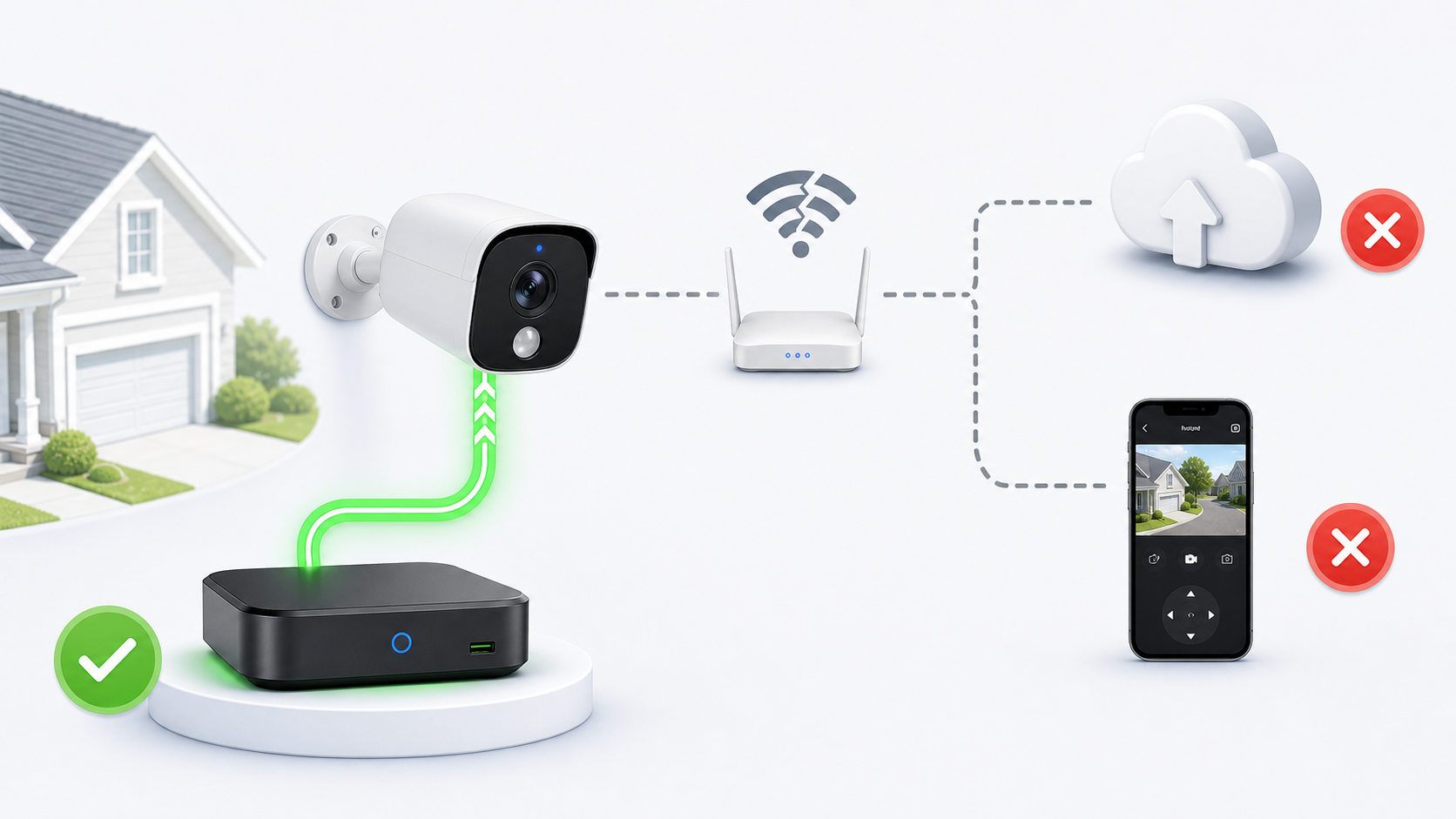
The key is separating local recording from remote access. A camera may save footage to an NVR or hub while cloud upload and phone viewing pause.
First, Separate Wi-Fi, Internet, and Storage
People often say a camera is offline when they mean a few different things. Sorting those meanings out makes the answer much clearer.
Wi-Fi is the local wireless connection between the camera, router, and sometimes a hub. Internet is the connection from your home network to the outside world. Storage is where footage is saved.
| If Wi-Fi is down | If internet is down but Wi-Fi still works | If storage is missing or full |
|---|---|---|
|
|
|
What Usually Works Without Wi-Fi
Exact behavior depends on the camera model, but most systems fall into a predictable pattern.
Features that happen inside the camera or local recorder are more likely to keep working. Features that need your phone, the cloud, or the brand's servers are more likely to stop until the connection returns.
| More likely to work offline | More likely to stop offline |
|---|---|
|
|
Which Security Camera Types Handle Offline Recording Best?
The camera type matters because it determines where footage goes when the connection is interrupted.
For offline recording, the strongest setups usually have storage inside the camera or on a local device that stays powered at home.
| Camera with microSD or built-in storage | Camera with home hub or base station | Wired camera with NVR or DVR | Cloud-only camera |
|---|---|---|---|
|
|
|
|
What Usually Stops Working Without Wi-Fi or Internet
Most of the frustration during an outage comes from app features, not the camera lens itself. The camera may still be physically able to see motion, but the app cannot always tell you about it or show it to you remotely.
- Remote live view
If you are away from home, live view usually needs the camera or hub to reach the internet.
- Phone alerts
Push notifications usually need an internet connection. You may not know an event happened until the system reconnects.
- Cloud upload
Cloud storage cannot receive new clips while the system is offline. Some systems may upload later, but others may not.
- Cloud-based AI features
Advanced event labels, search, or organization may depend on cloud processing and may pause during an outage.
- Clip sharing
Sharing clips through an app usually requires the app, account, and internet connection to be working.
How to Set Up Cameras for Better Outage Protection
If outages are common in your area, choose and set up your camera with offline behavior in mind. The goal is not to make every feature work without internet. The goal is to protect the footage that matters most.
- Choose a camera with local storage
Look for microSD, built-in storage, a home hub, a base station, an NVR, or a DVR if recording during outages matters to you.
- Keep the camera and storage powered
A camera cannot record without power. If outages include power loss, consider whether the camera battery, hub, router, or recorder has backup power.
- Use local storage for important cameras
Front door, driveway, and package-area cameras are stronger candidates for local storage or a protected indoor hub.
- Know whether clips upload later
Some systems may sync events after reconnecting, while others only upload what was captured while online. Check this before relying on it.
- Save important clips quickly
Local storage can overwrite old footage when full. Download important clips before they rotate out.
What to Test Before You Rely on Offline Recording
The best time to learn how your camera behaves without Wi-Fi is before a real outage. A short test can prevent a lot of false confidence.
Only test in a way that you can safely reverse. Do not reset your network or delete camera settings unless you know how to restore them.
- Check the storage menu first
Confirm that the camera sees its SD card, built-in storage, hub, or recorder and that recording is enabled.
- Create a short test event
Walk through the camera view so you know a normal motion clip should be created.
- Temporarily interrupt internet access
If you are comfortable doing so, disconnect internet or Wi-Fi briefly, then create another test event.
- Reconnect and review playback
Check whether the offline event appears in local playback, cloud history, or both after the system reconnects.
- Write down the result
Record what worked and what stopped so you know what to expect during a real outage.
Common Mistakes to Avoid
- Assuming no Wi-Fi means no recording
Some cameras can still record locally. The better question is whether your specific camera has power and local storage.
- Assuming local recording means remote access
A camera may save footage locally while still being unreachable from your phone until internet service returns.
- Buying a cloud-only camera for an outage-prone location
If offline recording matters, cloud-only storage is usually a weak fit.
- Forgetting about power
Wi-Fi is only one failure point. If the camera, hub, router, or recorder loses power, recording may stop.
- Never testing the setup
Spec sheets can be vague. A short controlled test is often the clearest way to understand your camera's actual behavior.
A Quick Note About aosu Cameras
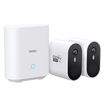
aosu is relevant to this topic because many aosu systems emphasize local storage and no required monthly storage fee. Depending on the model, footage may be stored on an SD card, built-in storage, or an indoor aosuBase.
That local-first approach can be helpful if you want everyday recording that is less dependent on cloud storage. However, exact offline behavior still depends on the specific camera, hub, storage setup, power source, and app features.
Before publishing product-specific claims, verify the model's local recording behavior, what works without internet, whether clips sync after reconnecting, and which cloud or AI features require a plan.
To Wrap Up
Can security cameras record without Wi-Fi? Sometimes, yes, but only when they have the right local storage and power setup. A camera with an SD card, built-in storage, hub, NVR, or DVR has a better chance of saving footage during an outage than a cloud-only camera.
The bigger takeaway is to separate recording from access. Local recording may continue, while remote live view, alerts, cloud backup, and sharing pause until the system reconnects.
If offline recording matters to you, choose a camera with local storage, understand what stops during an outage, and test the setup before you need it.
FAQs
Can security cameras record without Wi-Fi?
Some security cameras can record without Wi-Fi if they have power and local storage, such as a microSD card, built-in storage, a home hub, an NVR, or a DVR. Cloud-only cameras usually need internet access to save new clips online.
Can I watch my security camera live without Wi-Fi?
Remote live view usually needs Wi-Fi or internet access. Some wired or local recorder systems may allow local viewing on the same network, but phone-based viewing away from home typically requires an internet connection.
Will my security camera send alerts if the internet is down?
Usually no. Phone alerts and push notifications generally need the camera, hub, or recorder to reach the internet. The camera may still record locally, but you may not receive the alert until service returns.
Do security cameras upload missed clips after Wi-Fi comes back?
It depends on the camera and storage setup. Some systems may sync or show locally recorded events after reconnecting, while others only upload clips that were captured while the internet was available.
What type of security camera is best for recording without Wi-Fi?
A camera with local storage, a home hub, a base station, an NVR, or a DVR is usually better for recording without Wi-Fi than a cloud-only camera. If power outages are also a concern, consider how the camera and storage device stay powered.