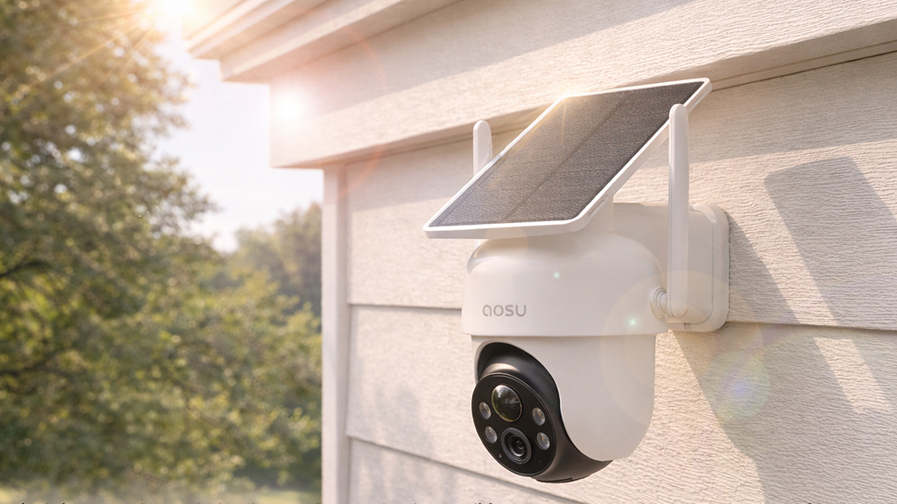
The aosu SolarCam D1 Classic is a wire-free outdoor camera built around three practical advantages: solar charging, broad pan-and-tilt coverage, and local recording without a required monthly subscription. It is also one of aosu's most budget-friendly ways to cover several outdoor areas without giving up core security features.
The D1 Classic works particularly well for driveways, yards, gates, and outbuildings where running power would be inconvenient. Choose the bundle carefully, then mount each camera where it can get adequate daylight, maintain a stable connection, and see the area you want to monitor.
Quick Verdict: Who the D1 Classic Is Best For
The D1 Classic is a good fit for a value-conscious household with multiple outdoor zones, workable sunlight, and no convenient outdoor power. Its pan-and-tilt design can cover driveways, yards, gates, and detached areas where a fixed camera would leave more of the scene outside the frame.
It is less convincing when the installation point stays shaded, the camera will face nonstop street traffic, or you need continuous recording and stable simultaneous views in several directions. In those cases, a wired camera, a fixed multi-camera layout, or a different solar setup may be the better tool.
If you are comfortable spending more for higher 4K resolution, True Color night vision, and more advanced detection, compare the D1 Classic with the T2 Ultra. The upgrade makes the most sense when nighttime identification and image detail take priority over keeping the system cost down.
| The D1 Classic is a good fit if: | Compare another setup if: |
|---|---|
|
|
Why the D1 Classic Offers So Much for the Price
The D1 Classic earns its value by combining features that would otherwise add cost or require extra hardware. Solar charging avoids outdoor power wiring, PTZ movement covers more than a basic fixed frame, local recording removes the need for a storage subscription, and multi-camera kits can cover several parts of a home.
The D1 Classic sits below newer premium systems such as the T2 Pro in aosu's outdoor lineup. It trades premium imaging and dual-lens capability for a more approachable path to whole-home outdoor coverage, while retaining the solar power, local storage, tracking, and multi-camera features most households will notice every day.
Consider the full cost of the system, including installation, subscription fees, charging, and future expansion. When its base station, storage, camera capacity, and solar placement suit the property, the D1 Classic keeps several of those expenses under control.
| Where the value comes from | When a premium model makes more sense |
|---|---|
|
|
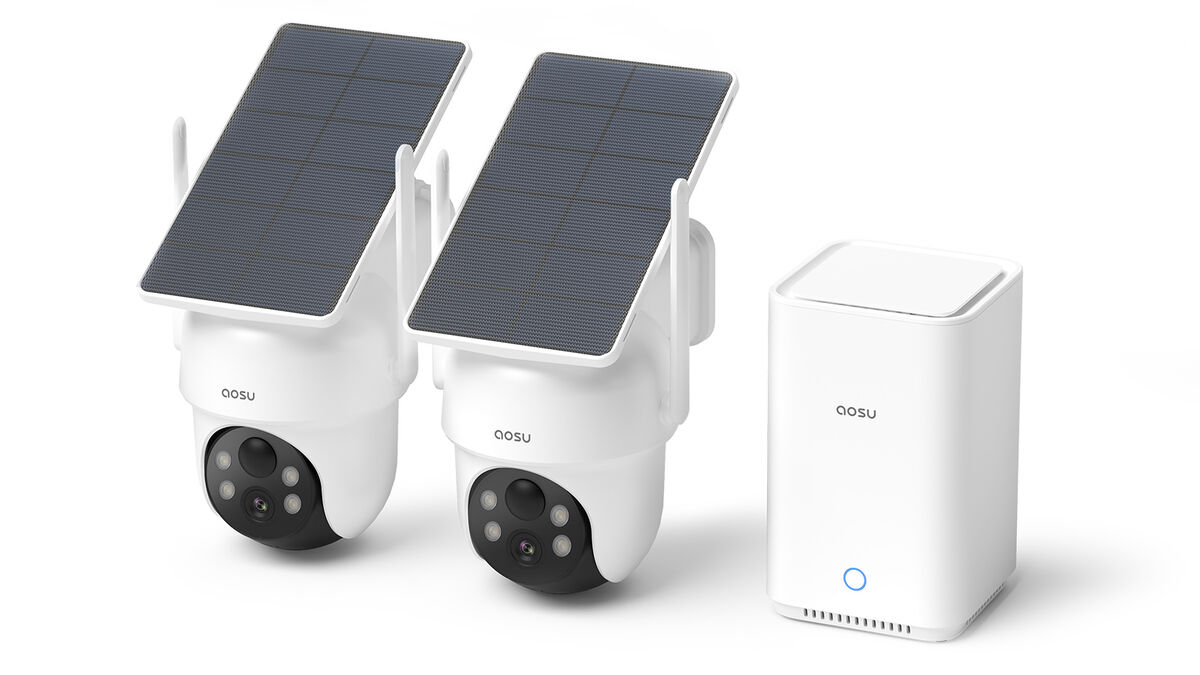
The D1 Classic combines solar cameras and local storage in a system designed to grow beyond a single outdoor view.
What the D1 Classic Is Like to Use
Day-to-day use is straightforward. Setup is approachable, pan-and-tilt movement covers more of an open area, daytime video is clear enough for routine home monitoring, and solar charging can greatly reduce manual charging. Local recording keeps core event storage available without making a cloud plan mandatory.
The Irish Examiner reached a similar conclusion in its review of the 2K D1 Classic kit, highlighting the simple setup, 360-degree tracking, solar charging, and local recording without a compulsory subscription.
Its limits are predictable for a battery-powered PTZ camera. Solar exposure directly affects charging, frequent events and tracking consume more power, fast nighttime movement preserves less fine detail than daylight, and storage capacity depends on the base station included with the kit.
- Setup is straightforward
App-guided pairing is simple. Choosing a permanent location with the right sunlight, signal, and viewing angle requires more thought than connecting the cameras.
- Solar works best with a placement plan
Adequate daylight can keep charging chores low, even when every day is not perfectly sunny. Roof shadows, trees, and deep eaves can still limit the energy reaching the integrated panel.
- PTZ coverage added real flexibility
Pan, tilt, person tracking, and activity zones help cover larger outdoor scenes. This works best when movement follows a driveway, yard, or gate route that one mounting point can reasonably cover.
- Local storage adds value
Core event recording works locally without requiring a storage subscription. Older and newer base-station versions do not have identical storage expansion or camera-capacity limits.
- The practical limits are manageable
Occasional classification mistakes, notification delays on weaker connections, and reduced motion clarity at night are possible. Good placement, a stable signal, and tuned detection settings reduce most everyday frustration.
Read the Irish Examiner D1 Classic review
Choose the Right D1 Classic Kit
D1 Classic comes in several configurations. From a standalone 2K camera to a newer 3K six-camera system. Standalone cameras can use local SD card storage, the 2K kit comes with the fixed 32GB storage aosuBase, and the 3K kit comes with the upgraded aosuBase whose 32GB native storage is expandable to 1TB.
Before buying, match the exact resolution, camera quantity, base-station model, included storage, expansion limit, and maximum camera count to the system you want to build.
| Standalone Camera | 2K kit details | 3K kit details |
|---|---|---|
|
|
|
View the current D1 Classic kit options
Video Quality: Clear Daytime Detail and Bright Night Coverage
The D1 Classic is available in 2K and 3K configurations. Both capture clear daytime footage, while the 3K version preserves finer detail when distance, lighting, and camera placement are otherwise equal. That can help when reviewing a visitor, vehicle, delivery, or route through the property.
At night, four bright LED spotlights illuminate the scene for clearer color footage. They can also draw attention to someone approaching and act as a deterrent. However, careless positioning or overly broad detection settings could make the lights annoying to neighbors, especially if they shine toward nearby windows or activate frequently.
For the clearest results, aim the camera along the driveway, gate, or approach route rather than covering the widest possible panorama. Keeping people larger in the frame usually provides more identifiable detail than an expansive view.
Coverage: Track Movement Across a Wide Area
The D1 Classic can pan and tilt across a broad area, and person tracking can follow movement through the scene. For one open yard, driveway, or side route, that can reduce the number of fixed angles you need.
However, a moving camera still points in one direction at a time. If it follows someone across the driveway, another part of the yard may be outside the current frame. Homes that need the front door, driveway, side gate, and backyard recorded simultaneously will still benefit from multiple cameras.
Use PTZ coverage to follow activity inside one related zone. Use additional cameras when separate zones can have important activity at the same time.
See when one PTZ camera can replace multiple cameras
Solar and Battery: Enough Sun Means No Manual Charging
The integrated solar panel is one of the D1 Classic's main advantages. It removes a separate panel and cable from the installation and can keep the battery topped up when the camera receives adequate daylight. Testing by The Irish Times found that the camera maintained its charge when it was positioned to receive enough light, including through mixed weather - and Ireland is hardly the sunniest place on earth.
The tradeoff is that camera angle and solar angle are tied together. The best security view may sit under an eave or face a direction that receives less sun. Before drilling, hold the camera at the proposed location several times during the day and look for shade from rooflines, trees, gutters, and seasonal sun changes.
Battery demand also changes with the recording requirements. A camera recording frequent vehicles, tracking people, using a spotlight, or being opened repeatedly for live view uses more energy than a camera watching a quiet backyard. Person-only alerts, activity zones, sensitivity, and monitoring schedules can help, but settings should preserve the events you actually care about.
USB backup charging provides a fallback when weather or activity outpaces solar input. If the camera regularly needs manual charging, check the placement and settings before assuming solar charging is functioning as intended.
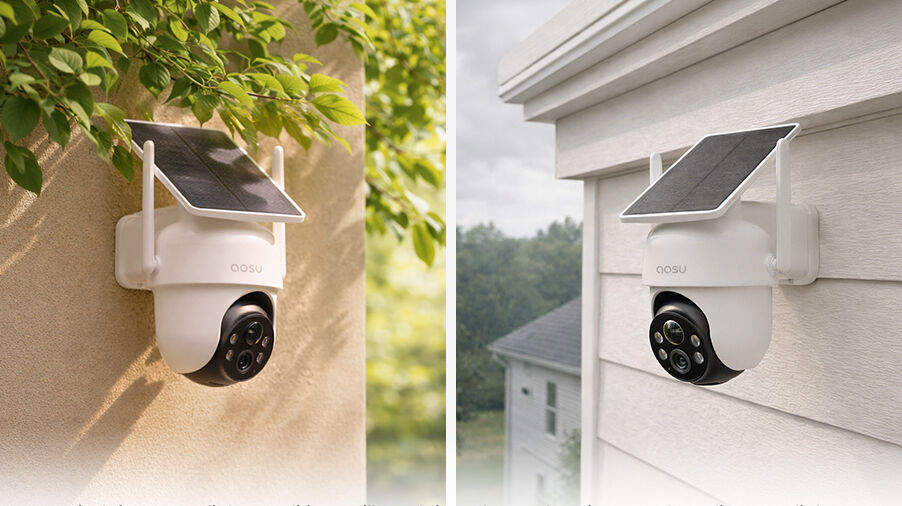
Because the solar panel is integrated, the camera needs a position that works for both coverage and daylight.
Decide whether a solar security camera suits your home
Adjust camera settings for better battery life
Read The Irish Times D1 Classic review
Local Storage: Options Vary Across Kits
The D1 Classic records core security events locally without requiring a storage subscription. The system remains fully capable of recording events even if you do not want cloud storage to become a permanent operating cost.
Storage differs by kit. The Irish Times tested an earlier HomeStation bundle with 32GB of fixed storage that overwrites the oldest events when full. Mighty Gadget later reviewed a newer six-camera system with an upgraded, expandable base station. Meanwhile, standalone D1 Classic cameras come with an SD card slot for local storage. This can also be viewed through the app but is more exposed to theft or vandalism.
Whichever version you choose, learn how overwrite works and export important clips before they age out. Optional cloud services can add off-site backup and other features, but they should be evaluated separately from the local recording included with the hardware.
Compare security cameras without a required subscription
Learn how security cameras store footage
Read the Mighty Gadget six-camera review
Setup Is Easy, but Placement is Key
Initial pairing and app setup are straightforward. Live view, event playback, activity zones, and device management are easy in normal day-to-day use.
Mounting location determines how well the connection performs. Weak Wi-Fi can delay notifications or make live view slower to load, especially through exterior walls or at the far edge of a property. Place the base station and router with the camera locations in mind.
Before permanent installation, consider using the camera temporarily at the exact height and position you plan to mount it. Test live view, trigger a walk event, wait for the phone alert, replay the clip, and repeat at night. A camera that technically connects but loads slowly or misses the intended approach route is not ready to drill in.
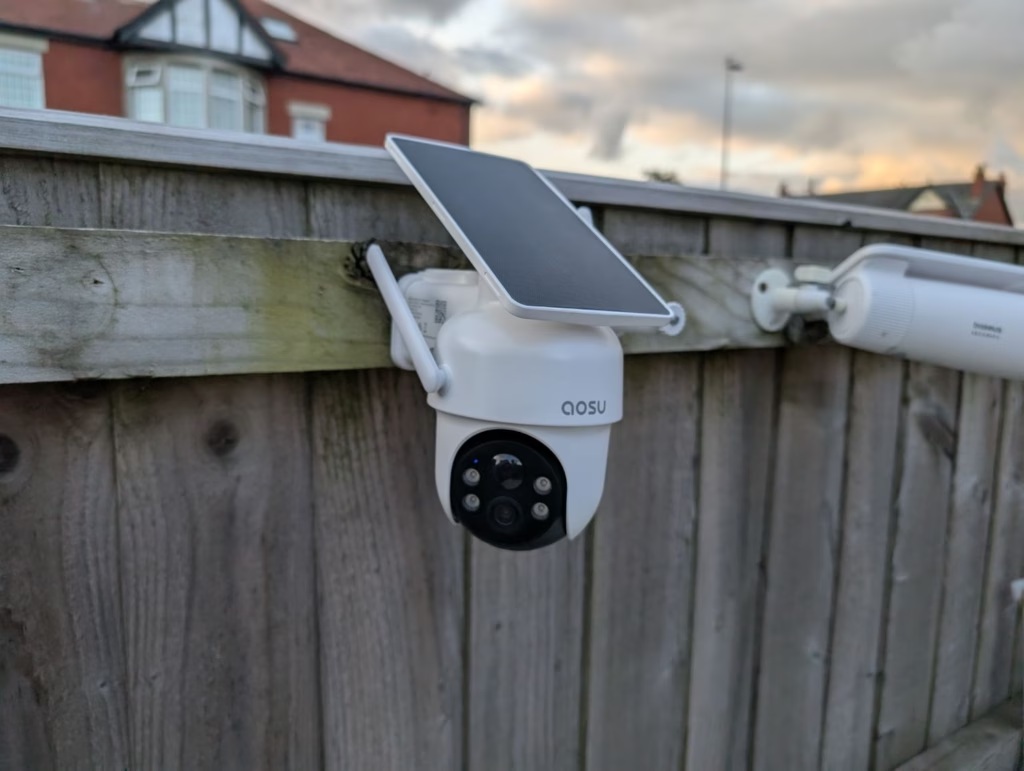
Test the final mounting height, Wi-Fi signal, detection path, and solar exposure before drilling.
How to mount a security camera on any surface
Which Homes Get the Most Value From the D1 Classic?
House size alone does not determine whether the D1 Classic will work well. Focus on solar access, Wi-Fi coverage, and how people and vehicles move through the areas you want to monitor.
- A driveway with no convenient power outlet
The camera can watch vehicles and people approaching while solar charging avoids a long cable run. Keep public-road motion outside the active zone when possible to reduce unnecessary events.
- A backyard with a gate, patio, and shed
Pan-and-tilt coverage works well when these areas belong to one open scene. Add another camera if a structure creates a true blind corner.
- A detached garage or outbuilding
Wire-free installation can be much easier than adding power, provided the camera still has a stable connection to Wi-Fi and enough daylight.
- A home installing a security camera system for the first time
A multi-camera D1 system can cover several outdoor zones, and both the 2k and 3k kits have full-home package options that include other cameras so that one purchase gives a home comprehensive coverage.
- A quiet side yard or gate route
Lower event volume makes solar and battery management easier, while tracking can follow a person through a predictable approach.
A Practical D1 Classic Pre-Buy Checklist
Use this checklist on the exact product listing and at the intended mounting location. It gives you a more reliable comparison than the headline feature count alone.
- Confirm the exact camera or kit version
Figure out the resolution, number of cameras, and amount of local storage you want to get out of the purchase, then choose the camera or kit accordingly.
- Map the important zones
List the driveway, door, gate, yard, or outbuilding you need recorded, including which areas may have simultaneous activity.
- Test sunlight and shade
Look at the mounting point throughout the day to see if it's getting enough sun, and factor in the season when the sun is lowest.
- Test Wi-Fi at the mounting spot
Use your phone to test Wi-Fi strength at the exact points you want to mount cameras. Full bars is ideal, half or less is likely problematic.
- Estimate event volume
Busy roads, sidewalks, pets, and trees can increase clips, alerts, tracking, and energy use unless zones and settings are tuned.
To Wrap Up
The aosu SolarCam D1 Classic is best for value-conscious homeowners who want flexible outdoor coverage, simple wire-free installation, solar charging, and local event recording in one system. It competes well in its lower price range because it keeps the practical features most households will notice while leaving premium dual-lens and higher-end imaging features to more expensive models.
Match the exact D1 Classic bundle to your home. Confirm the camera resolution and base-station generation, then test the actual mounting location. If the sun, signal, and coverage pattern all work, the D1 Classic can protect several outdoor zones without adding outdoor wiring or a required monthly storage plan.
FAQs
Is the aosu SolarCam D1 Classic worth it?
Yes, the D1 Classic offers good value for homes that need wire-free solar installation, pan-and-tilt outdoor coverage, and local recording without a required subscription. Choose another setup if the mounting area stays deeply shaded, several directions must be recorded simultaneously, or you need continuous 24/7 recording.
Is the aosu D1 Classic 2K or 3K?
The D1 Classic is sold in both 2K and 3K configurations. The 3K option belongs to the newer six-camera system, while other kits use 2K cameras. Check the selected bundle before buying.
Does the aosu D1 Classic require a subscription?
No. The D1 Classic supports local event storage without requiring a subscription for core recording. Optional cloud services are available, while included storage and expansion limits depend on the base station supplied with the kit.
How many D1 Classic cameras can connect to one base station?
The supported camera count depends on the base-station generation. Some reviewed older systems supported four cameras, while newer D1 Classic systems are advertised for six. Confirm the model and current compatibility information for the exact kit.
Does the D1 Classic solar panel work in cloudy weather?
Yes, the integrated panel can continue charging in mixed or cloudy weather as long as the mounting point still receives adequate daylight. Shade, season, event frequency, tracking, live viewing, and night lighting affect the balance, so USB backup charging may occasionally be needed.