Is your garage door truly secure — or could it be putting your whole home at risk? Many homeowners focus on doors and windows but forget that the garage is a major access point for intruders. In this guide, we'll show you how to strengthen your garage door security, from integrating a smart camera to using proper locks, lighting, and smart tech. Whether you're upgrading an old system or starting fresh, these practical tips will help you protect your home from the ground up.
Why Garage Security Matters More Than You Think
When it comes to home protection, the garage is often an overlooked weak spot. Yet, it can be one of the easiest ways for intruders to access your property. Here's why securing your garage is more important than you might realize:
- Easy Access for Intruders: Many garage doors can be forced open or manipulated from the outside, especially older models without modern security features.
- Direct Entry to Your Home: Attached garages usually have an interior door leading into your house — if the garage is breached, your entire home is at risk.
- Valuable Items Inside: Garages often store expensive tools, bikes, vehicles, and personal belongings that are attractive targets for theft.
- Tech Vulnerabilities: Smart garage openers connected to Wi-Fi can be hacked if not properly secured, exposing your home to digital threats.
- Lack of Surveillance: Without cameras or motion lights, garages can offer intruders a low-visibility area to break in unnoticed.
By reinforcing your garage door security — with cameras, alarms, smart locks, and good lighting — you're not just protecting a single room. You're securing your entire home from a common point of entry.
Smart Tips for Securing Your Garage Against Break-Ins
1. Check locks and opener compatibility
Distinguish the large vehicle door from pedestrian access doors. A suitable deadbolt may be appropriate for a side door, but a manually engaged slide bolt on an automated garage door creates a different issue.
Do not operate an opener against a locked door. Add a secondary lock only through a manufacturer-approved arrangement that prevents powered operation while the lock is engaged. Compatible automatic locks are model-specific; see LiftMaster’s automatic-lock guidance.
2. Plan useful camera views
Identify the approach and entry points you want to record. Test saved clips with the garage door both open and closed, in daylight and after dark. Cameras can document activity, but they do not physically secure a door or guarantee identification.

3. Improve lighting around access points
Light the pedestrian entrance, vehicle-door approach and walking route as needed. Adjust motion settings and aiming to limit glare and unwanted activation. Check the recorded image after installation rather than assuming that more light always improves it.
4. Secure the opener and its access controls
Identify your opener model and review its supported remotes, keypad codes and connected accounts. Remove access that is no longer needed using the manufacturer’s procedure.
Confirm which alerts, remote controls and closing functions your model actually supports. Keep safety sensors operational and follow the manual’s testing instructions.
5. Check the door connecting the garage to the house
Inspect the door, frame, hinges, latch and lock. Before replacing the door or adding hardware, check local requirements for the garage-to-house separation, including any applicable fire protection, closing and escape provisions.
Have a qualified installer assess damaged or unsuitable components. Do not let an added lock interfere with required exit operation.
6. Secure tools, ladders and other valuable items
Store portable tools in locked storage and secure ladders where practical. Keep equipment away from door mechanisms, safety sensors and escape routes.
Keep the garage closed between uses and avoid leaving valuable contents visible from outside.
How to Choose the Right Garage Security Camera
Choose a camera around the recording task and installation conditions. Before buying, check these five areas.
Recorded detail
Review saved footage at the distance you need, including a moving person in daylight and darkness. Resolution alone does not establish whether faces or plates will be usable. Door movement, headlights and backlighting can change the result.
Power, connection and recording mode
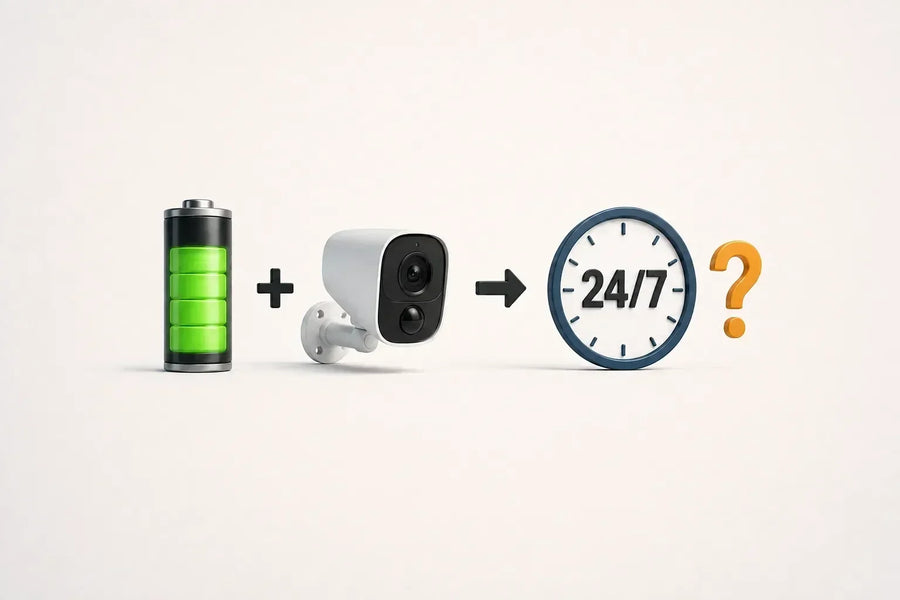
Check power and data connections separately. A Wi-Fi camera may still need a power cable, while a battery camera needs a charging plan. Wired power does not automatically mean continuous recording.
Confirm whether the selected model saves events, continuous video or another recording mode, and what happens during a connection outage.
Installation environment
Check whether the camera is approved for the intended indoor or outdoor location. An IP rating describes specified ingress protection; it does not establish operating or charging temperature limits. Review those limits separately, along with mounting and connector-protection instructions. See SGS’s explanation of ingress-protection testing.
Playback and exports
Confirm how to find and download a saved clip, where recordings are stored and which functions require a subscription. Test access from the installed position before relying on it.
Verified compatibility
Check the exact camera, hub, opener and smart-home platform against current compatibility information. Support for a voice assistant does not, by itself, establish integration with a garage lock, sensor or opener.
Three aosu Camera Options to Compare for Your Garage
These options serve different installation needs. They are manufacturer-described products, not the results of a comparative garage-security test.

1. SolarCam D1 Classic
The currently linked SolarCam D1 Classic is described as a 2K solar camera with pan-and-tilt control. Consider it where the camera position also provides suitable sunlight.
Test the recorded approach to your garage. Rotation does not provide simultaneous recording in every direction, and solar charging depends on the installation conditions.

2. SolarCam D1 Classic Kit
The SolarCam D1 Classic Kit is an option when separate entrances or approaches need separate camera positions. Confirm the selected camera count, hub version and storage configuration before ordering.
A multi-camera kit can provide additional views, but the number of cameras alone does not establish complete coverage.
3. Wireless Cam Lite
The Wireless Cam Lite page specifies 2K video, battery power and 2.4GHz Wi-Fi connectivity. Check signal strength, charging access and the supported recording and storage settings at your intended position.
Wireless connectivity does not remove the need for a suitable mounting method or battery maintenance.
Before choosing any model, confirm its environmental limits and test whether the saved footage provides the detail you need. Cameras complement secure doors and correctly installed hardware.
Conclusion: Making Your Garage the Strong Point, Not the Weak One
Start with the garage’s physical access points and the condition of the door system. Repair faults and confirm hardware compatibility before adding locks, reinforcement or connected accessories.
Garage security checklist
- Check the vehicle door, side door and any connecting house door.
- Review remotes, keypad codes and connected-account access.
- Keep safety sensors and required escape routes clear.
- Test lighting and saved camera footage after dark.
- Secure portable tools, ladders and valuable equipment.
- Refer door damage, balance problems and reinforcement work to a trained technician.
If a camera would address a specific recording gap, compare the SolarCam D1 Classic, D1 Classic Kit and Wireless Cam Lite against your placement, power and storage needs. Equipment can support your precautions, but it cannot guarantee that a break-in will not happen.
FAQs About Garage Door Security
What is the best deadbolt lock for your garage door?
First identify whether you mean a pedestrian door or the large vehicle door. For a pedestrian door, choose a lock with a documented security rating that suits the door, frame and required exit operation. For an automated vehicle door, use only locking arrangements approved for the door and opener combination.
How can you reinforce a garage side door lock effectively?
Inspect the door, frame, strike and hinges together. Have a qualified installer specify suitable reinforcement and fasteners for the construction. A fixed screw length is not appropriate for every frame, and added hardware must not interfere with applicable fire or escape requirements.
Which smart garage door opener offers the best security features?
Compare compatibility with your door, supported access controls, safety functions and the manufacturer’s maintenance requirements. Confirm how lost remotes and guest access are removed. Connected features and rolling codes do not guarantee immunity from unauthorized access.
How can you reinforce a garage door against break-ins?
Do not add timber beams, struts, replacement tracks or other reinforcement as a general DIY security measure. Ask the door manufacturer or a trained door-systems technician to assess an approved solution. Added weight can affect the balance and supporting components; see DASMA’s guidance on added weight.
What is the best camera for monitoring a garage interior?
Choose a camera approved for the garage’s temperature and installation environment. Check power, connectivity, recording mode and playback. Test saved footage with the vehicle door open and closed; a product’s resolution or advertised viewing angle alone does not establish useful coverage.
Where should you place security cameras in a garage?
Start with the vehicle-door approach, pedestrian entrance and any connecting door into the home. Test positions against shelves, parked vehicles and the open garage door. Follow the camera’s mounting instructions and add another view where necessary. No fixed height or corner arrangement guarantees that every blind spot is removed.
How can you secure a garage door keypad from hacking?
Use a code that meets your model’s requirements, keep it private and remove temporary access when it is no longer needed. Follow the manufacturer’s procedure after a remote is lost or a code is disclosed. Do not assume that every keypad supports the same PIN length, account controls or security features.
What garage security checklist should homeowners follow?
Check door condition, access permissions, lighting, camera recordings and secure storage. Test the opener’s safety features according to its manual. Follow model-specific instructions for extended absences and power outages rather than applying a universal unplugging rule. Arrange professional service if the door binds, moves unevenly or appears damaged.