Start with what you need to see: visitors at the entrance, activity outside or a room inside your home. This guide compares aosu camera options and suggests combinations for different layouts, with checks for storage, installation and ongoing costs.
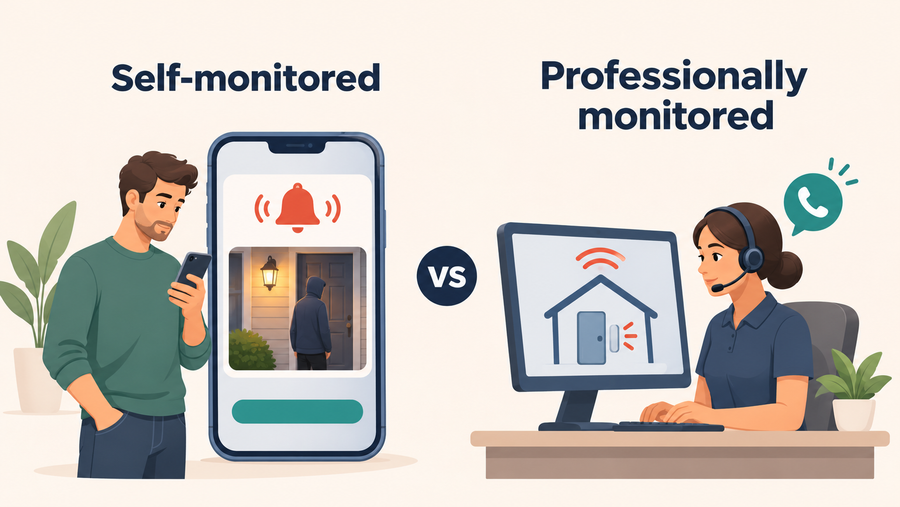
These are camera-monitoring setups. Do not assume that a combination includes door or window sensors, smoke detection, professional alarm monitoring or emergency dispatch. If you need those services, confirm the required equipment, compatibility and monitoring contract separately.
This guide is published by aosu and focuses on its products. The combinations are planning suggestions, not a comparative performance ranking or a guarantee of complete coverage.
What to Check Before Choosing a Camera Setup
Choose the recording and coverage you need before comparing camera counts.
| Check | What to confirm |
|---|---|
| Monitoring area | List the entrances, outdoor positions and indoor rooms you need visible at the same time. |
| Recording mode | Check whether the exact model saves motion events or a continuous timeline. A wired power connection alone does not establish continuous recording. |
| Storage | Confirm the recording destination, included capacity, required memory cards and optional cloud services. |
| Power and installation | Check outlets, charging access, solar-panel placement, network coverage and mounting requirements. |
| Device compatibility | Confirm supported camera-and-base combinations. Sharing a brand or app does not establish shared storage or automation. |
| Response arrangements | Decide who will review alerts and take action. Treat professional monitoring and emergency dispatch as separate services unless explicitly included. |
| Total cost | Include devices, required storage, accessories, installation and any services you choose to keep. |
Four aosu Camera Options to Build Around
Start with the option that matches your main monitoring area. Check the exact package before combining products.
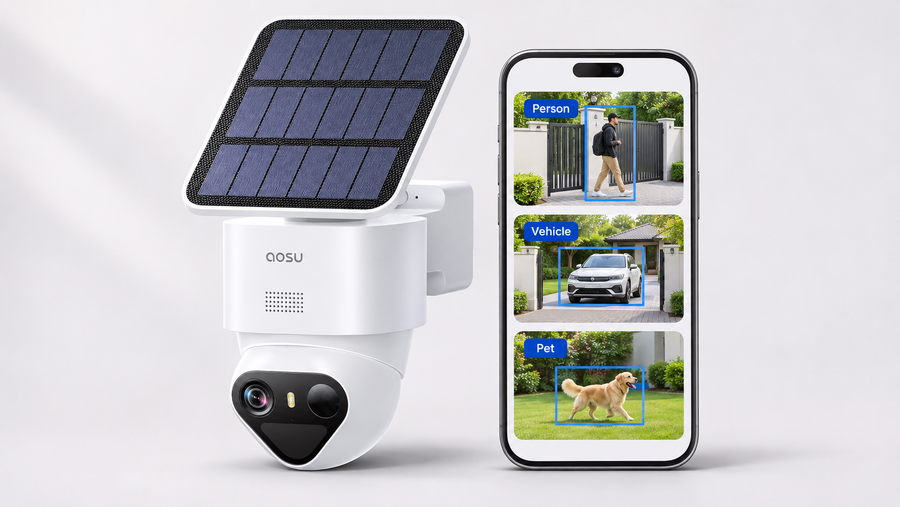
1. SolarCam D1 Classic Kit — Several Outdoor Positions

The SolarCam D1 Classic Kit suits households planning separate outdoor camera positions. The two-camera and four-camera packages include an indoor aosuBase with 32GB of local storage.
This is a motion-event recording system, not a continuous 24/7 archive. Solar charging can reduce charging visits, but panel exposure, camera activity and battery condition still matter.
Check the selected camera count, base version and connection requirements. Use the specified mounting hardware; wire-free operation does not mean that wall mounting requires no screws.
For the suggested kit combination in this guide, select the 4-Cam Kit and confirm the base version and included 32GB storage before ordering. The linked product page offers multiple configurations. Check that the displayed price applies to the selected four-camera package, not a two-camera or six-camera version.
2. SolarCam D1 Classic — A Targeted Outdoor View

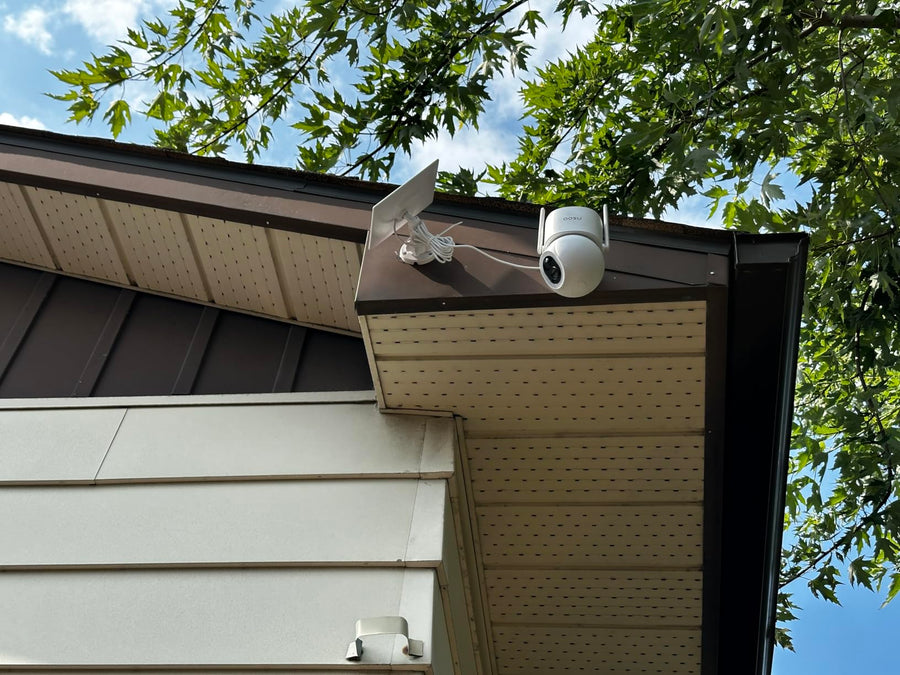
The SolarCam D1 Classic single-camera option is an option for a particular entrance, side gate or outdoor area. Its product page lists solar charging, pan-and-tilt control and person tracking.
Check the storage and package contents for this specific listing. Do not apply the kit’s included-base or storage specifications to the single-camera option.
Plan the camera and panel positions together, and test the connection before permanent mounting. Confirm compatibility before purchasing it as an additional camera for an existing base.
3. IndoorCam P1 Pro — Indoor Viewing and Communication

The IndoorCam P1 Pro lists 4MP video, pan-and-tilt viewing, motion tracking, infrared night vision and two-way communication. It offers local SD card and cloud storage options.
Use it to check a room, pet area or indoor entrance. Confirm storage requirements and the recording mode you intend to use before buying.
Choose a position that keeps the important area visible, and test playback as well as live viewing. A rotating camera can change its view, but cannot watch every direction simultaneously.
4. Video Doorbell Pro — Visitors at the Entrance

The aosu Video Doorbell Pro provides a doorstep view, two-way communication and motion notifications. Its official page lists 2K video and local storage options.
Before ordering, check the included chime or storage hardware, memory-card requirements, power arrangements and installation instructions for the exact package.
Position it around the visitor and delivery area you need to see. A doorbell view can complement an outdoor camera, but does not establish coverage of the entire front yard.
The D1 Classic product card below links to a configurable kit. For this guide’s suggested four-camera setup, confirm the 4-Cam Kit, base version and included storage on the product page. Other bundle prices, including six-camera configurations, do not represent this setup.

Three Camera Combinations to Consider
These are suggested shopping lists, not confirmed retail bundles. Check each model’s storage, base compatibility and installation requirements separately.
1. One-Room Starter Setup
- One IndoorCam P1 Pro.
- Compatible storage for the recording method you choose.
Start here when one indoor view addresses your main need. A suitable shelf position may avoid wall drilling, subject to the installation instructions.
2. Indoor, Outdoor and Doorstep Setup
- One SolarCam D1 Classic single camera.
- One IndoorCam P1 Pro.
- One Video Doorbell Pro.
Consider this combination when you need three different views. Confirm how each device stores footage and whether the models support the shared functions you want.
3. Multiple Outdoor Views With Indoor and Doorstep Cameras
- One SolarCam D1 Classic four-camera kit.
- Two IndoorCam P1 Pro cameras.
- One Video Doorbell Pro.
Use this as a starting point for a larger layout. Draw the required views before buying: walls, corners and separate entrances can leave gaps regardless of the camera count.
Device-cost examples
US page prices checked November 9, 2026:
| Suggested setup | Device calculation | Device subtotal |
|---|---|---|
| One room | $49.99 | $49.99 |
| Indoor, outdoor and doorstep | $79.99 + $49.99 + $95.99 | $225.97 |
| Four outdoor cameras, two indoor cameras and a doorbell | $369.99 + (2 × $49.99) + $95.99 | $565.96 |
These are device subtotals, not complete installed prices. Add any required cards, accessories, installation, tax, shipping and selected paid services. Bundle discounts and availability may change the checkout total.
For a three-year budget, use:
Device subtotal + required storage and installation + three years of selected service fees.
What a Camera Setup Can Help You Do
Check Activity Remotely
Supported live views and notifications can help you check a visitor, pet or outdoor area. Remote access depends on the device, network connection, account access and app settings.
Review Saved Events
Saved footage may help you understand an incident. Check that recording is enabled, replay a test event and learn how to export an important clip before older footage is overwritten.
Communicate With Visitors
Models with two-way communication can help you speak to someone near the camera. Test the audio at the installed position rather than assuming every conversation will be clear.
Plan Who Responds to Alerts
Decide who receives notifications and what they will do when something needs attention. A camera notification is not confirmation that a monitoring center has reviewed the event or contacted emergency services.
Check insurance eligibility separately. Ask your insurer whether the exact installation qualifies and what documentation is required. Do not include an assumed discount in your budget. The State Farm explanation of home alarm options illustrates why eligibility should be checked with the insurer.
Choose the Views and Recording You Need
Start with an indoor camera for a room, an outdoor camera or kit for exterior positions, and a doorbell for visitors. Use the linked products above to check the exact configuration and current price.
Before ordering, confirm recording mode, storage, compatibility and the complete setup cost. If you also need contact sensors or professional alarm response, arrange those requirements separately rather than assuming they come with the camera combination.
FAQs About aosu Camera Setups
Is a Camera Setup the Same as a Professionally Monitored Alarm?
Do not assume so. The combinations in this guide describe cameras, a doorbell and recording hardware. Professional alarm monitoring requires a separately confirmed service and compatible equipment.
Which Setup Should I Start With?
Start with the view that answers your most important question: a room, an outdoor entrance or the doorstep. Add cameras where walls, corners or separate entrances create meaningful gaps.
Does SolarCam D1 Classic Record Continuously?
The D1 Classic Kit records motion-triggered events rather than a continuous 24/7 timeline. Check the official recording explanation before choosing it for your recording needs.
Does Wireless Installation Mean No Drilling?
No. Network connection, power and mounting are separate requirements. A camera may operate without a power cable while still requiring screws for secure mounting.
Can All aosu Devices Share One Base?
Confirm compatibility for the exact camera and base versions. A shared brand or app does not establish shared storage, automatic linking or support for every accessory.
What Costs Should I Include?
Include devices, required storage, mounting and power accessories, installation and any selected service fees. Treat displayed device prices as a starting point rather than the complete installed cost.
Does IndoorCam P1 Pro Include Crying Detection or Face Recognition?
This guide does not recommend those functions without model-specific documentation. The official P1 Pro page lists features including 4MP video, motion tracking, infrared night vision and two-way communication. Confirm any additional feature before buying.