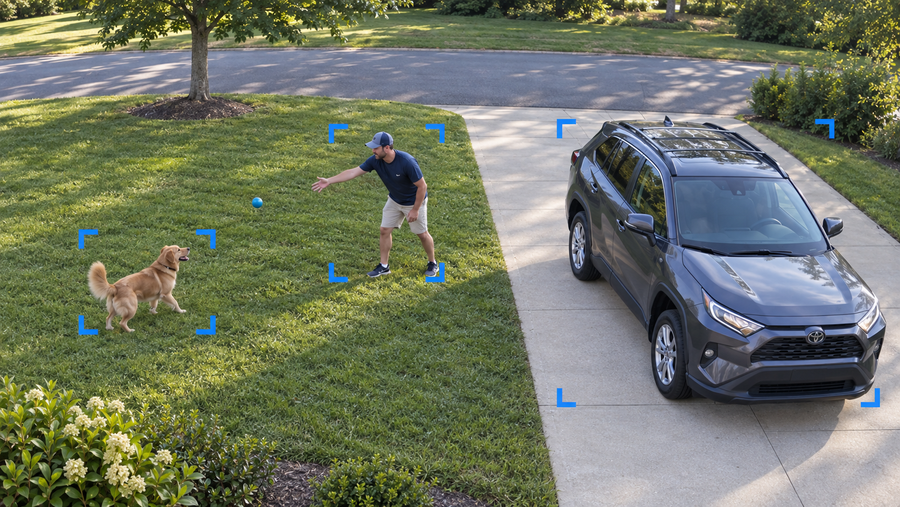
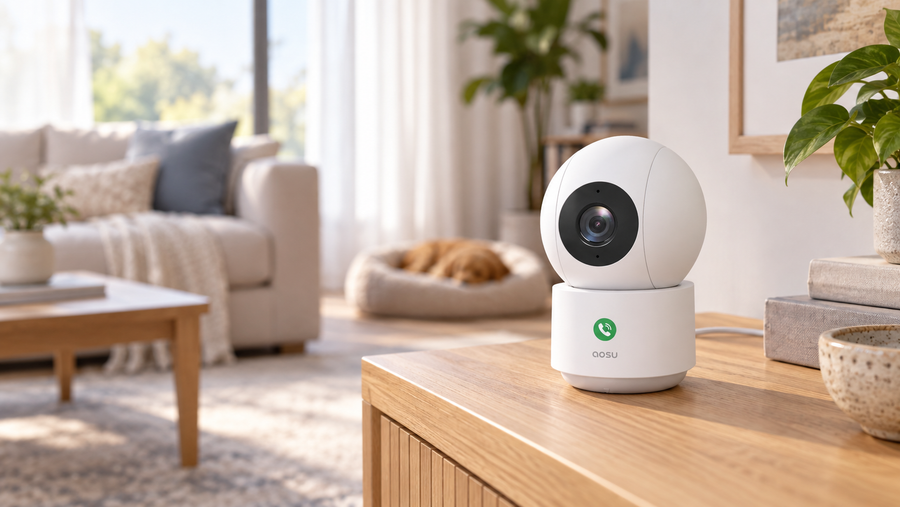
The best outdoor security camera with a siren gives you the response you want when someone enters your driveway, yard or side gate. Start with the alarm controls: an automatic siren can sound when a selected event happens, while a manual siren lets you check the video and decide whether to activate it.
For solar coverage with two views, consider the aosu SolarCam T2 Pro. For wired floodlighting and continuous recording, choose the aosu Floodlight Cam Pro. Tapo, Reolink and Arlo offer other useful combinations of coverage, automation and app controls. The comparison below explains where each fits.
Best Outdoor Security Cameras with a Siren: Quick Comparison
This aosu buying guide compares manufacturer specifications and support documentation checked on September 15–16, 2026. The picks are editorial recommendations for different home setups; they are not the results of a side-by-side sound or deterrence test.
| Camera | Best fit and power | Documented siren features | Recording and ongoing cost |
|---|---|---|---|
| aosu SolarCam T2 Pro | Solar coverage with a fixed overview and a moving PTZ view | Sirens, lights and two-way audio | Local storage; no required subscription; check the selected camera/base bundle |
| Tapo C325WB V1 | A fixed outdoor view near power; DC adapter | Detection alarm with sound/light and scheduling | microSD recording; optional paid cloud storage |
| Reolink Argus 4 Pro | A wide driveway or yard; battery with solar option | Motion-activated siren; configurable alarm settings | Event recording to microSD or compatible Home Hub; local storage without a monthly fee |
| Arlo Pro 6 | Battery-powered camera with app automation | Automatic or manual siren activation | Paid cloud history and advanced detection; local storage through a compatible SmartHub |
| aosu Floodlight Cam Pro | Wired floodlighting for a driveway or yard | Built-in siren and adjustable floodlights | 24/7 recording; local SD card storage without a required subscription |
```
Which Camera Fits Your Home?
aosu SolarCam T2 Pro: Best for Solar Coverage with Two Views
Choose the T2 Pro when one mounting position needs to show more than a single narrow area. Its fixed camera keeps a broad view visible while the separate pan-and-tilt camera follows movement. For example, you can keep the driveway in view while the moving camera tracks someone walking toward the gate.
aosu lists dual 3K cameras, a 170-degree wide-angle view, 360-degree PTZ rotation, lights, sirens and two-way audio. The siren adds an audible warning to a system that also lets you see and speak to someone outside.
The detachable solar panel can face the sun while the camera faces the area you want to watch. Local storage is available without a required subscription. Check the exact bundle for its aosuBase and storage-card contents.
Best fit: a yard with several areas to watch and a practical sunny panel position. A simple fixed camera is easier to justify when you only need to see one small gate.
Related links:
· aosu SolarCam T2 Pro specifications

Tapo C325WB V1: Best for a Powered Camera with a Configurable Alarm
The C325WB V1 is a useful choice for a fixed view beside a garage or back door where you can supply power. Its detection alarm supports sound, light or both, with settings for the event type and an active schedule. That makes it suitable for an alarm you want enabled overnight.
Tapo lists a 97 dB siren measured at 10 cm, a 4MP image and ColorPro night vision. Person, pet and vehicle detection are included. Local recordings go to a separately purchased microSD card, with support for cards up to 512 GB; Tapo Care cloud storage is optional and paid.
This recommendation is specifically for V1. It uses a DC power adapter and connects through Wi-Fi or Ethernet. Its Ethernet connection does not supply power. Check the hardware version on the listing before buying.
Best fit: a powered location where you want a fixed view, scheduled alarms and local recording without a cloud plan.

Reolink Argus 4 Pro: Best for a Wide Fixed View
The Argus 4 Pro suits a driveway or yard that spreads across the front of the camera. Its two lenses combine their images into a single 180-degree horizontal view. You can see someone beside a car and another person near the far side of the driveway in the same image.
Reolink confirms a motion-activated siren and spotlights. Its siren settings let you choose detection types and active times. There is also an optional pre-alarm sound: when enabled, it can sound on motion even when the selected siren event is not triggered. Check that setting if you want to keep everyday movement from producing an audible warning.
The battery camera supports solar charging and saves triggered event recordings to local storage. A microSD card or compatible Home Hub provides recording without a required monthly storage fee.
Best fit: a broad, open area where a fixed panoramic view is more useful than a camera that turns. Budget for the solar panel and storage included in your chosen package.

Arlo Pro 6: Best for Battery Power with Automatic or Manual Siren Control
The Pro 6 is a good fit when you want a rechargeable camera and the choice of an automatic alarm or a siren you activate from the app. It also includes a spotlight and two-way audio, so an audible alarm is one of several ways to respond.
The buying decision includes the Arlo plan. The camera provides live view and basic motion notifications without a subscription, while cloud video history and advanced object detection require a paid plan. Include those fees if identifying people, vehicles or animals is part of the setup you want.
Local recording is an option through a compatible SmartHub. The current US product FAQ identifies VMB5000 and VMB4540 support, so check the hub model if you already own Arlo equipment.
Best fit: a household that values Arlo app controls and has budgeted for its preferred recording and detection features.

aosu Floodlight Cam Pro: Best for Wired Floodlighting and Continuous Recording
Choose the Floodlight Cam Pro for a driveway or yard where you want lighting, a siren and continuous video from one wired camera. It records in 5MP and supports 24/7 recording, so you can review footage between detected events.
The floodlights adjust up to 2,600 lumens. You can set them to stay on throughout the night or switch on when motion is detected. That bright light adds a visible deterrent alongside the siren’s audible warning: someone entering the yard is illuminated as the alarm draws attention. The camera also pans and tilts to follow a person walking across the yard.
Recordings can stay on a local SD card without a required subscription. Wired power makes this a practical option when continuous recording matters and the mounting position has a suitable electrical supply.
Best fit: a garage or yard that needs a wired floodlight camera with local recording. Include the storage card and any electrical installation work in your budget.
Related links:
· aosu Floodlight Cam Pro specifications

Choose the Alarm Behavior You Actually Need
Detection, Lights, Voice and Siren Are Separate Features
Detection tells the camera that something happened. A spotlight illuminates the area. Two-way audio lets you talk through the camera. A recorded voice warning plays a message, and a siren produces an alarm sound.
A camera can combine these features, but the trigger for one does not establish the trigger for the others. Check specifically what turns on the siren and whether you can stop it promptly from the app.
Automatic Alarms Suit Restricted Areas; Manual Control Suits Busy Entrances
An automatic siren makes sense for a closed side gate or back garden during hours when nobody should be there. Look for event filters and a schedule so the camera can watch during the day without sounding an alarm at your family.
At a front path used by delivery drivers and visitors, manual control gives you time to check who is there. You can speak to a visitor through two-way audio and reserve the siren for activity that calls for an audible warning.
Read the Measurement Behind a Loudness Claim
A decibel number is useful only with its measurement details. Sound level decreases with distance, so a rating measured beside the camera does not tell you how loud it will be at the gate. Compare measurement distance and conditions before treating one advertised number as louder than another.
Choose the alarm controls and camera position first, then assess the sound at the place you need the warning to be heard.

Related links:
· NIOSH: distance and sound level
Compare Power and Recording Costs Before Buying
Make a complete shopping list: camera, solar panel or power accessory, storage card or hub, and any recording plan. Compare the total for the same period, such as the first year, instead of comparing a camera-only price with a complete kit.
For solar models, identify a panel position that receives direct sunlight. For a powered camera, check that the cable reaches a suitable supply. Also test the network connection at the mounting position before committing to it.
Choose how much video you need to keep. Event recordings show detected activity; continuous recording keeps video between events too. If continuous footage is essential, verify that the exact model, power setup and storage plan support it. Solar power or a built-in siren does not establish that capability.
Finally, check where the saved footage goes. A card in the camera, a hub indoors and a cloud account are different storage arrangements. Buy the one that lets you retrieve and save the clips you need at a cost you are comfortable paying.
Check the Alarm at Your Own Gate or Driveway
Start with a clear view of the area you want to protect. Where supported, keep routine sidewalk and road traffic outside the detection zone, then walk through the area yourself in daylight and after dark.
Confirm three things: the camera detects the person where you expect, the siren follows the selected rule, and the recording shows what happened. Also check that a normal delivery or someone walking past the property does not set off an unwanted alarm.
For a manual siren, try opening the live view, activating the alarm and stopping it. For an automatic siren, check both an active and an inactive time on its schedule. Keep the test brief and let your household know before it starts.
Related links:
· aosu guide to false motion alerts
To Wrap Up
Choose an outdoor security camera with a siren by the area you need to see and the way you want the alarm to respond. T2 Pro adds solar dual-view coverage; Floodlight Cam Pro combines wired lighting with continuous recording; Tapo provides configurable alarms; Reolink shows a broad fixed view; and Arlo combines battery power with automatic or manual control.
Check the trigger rules, storage costs and power requirements before ordering. Those details determine whether the camera fits everyday life at your home.
FAQs
Can an outdoor camera sound a siren automatically?
Yes, if the model supports a detection-triggered alarm and you enable it. Check the event types and schedule it supports. A product described as having a remote-activated siren gives you manual control; that description alone does not confirm automatic activation.
Do I need a subscription for a camera with a siren?
Several cameras in this guide support local recording without a required subscription. Arlo charges for cloud video history and advanced object detection. Include the recording and detection features you intend to use when comparing cost; a built-in siren does not make those services free.
Does two-way audio mean a camera has a siren?
No. Two-way audio lets you hear and speak through the camera. A built-in siren is a separate alarm feature. Look for both siren support and its activation controls in the exact model’s specifications.
Should I leave the automatic siren on all day?
Match its active hours to the location. A closed side gate at night is different from a front path used by visitors throughout the day. Where available, use an alarm schedule and event filters, then test normal household activity before leaving the alarm enabled.