There is no single per-charge runtime for all security cameras. Compare the exact model’s battery-life claim with its test conditions, including recording activity, clip length, live viewing and temperature.
Also separate two questions:
- Runtime per charge: How long the camera operates before it needs charging.
- Battery service life: How its usable capacity changes over repeated use and aging.
This guide focuses on charging frequency. A shorter runtime does not, by itself, establish that the battery needs replacement.

Illustrative factors, not a runtime test. Their effects depend on the model and settings; resolution alone does not establish a fixed change in energy use.
What Affects Security Camera Battery Life?
Activity and Recording
Frequent wake-ups and longer recording sessions can increase energy use. However, recorded-event count may not show every wake-up, and filtered notifications do not necessarily mean the camera remained asleep.
Compare these conditions before comparing advertised runtime:
| Condition | What to record |
|---|---|
| Activity | Events per day and repeated unwanted triggers |
| Recording | Total saved duration and clip settings |
| User access | Live-view and two-way-talk use |
| Night operation | Infrared, spotlight and tracking use |
| Connection | Signal conditions and repeated disconnections |
| Power input | Battery-only use, wired charging or solar input |
Video Settings
Resolution is one part of the system’s workload. Do not assume that changing from 4K to 1080p produces a fixed runtime improvement across models. Test supported settings while checking that the saved footage still contains the detail you need.
Weather Conditions
Cold conditions can reduce available battery performance, while prolonged heat can accelerate aging. The amount varies with the battery, device and operating conditions, so a universal percentage loss is not reliable.
Check the camera’s operating and charging temperature limits separately. A camera being able to operate at a temperature does not establish that charging is permitted there.
Compare battery trends under similar activity levels before attributing a change solely to weather. Follow the exact model’s instructions rather than applying another product’s temperature limits.
How to Make Security Camera Batteries Last Longer
Reduce Unwanted Activity Before Reducing Useful Recording
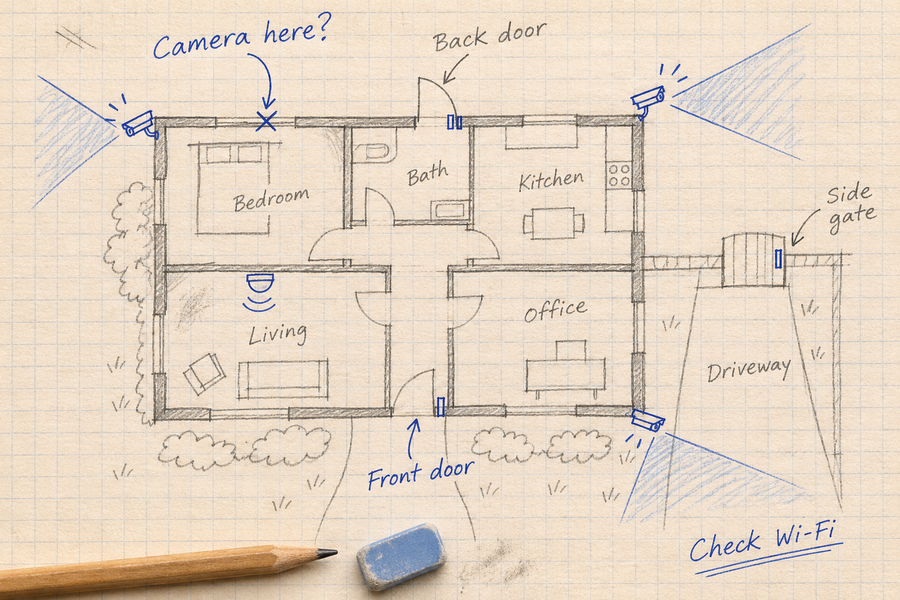
Start with placement: reduce unnecessary road traffic or other repeated triggers without losing an important approach route.
Check whether zones and AI filters affect notifications, recording or wake-ups. Change one setting at a time, then walk through the area and review the complete saved event.
Lower sensitivity can miss activity. Shorter clips can omit what happened before or after the main action. Keep a change only when the coverage still meets your needs.

Possible adjustments to test, not guaranteed savings. Zones may affect only notifications, and sensitivity or clip changes can remove useful recording context. Verify the exact model’s behavior.
Build a Runtime Baseline
Log several consecutive days at consistent times. Record the model, firmware, app version and settings.
| Date | Start battery | End battery | Saved events / duration | Temperature | Live view / lights | Solar or wired charging |
|---|---|---|---|---|---|---|
For a battery-only observation, divide the percentage-point drop by the number of days to estimate the observed daily decline.
Illustrative example: A drop from 80% to 60% over five days averages four percentage points per day. Dividing 100 by four gives a rough 25-day extrapolation—not a measured full-charge runtime.
Battery gauges, weather and activity can change the result. Do not use this calculation when solar or wired input is replenishing the battery.
When Should You Recharge a Security Camera?
Follow the Model’s Charging Guidance
Use the low-battery warning and manufacturer’s instructions to plan charging. Allow extra margin before travel or expected poor charging weather.
Use an approved cable and power source, and remain within the permitted charging temperature range. Do not treat a fixed battery percentage as a universal charging rule.
Are Solar Panels a Good Option?
Solar charging can reduce manual charging when the panel replenishes the energy the camera uses. Shade, short days, charging-temperature limits and heavy activity can reduce that margin.
Review the solar security camera buying guide, then check the selected model’s panel, battery and charging requirements. Do not compare solar-assisted operation directly with a battery-only runtime claim.

To Wrap Up
Compare per-charge runtime only when the conditions are clear. Track activity, recording duration, temperature and charging input, then test changes without losing useful footage.
A model-specific claim and a local battery log are more useful than a universal months-per-charge range.
FAQs About Security Camera Battery Life
How long should a charge last?
Use the exact model’s documented conditions as a starting point, then compare them with your installation.
Does the camera use power while not recording?
Yes. Standby, connectivity and sensing can use energy, with behavior varying by model.
Will reducing alerts extend runtime?
Not necessarily. Notification filtering may leave wake-ups and recordings unchanged.
Does shorter runtime mean the battery is worn out?
Not automatically. Check activity, settings, temperature, connections and charging input before seeking model-specific support.