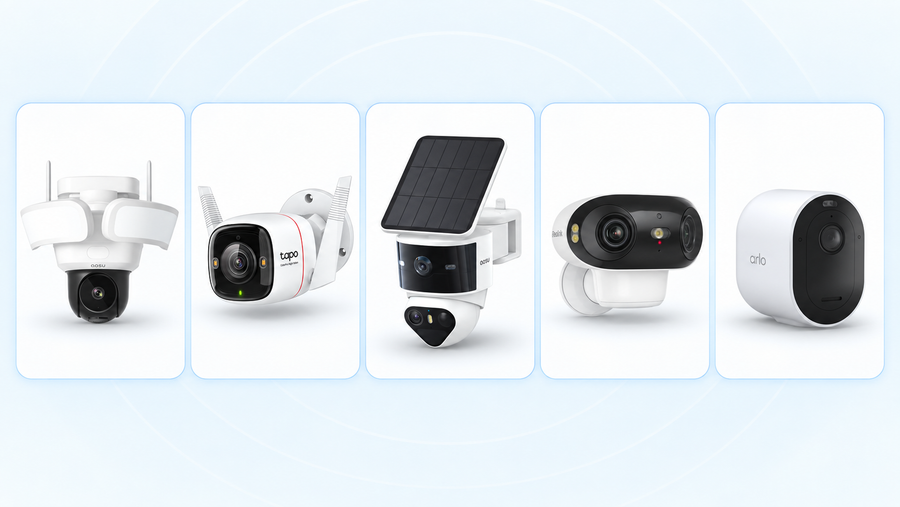
The best home security cameras in 2026 depend on where you need footage and how you want to save it. Start with the aosu SolarCam D1 Classic 6-Cam Kit for several outdoor areas without power cables, Tapo C120 for a room near an outlet, and Reolink RLC-811A for a wired recording setup. aosu Video Doorbell R1 Ultra covers the doorstep with local recording; eufy’s 4G LTE Cam S330 suits a gate or outbuilding beyond home Wi-Fi.
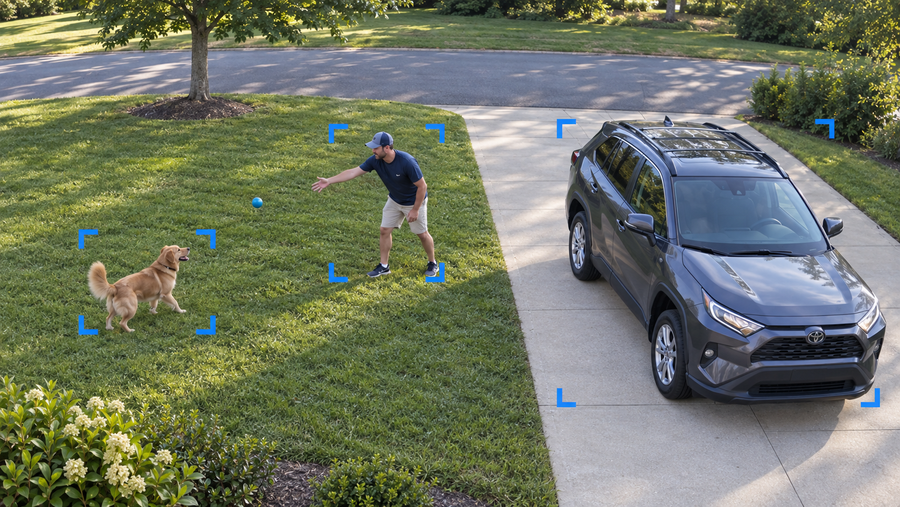
A useful comparison starts with the footage you’ll need later. A person walking up the driveway, a delivery left at the door and a dog moving around the living room call for different views. Match the camera to that scene, then check power, storage and ongoing costs.
How we chose these cameras
This guide is published by aosu. The picks are editorial judgments based on manufacturer specifications and support documents checked on September 15–16, 2026, plus each setup’s practical requirements. We have not conducted a side-by-side hands-on test of these five models. “Best for” identifies the strongest fit within this shortlist.
We compared recording options, where footage is stored, required services, power and network connections, and the view each design provides. We do not assign numerical image-quality scores or rank detection accuracy without comparable test footage. Each pick includes a reason to choose it and a situation that calls for another setup.
Best home security cameras at a glance
Choose the row that matches your main need. The model sections below explain why each camera fits and what to plan for.
| Your main need | Our pick | Recording and storage | What to budget or plan for |
|---|---|---|---|
| Several outdoor areas without power cables | aosu SolarCam D1 Classic 6-Cam Kit with aosuBase | Motion-event recording to the included indoor base | Sunlight at the cameras and power/network access for the base |
| One indoor room near an outlet | Tapo C120 | Local microSD recording; optional paid cloud storage | A compatible microSD card and a reachable outlet |
| A wired outdoor video history | Reolink RLC-811A | 24/7 or event recording; microSD or a compatible recorder | Ethernet installation, PoE power and storage |
| Visitors and deliveries without a monthly recording fee | aosu Video Doorbell R1 Ultra | Event clips stored on the included aosuBase mini; optional cloud backup | Battery charging or compatible low-voltage wiring, plus an indoor outlet for the base |
| A gate or outbuilding beyond home Wi-Fi | eufy 4G LTE Cam S330, T86P2 | Local motion recordings with cellular remote access | A compatible SIM, mobile data service and usable signal |
Best for several outdoor areas without power cables: aosu SolarCam D1 Classic 6-Cam Kit
Choose this kit when you need separate cameras for a driveway, side gate, patio and other outdoor areas, and running power to each position would be inconvenient. The selected six-camera version combines 5MP cameras, solar charging, pan-and-tilt movement and local event storage in an indoor aosuBase.
The base is a useful part of the package: footage is stored indoors, away from the cameras mounted outside. Core local recording does not require a monthly storage subscription. The six-camera system also supports viewing up to four cameras live on one screen.
Solar charging works best when each panel receives direct sunlight. The cameras still need a dependable connection to the base, and the base needs power and a network connection indoors. Think through those locations together before buying a large kit.
This is an event-recording choice. Choose the wired Reolink setup below if you need a continuous video history. Pan-and-tilt movement lets a camera look across a wider area, but it cannot keep opposite sides of the house visible at once.
Match the full bundle name when ordering. This pick is the 5MP six-camera kit with aosuBase; the older 2K two- and four-camera kits and the aosuCortex bundles are separate configurations. Their camera and storage specifications should not be mixed.

Related links:
· Selected aosu six-camera kit
· More on D1 Classic use cases and bundle differences
Best for a simple plug-in indoor setup: Tapo C120
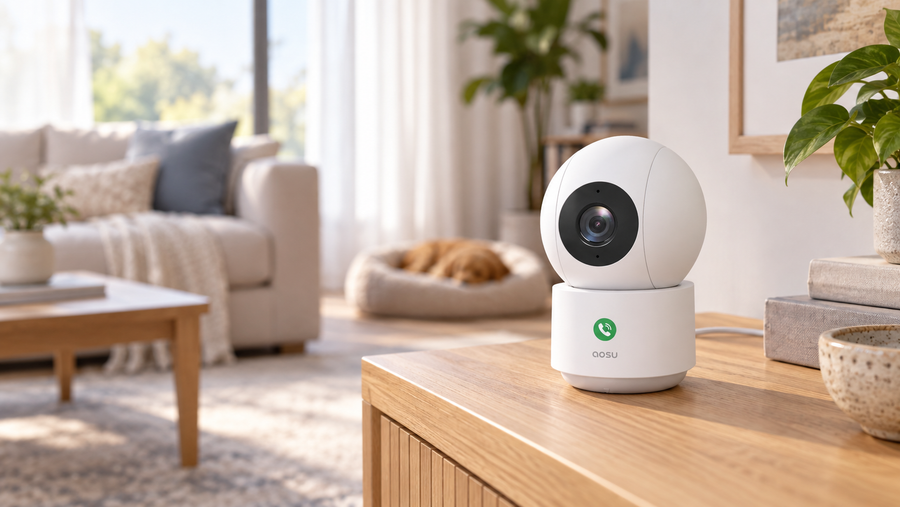
Choose the C120 for a living room, hallway or home office where one fixed view covers the area you care about. It uses an outlet for power and 2.4 GHz Wi-Fi for the connection. The camera records at 2560 × 1440 and supports person, pet and vehicle detection.
A microSD card holds recordings in the camera, with support for up to 512GB. Local continuous recording is useful when you want to see what happened between alerts, such as when a dog left its bed and started chewing a cushion. TP-Link’s storage guidance recommends an endurance card for repeated recording; its app also supports downloading selected video segments.
The C120 is our straightforward starting point when you want a single camera and local footage. You do not need to buy an indoor recording base for that setup. Tapo Care cloud storage is a separate paid option.
The main compromise is placement: you need a reachable outlet, and the camera keeps a fixed view. Put it where the doorway and floor area you need are visible. Choose a pan-and-tilt design if you need to look around a larger room, or a battery model where a power cable cannot reach.

Best for a wired outdoor recording setup: Reolink RLC-811A
Choose the RLC-811A for a driveway, garage entrance or gate where you can run Ethernet and want a continuous record of what happened. It supports 3840 × 2160 video, 24/7 recording and a 5× optical zoom lens.
Power over Ethernet, or PoE, carries power and data to this camera through one network cable. You need a compatible PoE switch, injector or PoE recorder; an ordinary unpowered network port does not supply the camera’s power.
Record to a compatible microSD card or Reolink recorder. A network video recorder, usually called an NVR, is useful when you want several cameras saving to one indoor device. Include that hardware and its storage in your comparison with an all-in-one kit.
The optical zoom lets you frame a distant gate more tightly from the same mounting point. At the tighter setting, less of the surrounding driveway is visible. This model is a fixed-position camera, so choose a moving camera if you need remote pan-and-tilt control.
The deciding trade-off is the cable run. It is a strong choice for a planned installation or accessible garage; it is harder to justify for a temporary camera position across a finished home.

Best for doorstep recording without a monthly fee: aosu Video Doorbell R1 Ultra
Choose the R1 Ultra when you want to answer visitors, review deliveries and keep doorbell recordings without a monthly storage fee. Its 5MP camera uses a 4:3 frame and a 166-degree field of view to show the person at the door and the area below. Video calling through your phone and prerecorded replies help you respond when you cannot come to the door.
Event clips save to the included aosuBase mini, which combines an indoor chime with 8GB of local storage. The saved copy stays indoors if the doorbell is removed. Cloud backup is optional; core local recording does not require it. This makes the R1 Ultra our doorstep pick for a household that wants recorded history without adding a recurring recording plan.
Power it with its rechargeable battery or compatible existing low-voltage doorbell wiring. The doorbell supports 2.4 GHz and 5 GHz Wi-Fi. Keep an indoor outlet available for the base, and position the doorbell so your usual delivery spot is visible.
The R1 Ultra saves events rather than a continuous video history. Connecting wired power does not turn it into a 24/7 recorder. If you need every minute of driveway activity saved, add the wired camera setup above; the doorbell remains focused on visitors and deliveries.

Related links:
· Explore the aosu Video Doorbell R1 Ultra
Best for a location beyond home Wi-Fi: eufy 4G LTE Cam S330
Choose the 4G LTE Cam S330 for a remote gate, detached building or second-property entrance where home Wi-Fi does not reach. The T86P2 model combines 4K video, battery and solar power, local microSD storage, and Wi-Fi or 4G connectivity.
Cellular access is the reason to choose it. You need a compatible SIM and mobile data service for 4G use, plus a usable signal at the camera. Local storage and mobile connectivity are separate costs: keeping footage on a card does not provide the data connection used to reach the camera remotely.
Treat this as a remote event-monitoring pick. One relevant limitation in eufy’s model-specific support guidance is that event recording pauses while Live View is in use. If you regularly watch the feed and need a continuous archive at the same time, the wired recording pick is the clearer fit.
Test the connection at the actual gate or building before permanent mounting. If reliable Wi-Fi is already available there, compare a Wi-Fi camera first; the main benefit of paying for cellular service is reaching a location your home network cannot cover.

Five checks that matter more than a long feature list
1. Decide which moments you need saved
An event clip answers questions such as who came through the gate. A continuous recording lets you examine the minutes before and after the alert, including periods when no event was detected. Choose that recording behavior before comparing resolution or zoom.
During setup, walk through the scene and replay what was saved. Look for the first useful view of the person, the end of the event and any gaps between clips. The result matters more than an alert icon on your phone.
2. Check the night view with someone moving
Look for sample footage from the exact model showing someone walking at the distance you need. A clear still image of an empty driveway does not show how a moving person will appear. Pay attention to faces near the gate, bright vehicle headlights and the darkest part of the yard.
Repeat that check at home before settling on a mounting position. Adjust the position or lighting if the important part of the scene is hard to see.
3. Find out where the recording lives
A card in the camera, a base indoors and a cloud account put your footage in different places. If a camera and its card are removed, that local copy goes with them. An indoor base keeps its saved copy elsewhere in the home; cloud storage keeps a copy off-site.
Also check how you download an important clip and when older footage is overwritten or expires. A system that fits your budget still needs to keep recordings long enough for you to find and save them.
 Check where a saved copy lives and how you can download it before older recordings expire or are overwritten.
4. Compare the complete setup cost
Use the same camera count and recording requirement in each quote. Add the cameras, required base or recorder, memory cards or drives, mounts, power accessories and installation. Then add the services you intend to keep.
For a three-year comparison, use: hardware and installation + three years of recording subscriptions + three years of cellular service. Use the actual annual or monthly plan price for your address. Check whether the plan covers one camera, several devices or one location.
A single camera price and a six-camera kit price answer different buying questions. First count the separate areas you need recorded, then compare the cost of covering them.
5. Check account security and household access
Look for encryption, a clear software-update policy and controls for sharing access. Use a unique account password and enable two-factor authentication when offered. Give each household member the access they need, and review who can see indoor cameras.
The FTC recommends checking a camera’s security features before buying and keeping both camera software and its viewing app updated. Its guidance is a useful checklist for every brand in this comparison.
Related links:
· FTC guidance on securing home cameras
Related links:
· What security cameras can do without a subscription
Start with the area you need to see most
For a small home, begin with the entrance or room where a recording would answer the most useful question. Add another camera when a wall, corner or separate doorway blocks the view. Do not buy a large kit simply to match a camera-count recommendation.
For several outdoor areas, a solar kit makes sense when sunlight and the base connection work at each position. For a driveway where you need an uninterrupted history, plan the wiring and recording storage first. For a gate beyond Wi-Fi, check cellular coverage before comparing camera extras.
Using one app can make everyday review easier, but confirm what the exact models share: live views, saved history, household permissions and any required plan. A doorbell and a yard camera can complement each other without needing identical features.
To Wrap Up
The best home security camera is the one that records the scene you need and keeps that footage accessible. Use the D1 Classic six-camera kit for solar coverage across several outdoor areas, the C120 for a straightforward plug-in view, the RLC-811A for a wired archive, the R1 Ultra for doorstep recordings without a monthly fee, and the 4G LTE Cam S330 for cellular reach.
Choose the recording and storage setup first. Then check the actual view, power and connection at your home before committing to permanent mounting.
FAQs
Can home security cameras record without a monthly fee?
Yes. A camera that includes local recording and playback without a subscription can save footage to a memory card, an indoor base or a recorder. Budget for any required storage hardware. Cloud backup and some additional features can cost extra, so choose a model whose included features cover what you need.
Which camera should I choose for 24/7 recording?
Choose a model that explicitly supports continuous recording, with a constant power supply and enough storage for the video history you want. Plug-in and Power over Ethernet cameras are practical options. A wired power connection alone does not guarantee 24/7 recording; some cameras still save only event clips.
Can a security camera work without home Wi-Fi?
Yes. Ethernet cameras connect by cable, and cellular cameras use a compatible SIM and mobile data service. Remote viewing needs an internet connection through the chosen network. Recording locally without internet depends on the camera and storage setup.
How many security cameras does a home need?
Count the separate areas you need recorded at the same time. One camera can cover an open scene, but a wall or corner can hide another entrance. Start with the most important door, driveway or room, and add cameras where that view leaves a meaningful gap.