A pan-tilt-zoom camera sounds like it should replace several ordinary cameras. It can sweep across a driveway, follow a person through a yard, and zoom toward activity that would look small in a fixed wide shot.
Sometimes that is exactly right. One PTZ camera can reduce the number of cameras you need for one open, predictable area. But a PTZ camera cannot watch several unrelated directions at the same moment, so it is not a universal replacement for front, back, side, and entry cameras.
The useful question is not just, 'How far can it turn?' It is, 'What do I need to see at the same time?'
Short Answer: One PTZ can do the work of multiple cameras in the right layout
One PTZ security camera can often cover a single open zone better than one fixed camera. Think of a long driveway, a garage approach, a broad front yard, a parking area, or the path to a detached shed.
It is less likely to replace multiple cameras when those cameras need to watch separate entrances, opposite sides of the home, or different areas that can have activity at the same time. A camera that is zoomed in on a delivery at the front door is not simultaneously watching a side gate behind it.
The rule of thumb: use one PTZ to follow activity through one main area. Use multiple views when you need continuous awareness of multiple areas.
Main Point: PTZ Sees More, but Not All at Once
PTZ stands for pan, tilt, and zoom. The camera can move left and right, tilt up and down, and usually zoom or digitally crop closer into part of the scene. That makes it flexible after installation.
The tradeoff is simple: wherever the PTZ lens is currently pointing is the view it is recording in detail. If it turns toward a person at the curb, it may no longer have its best view of the porch, side path, or garage door.
Auto-tracking helps when someone moves through the same open zone, but it does not create an extra set of eyes. It follows the subject it detects; it does not provide several simultaneous camera angles.
When One PTZ Camera Can Be Enough
A single PTZ camera is most useful when the area is open and movement tends to follow one predictable path. You are asking it to cover more of one scene, not to become a whole-home system by itself.
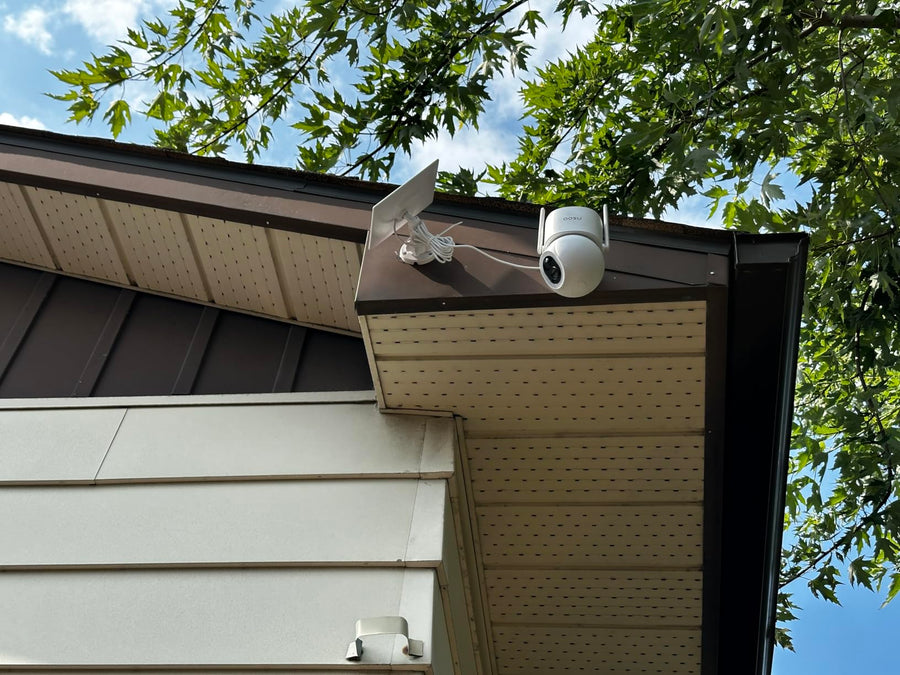
| An open driveway or garage approach | One broad front-yard zone | A detached garage, shed, or side parking area |
|---|---|---|
|
|
|
When One PTZ Camera Cannot Replace Multiple Cameras
A PTZ is not the best answer when the reason you wanted several cameras was to preserve several views at once. It can reduce redundancy in an open area, but it cannot solve a home layout with separate priorities.
-
You need the front and back of the home covered at the same time
A PTZ camera can turn between them, but that creates gaps. Separate cameras are more dependable when both sides are important entry or activity areas.
-
Your driveway, front door, and side gate are not one clean scene
If walls, rooflines, landscaping, or corners split the property into distinct zones, a moving lens may miss one area while it watches another.
-
You need a fixed record while the camera follows action
Tracking can be useful, but it changes the view. If you need the overview to remain stable while another camera gets the close-up, a second fixed lens or second camera is the better fit.
-
There may be simultaneous activity
A visitor at the porch and someone opening a side gate are two different events. One PTZ camera may choose one subject or be pointed in the wrong place for the other.
-
Privacy boundaries need a deliberate fixed angle
A camera that can swing through a wide range needs careful placement and privacy settings. Multiple fixed cameras can sometimes make it easier to aim only at the areas you are meant to monitor.
Which Setup Fits: One PTZ, Dual Lens, or Multiple Cameras?
These three options solve different problems. Choosing based on the number of advertised degrees of rotation is less useful than choosing based on whether you need a movable view, two views, or several permanent views.
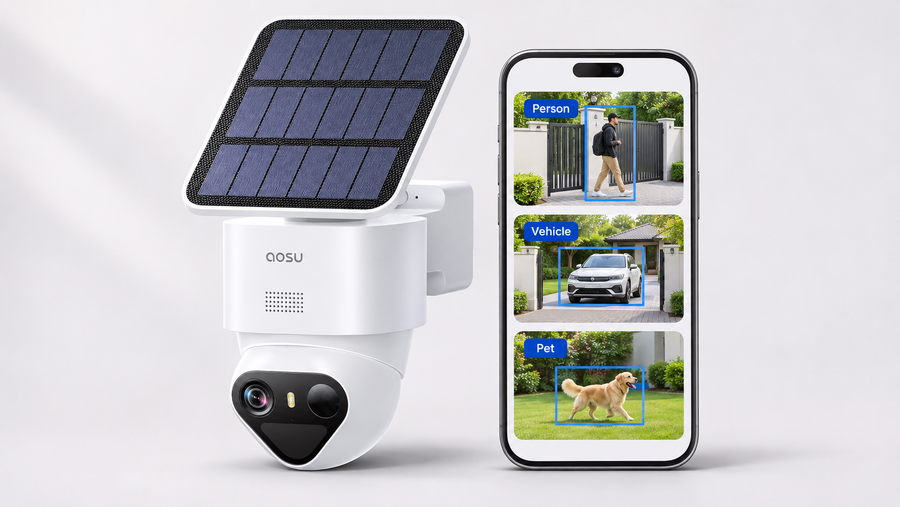
Some PTZ cameras use detection sensors to respond to activity outside the lens’s current direction. The aosu Floodlight Cam Pro product page lists three PIR sensors across a 270-degree detection area and PTZ movement toward detected activity.
That describes detection and response, not a simultaneous recorded view of the whole detection area. This guide has not measured the time from detection to a useful recorded view. Test whether the saved clip captures the approach you need, especially while the camera is following activity elsewhere.
Compare the Same Property Layout
Consider one example: a driveway and porch are visible from mounting point P1, but a side gate sits behind a solid wall. Two people arrive at the same time—one approaches the porch while the other enters the side gate.
| Setup | What it can offer | What remains unresolved |
|---|---|---|
| One single-lens PTZ at P1 | A movable view across the visible driveway and porch | It cannot see through the wall or preserve another direction simply by turning later |
| A fixed-wide-plus-PTZ camera at P1 | A steady overview alongside a moving detail view, where that design is supported | Both lenses still depend on sightlines from the installation; the hidden gate needs another view |
| Cameras at P1 and P2 | Separate views of the driveway/porch and the side gate | Verify recording, timing, power and storage for both cameras |
“Dual lens” does not describe one universal design. The aosu T2 Pro product page describes a wide view working alongside PTZ and simultaneous streaming. Confirm saved footage from both views before treating that as evidence of simultaneous event coverage.
This is a layout example, not a measured comparison of three installed systems.

Concept illustration only, not a test result or a scale coverage map. Curved arrows represent possible movement, not a simultaneous recorded view. Colored areas do not establish visibility through walls. This existing image does not label P1, P2 or the wall-hidden side gate in the example above; use that example to assess the missing sightline.
Read the dual-lens security camera guide
Considering a Floodlight Cam Pro?
Review the Floodlight Cam Pro specifications if wired lighting and a movable view fit one open area. Its broader detection area does not replace a separate recorded view of an entrance hidden by a wall.
Compare the SolarCam T2 Pro when you want a wide overview alongside a moving view from one installation. Confirm sightlines and saved recordings before reducing the number of camera positions.

Test Your Layout Before You Buy or Mount Anything
Sketch the property and mark each area that must remain visible. Identify walls, corners, parked vehicles and vegetation that can block the proposed camera position.
Before buying, check the model’s recording and tracking documentation. After setup, test the actual saved footage:
- One approach: Have a person follow the normal route to the entrance. Check when recording begins and whether the required area stays visible.
- Simultaneous activity: Have two adults enter separate priority areas at the same time. Review which subjects and approaches were recorded.
- Occlusion: Have a person pass behind an existing obstruction. Check what happens when the person reappears.
- Return position: After tracking ends, check whether the camera returns to the intended view, where that function is supported.
- Separate views: For a dual-lens or multi-camera setup, retrieve the relevant recordings from every required view.
Record the model, firmware, settings, mounting position and lighting conditions. Review saved clips rather than relying only on live view.
Add another camera when an important approach is missing. Adjust placement or settings when the required view exists but is not being captured reliably.
Common Mistakes to Avoid
-
Buying based on 360-degree rotation alone
A camera may rotate widely, but its real coverage still depends on its mounting point, obstructions, usable zoom, detection settings, and whether you need to see more than one place at once.
-
Using tracking to fix poor placement
Tracking is strongest when the camera already has a clear view of the activity path. It cannot reliably follow someone through walls, around deep corners, or behind parked vehicles.
-
Forgetting the steady overview
A close-up is useful, but it can lose the bigger story. Keep a fixed camera or wide lens when you need to know where someone came from, where they went, and what else happened nearby.
-
Letting the PTZ roam across private areas
Aim the camera at your own property and use privacy zones or limits where available. A wider moving range makes thoughtful setup more important, not less.
To Wrap Up
One PTZ camera may reduce the camera count when the required activity remains visible from one position and you can accept a changing view. Rotation alone does not establish equivalent coverage.
A fixed-wide-plus-PTZ design can preserve an overview while another lens moves, but it still cannot overcome blocked sightlines. Separate entrances or simultaneous priorities may need separate camera positions.
Decide which views must be recorded at the same time, then verify those views in saved footage before removing or replacing another camera.
FAQs About PTZ Security Cameras
Can a PTZ camera cover a whole house?
Usually not by itself. A PTZ camera can cover more of one open area than a fixed camera, but it cannot continuously watch the front, back, side entrances, and interior or detached areas at the same time.
Can one PTZ camera replace two fixed cameras?
Sometimes. It can be a reasonable replacement when both fixed cameras would have watched the same connected driveway, yard, or parking area. It is not a full replacement when the two cameras need to keep different areas in view at the same time.
Is a PTZ camera better than a wide-angle camera?
Neither is automatically better. A PTZ camera is better for flexible movement and close-up detail. A wide-angle camera is better for keeping the full scene visible. A dual-lens camera can combine both jobs.
Can a PTZ camera track a person?
Many PTZ cameras offer motion or person tracking, but results depend on placement, lighting, detection settings, obstructions, and how the person moves through the scene. Tracking is helpful, but it does not replace a fixed view of another area.
Where should I put one PTZ security camera?
A high corner with a clear view of one open activity area is usually the best starting point, such as a driveway, garage approach, front yard, or detached building route. Check for obstructions, Wi-Fi, power or solar exposure, and privacy boundaries before mounting.