The practical difference between PTZ and fixed security cameras is simple: a PTZ camera can change where it looks, while a fixed camera keeps the same view. One PTZ may cover more ground during an event, but several fixed cameras can keep several places visible at once.
One PTZ camera can replace two or more fixed cameras when those cameras would mostly watch overlapping parts of the same open area, such as a driveway and the path beside it. It cannot replace separate fixed views when you need the front door, side gate, and backyard recorded at the same time.
Start with the views your home needs to preserve. Camera count comes after that.
PTZ vs. Fixed Security Cameras at a Glance
Neither design covers every home better. A PTZ gives one mounting point a flexible view; fixed cameras create permanent views of the places you choose.
| Decision point | One PTZ camera | Multiple fixed cameras |
|---|---|---|
| How coverage works | The camera pans and tilts to change direction; zoom capability varies by model. | Each camera keeps one selected area framed. |
| Simultaneous views | One moving lens shows its current direction. | Every camera can keep its assigned area visible at the same time. |
| Best layout | One open, connected zone with a clear activity path. | Separate entrances, opposite sides, corners, or divided spaces. |
| Tracking | Many models can follow a detected subject through the visible area. | The view stays steady; subject tracking requires another feature or camera. |
| Context during close-up viewing | The wider scene can leave the frame as the camera turns or zooms. | Other fixed cameras continue recording their full scenes. |
| Installation tradeoff | Fewer mounting points, but one location must have a clear sightline across the whole zone. | More mounting points, with each camera placed for one specific view. |
A PTZ Camera Moves Between Views; It Does Not Hold Them All at Once
PTZ stands for pan, tilt, and zoom. Pan and tilt change the direction of the camera. Zoom changes how tightly the camera frames part of the scene, although the type and strength of zoom depend on the model.
A wide rotation range describes where the camera can turn. It does not mean every direction appears in the recording at the same moment. If the PTZ follows a person from the driveway toward the side yard, the lens is no longer holding its original view of the garage or front walk.
Patrol routes and preset positions do not change this limit. The camera visits those views in sequence. Auto-tracking can keep one detected subject in frame, but it does not create another recording angle for a second person at the door or a car entering behind them.
 One PTZ changes direction, a dual-lens camera keeps one fixed overview plus a moving PTZ view, and multiple fixed cameras preserve separate views at the same time.
When One PTZ Camera Can Replace Several Fixed Cameras
A single PTZ is a strong replacement candidate when all the important activity happens inside one connected space. The camera needs a clear line of sight across that space, and you must be comfortable with one direction receiving attention at a time.
A long, open driveway
· Cars and visitors enter through one main approach.
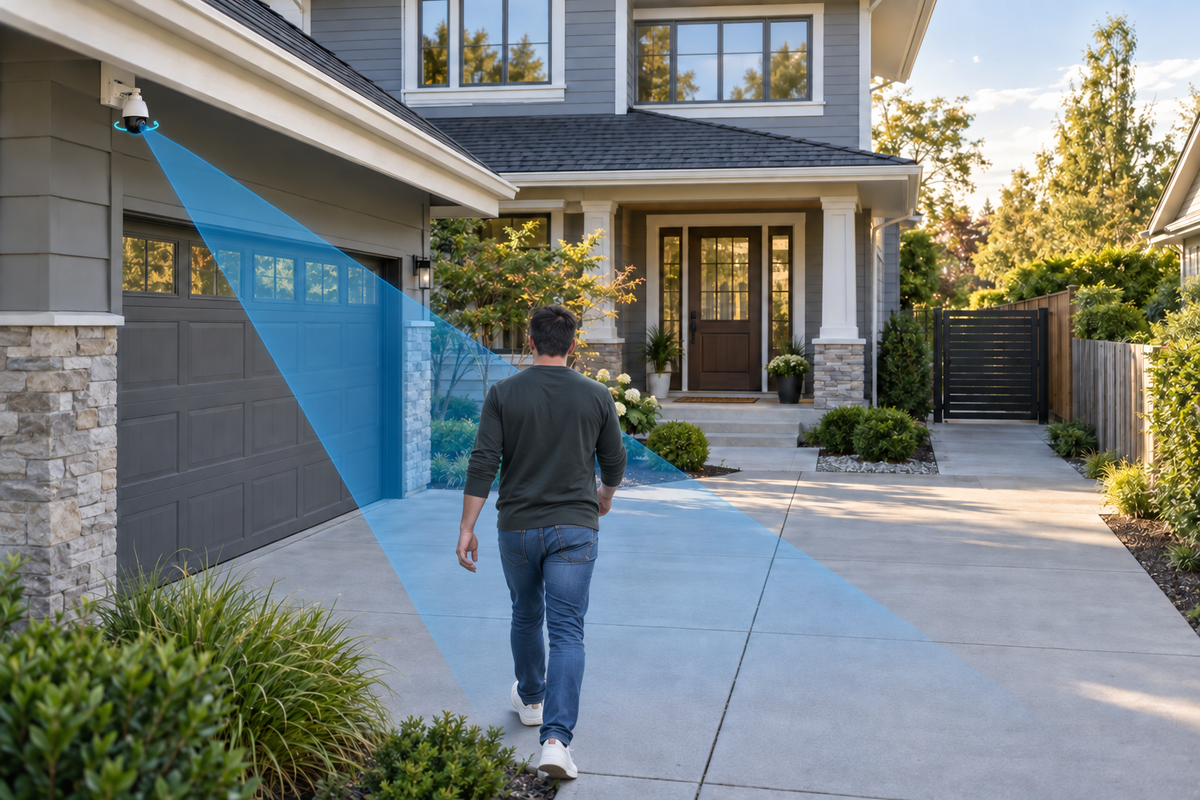
· The garage, driveway, and nearby walk are visible from one corner.
· The camera can follow movement without losing a separate high-priority entrance.
One broad yard or courtyard
· Fences, walls, trees, and parked vehicles do not split the area into hidden sections.
· You want to follow movement across the space more than preserve several permanent close-ups.
· Most activity follows one or two visible paths.
A detached garage or parking area
· The location has one main entry route.
· A single mounting point can see the door, vehicles, and approach.
· Another camera already covers the main home entrance if that view matters.
When One PTZ Camera Cannot Replace Several Fixed Cameras
Use multiple fixed views when missing one area while the camera watches another would leave an important gap. The number of walls, corners, and separate entrances matters more than the size of the property.
1. Two important places can have activity at the same time: A delivery at the front door and someone entering a side gate are separate events. One moving lens cannot keep both views framed.
2. The home has corners or blocked sightlines: A PTZ cannot look through a wall, around a deep corner, or behind a parked vehicle. Separate fixed cameras can be placed on both sides of the obstruction.
3. You need a steady record of an entrance: If the front door or gate must remain visible throughout an event, assign it a fixed view. The PTZ can then follow movement elsewhere without removing that reference view.
4. You want more than one angle of the same event: Two cameras can show where a person came from and what happened at the destination. A single PTZ produces one changing angle instead of two simultaneous records.
5. One device would become a single point of failure: If one PTZ loses power, connection, or its clear line of sight, the entire area assigned to it is affected. Separate cameras keep the remaining views available when one camera has a problem.
A Dual-Lens Camera Is the Middle Ground
A dual-lens camera can pair a fixed wide view with a separate PTZ view in one device. The fixed lens keeps the larger scene visible while the moving lens follows activity or looks toward a second angle.
This design is useful when one mounting point can see a driveway and a nearby gate, but you do not want the main view to disappear whenever the PTZ moves. It still does not replace cameras on opposite sides of a house or beyond a wall.
For example, the current SolarCam T2 Pro product page describes a 170-degree wide-angle view alongside a separate 360-degree PTZ camera, with both cameras able to stream simultaneously. Those specifications illustrate the fixed-overview-plus-moving-detail approach; they do not turn one mounting point into whole-home coverage.
Related links:
· Read the dual-lens security camera guide

Use This Layout Test Before Choosing One PTZ or Several Fixed Cameras
A quick walk around the property will tell you more than a rotation number on a product page. Use the same test whether you are replacing existing cameras or planning a new system.
1. Mark the views that must never disappear: List the front door, driveway, garage, side gate, backyard path, vehicles, or detached building. Treat each must-see place as a separate view until the layout proves otherwise.
2. Pair the places that may need recording at the same time: If two important areas can have activity together, plan two simultaneous views. One PTZ should not be counted as both.
3. Stand at the proposed mounting point: Look for walls, rooflines, trees, fences, posts, and parked vehicles. If an object blocks your own view from that point, it also blocks the camera.
4. Walk the real paths people use: Move from the street to the porch, from the driveway to the garage, and from the side gate to the backyard. Decide whether one camera can follow those routes without abandoning another important view.
5. Choose overview, detail, or both: A PTZ is useful when following the subject matters most. Fixed cameras are stronger when stable context matters. Use a dual-lens or multi-camera setup when you need both at once.
6. Confirm the practical installation: Check power, Wi-Fi, solar exposure where relevant, mounting access, and privacy boundaries. A strong coverage plan still needs a location where the camera can operate reliably.
Common Mistakes When Comparing PTZ and Fixed Cameras
1. Treating 360-degree rotation as a 360-degree recording: Rotation describes movement. The camera still records the direction its lens is facing.
2. Counting cameras instead of required views: Two fixed cameras that watch the same driveway may be replaceable. Two cameras on opposite sides of the home usually are not.
3. Expecting auto-tracking to solve every blind spot: Tracking needs a clear path and a detected subject. It cannot follow someone through a wall or keep a second area visible at the same time.
4. Assuming every PTZ has the same zoom and detection features: Compare optical or digital zoom, tracking behavior, preset positions, detection area, and recording mode on the exact model you are considering.
5. Skipping a day-and-night walk test: Headlights, porch lighting, shadows, and parked vehicles can change which path is easiest to see. Test the planned view under the conditions that matter at your home.
To Wrap Up
One PTZ camera can replace several fixed cameras when all of those cameras would watch the same open, connected zone and you do not need every angle preserved at once. A driveway, open yard, or detached parking area can fit that pattern.
Choose multiple fixed cameras when separate entrances, corners, or simultaneous events matter. Choose a dual-lens camera when one mounting point can provide a steady overview and a separate moving view.
Map the views that must remain visible at the same time. That gives you the right camera count before rotation range, tracking, or zoom enters the decision.
FAQs
Can one PTZ camera replace two fixed cameras?
Yes, when both fixed cameras would mainly watch overlapping parts of one open, connected area and you do not need both angles recorded at the same time. Use two fixed views when the areas are separate or simultaneous coverage matters.
Does 360-degree PTZ mean the camera sees everything at once?
No. A 360-degree specification describes how far the camera can rotate. A single PTZ lens records its current direction, not every direction around it at the same moment.
Is a PTZ or fixed camera better for a driveway?
A PTZ can work well for one open driveway with a clear approach. Use fixed cameras or a fixed-plus-PTZ setup when the driveway, garage, front door, or side gate must stay visible at the same time.
Does auto-tracking remove the need for fixed cameras?
No. Auto-tracking helps a PTZ follow one detected subject through a clear area. It does not preserve another view, see through obstructions, or record two separate events from two angles at once.
Should I add a fixed camera beside a PTZ camera?
Add a fixed camera when one entrance or overview must remain visible while the PTZ turns or zooms elsewhere. A dual-lens camera can provide both views from one housing when the areas share a useful mounting point.