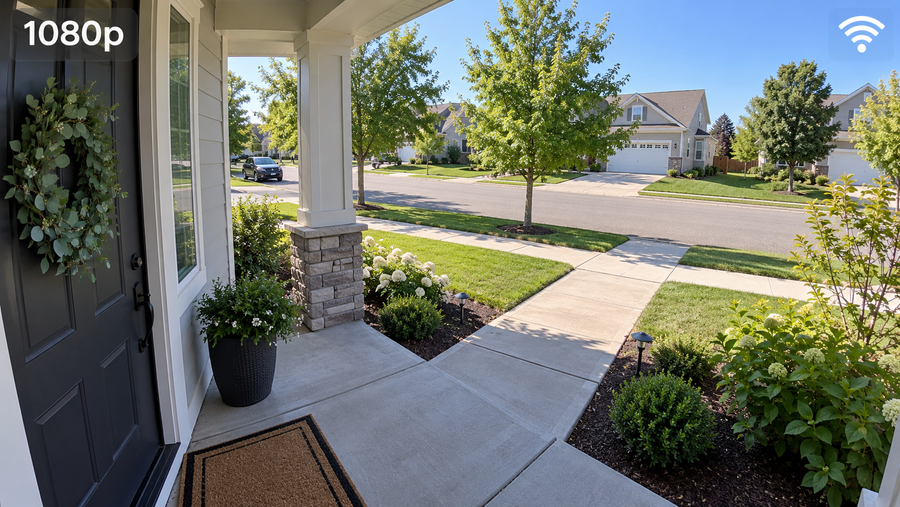
A wide viewing angle does not automatically give you a useful video doorbell view. The image can include plenty of the yard and still miss a package directly below the camera, a visitor standing close to the wall, or part of the approach hidden by the door frame.
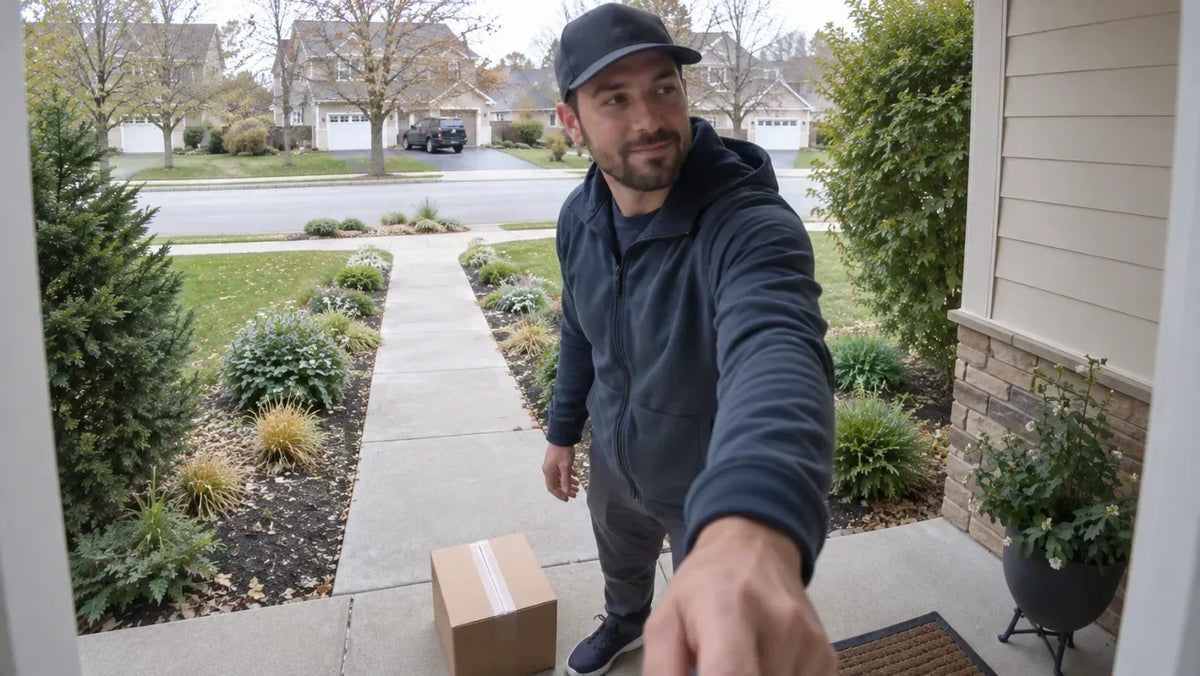
The most useful setup captures three things in the same event: the route to the door, the person standing at the bell, and the place where deliveries are normally left. Field of view matters, but mounting height, aspect ratio, angle, and the shape of your porch matter just as much.
What Should a Video Doorbell View Capture?
Before comparing degrees or frame shapes, identify the three zones your doorbell needs to cover. Test them as one continuous arrival rather than as separate still images.
- The approach route. Include the sidewalk, driveway, gate, or path a visitor actually uses. You do not need to show the whole front yard, but seeing part of the approach adds useful context before the person reaches the bell.
- The standing position. Make sure the frame clearly shows a person where they naturally pause to press the button. This area should remain usable for both taller and shorter visitors.
- The package drop zone. Include the mat, landing, or side of the doorway where carriers usually leave envelopes, bags, and boxes. Check both sides if deliveries do not always land in the same place.

How Do Field of View and Aspect Ratio Affect Coverage?
Field of view describes how much of the scene the lens can see, usually in horizontal, vertical, or diagonal degrees. Aspect ratio describes the shape of the recorded frame. They are related, but they are not interchangeable.
A widescreen 16:9 image may show more of a walkway from side to side, while a 4:3 or portrait-oriented frame may devote more image area above and below a visitor. However, the actual vertical field of view and any cropping determine whether the doorstep appears. Do not assume that a taller-looking frame automatically sees the ground directly beneath the device.
Also consider detail. At the same resolution, a very wide view spreads the available pixels across more of the scene, so a person farther away may appear smaller. The best specification is not simply the largest angle; it is the view that places useful detail where you need it.
Why Can a Wide View Still Miss Packages?
A wide lens sees farther to the sides, but it does not automatically look downward or around a nearby corner. A package can disappear from an otherwise broad image when it sits directly below the doorbell, behind an outward-swinging door, beside a wall return, or behind a planter or railing.
Test with more than one object. Place an envelope, a shopping bag, a small box, and a larger carton in the spots a delivery person is likely to use. If the frame shows only the largest box, adjust the height or angle before you drill.
How Do Mounting Height and Angle Affect the View?
As a practical first test, position the camera lens around 48 inches (1.2 metres) above the surface where a visitor stands. Measure from the porch or landing—not from a lower driveway or garden bed. Treat this as a starting point rather than a universal rule, and follow the instructions for your specific model.
If the camera is too high, the image may favor the top of a visitor's head and lose the doorstep. If it is too low, the porch floor can dominate the frame and faces may be seen from an awkward upward angle.
Angle matters just as much. A doorbell mounted on a side wall may point across the porch instead of toward the approaching visitor. Aim it only far enough to include the standing position and delivery zone, then check the result in daylight and after dark.
How Do Steps, Walls, and Door Swing Change Coverage?
- Steps and raised stoops. The effective mounting height changes when the visitor stands on a landing above the driveway. Base your measurement on that standing surface.
- Recesses, walls, and posts. A nearby wall return, column, railing, or mailbox can create a hard blind spot that a wider lens cannot see around.
- Door swing. Open the main door and any storm door fully during testing. An outward-swinging door can block a parcel or occupy a large part of the recorded frame.
- Seasonal obstructions. Wreaths, hanging decorations, tall plants, and even new leaves can change the view. Recheck the image when the area around the doorway changes.
When Can a Wedge Mount Improve the View?
A compatible wedge mount can turn the doorbell toward a side approach or tilt the view toward the package area when the flat mounting surface points in the wrong direction. It is especially useful on a side wall, inside a deep recess, or beside an off-center landing.
Use the smallest angle that corrects the important blind spot. A stronger angle may bring the walkway into view while pushing the button area or the opposite package position out of frame. Test the flat mount first, then compare the wedge view before making permanent holes.
Use This Five-Minute Test Before You Drill
- Connect the doorbell first. Pair the device and open its live view so you can judge the real frame rather than estimating from the lens position.
- Hold it at the proposed height. Have another person hold the doorbell securely, or use a model-approved temporary mounting method. Do not leave the device unsecured.
- Walk the normal route. Approach the door, pause at the bell, and move naturally rather than standing only in the center of the frame.
- Test the delivery area. Place several parcel sizes on both likely sides of the doorway, then open the door fully to check whether anything disappears.
- Review a saved clip. Check the result during the day and after dark. A saved event clip is more useful than live view alone because it shows what the system actually recorded.
Choose a Doorbell That Fits Your Entryway
Once you understand the shape of your doorway and the coverage you need, compare models by horizontal and vertical field of view, aspect ratio, mounting options, and the location of the package zone—not by one headline angle alone.
Explore current aosu video doorbells
Compare video doorbells by use case
To Wrap Up
A useful video doorbell field of view is not necessarily the widest one. It is the view that records the approach, the person at the bell, and the usual package location without giving most of the frame to a wall, the sky, or the porch floor.
Start near the recommended height for your model, test the real doorway from several positions, and use a compatible wedge only when the flat mount leaves an important blind spot. A few minutes of testing before installation can prevent a much more frustrating remount later.
FAQs About Video Doorbell Field of View and Coverage
Can a doorbell camera see packages placed beside the door?
It can if the package area falls inside the camera's horizontal and vertical field of view. Test both sides of the doorway with an envelope, bag, and several box sizes because carriers may not always use the same spot.
Should a video doorbell face the walkway or the doorstep?
Prioritize the standing position and doorstep, then include enough of the walkway to show useful approach context. If a long or sharply angled walkway is especially important, a second camera may cover it better than turning the doorbell away from the person pressing the button.
Can a glass storm door affect a video doorbell's view?
Yes. Glass can introduce daytime glare and reflect infrared illumination at night. Test the image with the storm door open and closed, and follow the doorbell manufacturer's placement instructions before installing it behind glass.