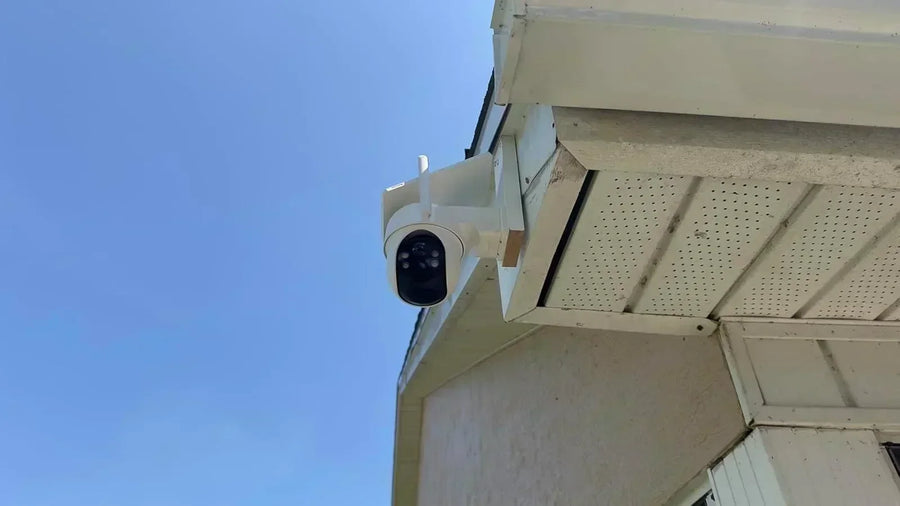
An integrated solar panel keeps installation simple: the camera and panel share one mounting point, with no cable running across the wall. A separate panel gives you more freedom because the camera can face the area you want to monitor while the panel sits somewhere with better sunlight.
If one location provides both a useful camera view and dependable direct sun, an integrated panel is usually the cleaner choice. If the camera belongs under an eave, on a shaded wall, or facing away from the best sunlight, a separate panel is generally more practical.
Both designs still use a rechargeable battery. Solar charging can greatly reduce how often you need to take the camera down, but it may not eliminate manual charging during the shortest or cloudiest parts of the year.
How Does an Integrated Solar Panel Limit Camera Angle and Location?
With an integrated solar panel, the camera and panel share the same mounting location. That one spot must satisfy three different needs:
- Camera coverage: The lens needs a clear view of the driveway, entrance, gate, or yard.
- Sun exposure: The panel needs enough direct light to replace the power the camera uses.
- Maintenance access: You should still be able to reach the unit for cleaning, adjustment, or occasional charging.
Even if the camera can tilt or swivel, its solar panel remains attached to the same general location. Moving the camera to improve the view may put the panel in shade, while moving it toward better sunlight may weaken the camera angle.
Some integrated designs allow the panel to pivot separately from the lens. This helps with alignment, but it does not solve a location that remains shaded throughout much of the day.
An integrated design works best on an open wall, post, or other mounting surface where the desired camera view already receives dependable sunlight.
When Does a Separate Panel Solve a Shade Problem?
A separate solar panel allows the camera and panel to use different mounting positions. The camera can stay where it provides the best coverage, while the panel moves to a sunnier spot within reach of its cable.
A separate setup is particularly useful when:
- The camera belongs under a porch or eave. The camera can remain sheltered and aimed at packages or visitors while the panel extends beyond the shade line.
- The best camera wall receives limited sun. A driveway or side-yard view may require a shaded wall even though a nearby wall, roof edge, fence, or post receives better light.
- The camera must face away from the best sunlight. The panel can use a different direction without changing what the camera sees.
- Seasonal shadows reach the camera location. The panel may be repositioned without moving the entire camera.
An external solar panel for a security camera does not create more sunlight. Its advantage is that it gives you more freedom to use the sunlight already available around the property.
For example, the detachable panel on the aosu SolarCam T2 Ultra can use a sunnier mounting position while the camera remains at the preferred coverage angle.

How Far Can a Solar Panel Be From a Camera?
A solar panel can normally be placed only as far from the camera as its supplied or manufacturer-approved cable allows. There is no universal distance that applies to every solar security camera.
Measure the complete cable route rather than the straight-line distance between the two mounting points. Routing around trim, corners, doors, and windows can use considerably more cable than expected.
A good cable route should:
- Follow a direct path along a stable surface
- Stay clear of doors, windows, walkways, and moving gates
- Avoid sharp bends, loose loops, and rubbing points
- Use the supplied or approved clips
- Leave enough slack to prevent tension at the connector
- Remain accessible for inspection
If the supplied cable cannot reach, check whether the camera manufacturer offers an approved extension for that exact panel and camera. Avoid splicing the cable or adding an unapproved extension. Extra connectors can create compatibility and weather-sealing problems, and a longer exposed run gives you more cable to secure and inspect.
Sometimes the better solution is to move the panel slightly closer rather than stretching the installation to its maximum possible distance.
Which Design Is Easier to Protect From Rain and Snow?
An integrated camera has fewer separate components and no exposed cable running between a camera and panel. This can make the installation tidier and leave fewer points to inspect.
A separate panel adds a second mounting point, a cable route, and a connection at the camera. However, that does not automatically make it unsuitable for wet or snowy conditions. Correct installation matters more than panel style alone.
For a separate-panel setup:
- Mount both parts on stable, approved surfaces.
- Secure the cable so wind cannot pull or repeatedly move it.
- Protect the connector according to the product instructions.
- Avoid pinching the cable behind the mount.
- Keep the cable away from roof runoff and places where snow or ice may collect.
- Use only components rated for the intended outdoor installation.
Maintenance access also matters. A panel placed high on a wall may receive good sun but be difficult to clean or inspect. A slightly lower position may be more practical if it still receives enough direct light.
Can a Separate Panel Improve Winter Charging Without Changing the Camera View?
Yes. A separate panel can help when the camera's preferred location becomes shaded as the sun sits lower in the sky. The panel can move to a clearer nearby position while the camera stays focused on the entrance, driveway, or yard.
Winter brings shorter days and longer shadows from rooflines, eaves, fences, trees, and nearby buildings. Separating the panel from the camera gives you more flexibility to respond to that seasonal shade without changing the security view.
A separate panel still cannot guarantee that solar input will always keep pace with camera use. Short winter days, extended cloudy weather, frequent motion events, and cold temperatures may make occasional manual charging necessary. If solar handles most of the year's charging work, that can still be a worthwhile result.
Integrated and Separate Solar Panel Trade-Offs
| Mounting scenario | Integrated panel | Separate panel |
|---|---|---|
| Open wall with dependable direct sun | Simple, tidy choice | Works, but the added flexibility may be unnecessary |
| Camera under a deep eave | Panel may remain shaded | Panel can move beyond the shade line |
| Driveway view from a shaded wall | Camera view and sunlight may conflict | Camera and panel can use different positions |
| Fence or post with open exposure | Works well if the view and sunlight align | Useful if the panel needs a different angle |
| Seasonal shade from trees or rooflines | Moving the panel may require moving the camera | Panel can be repositioned without changing the camera view |
| Long or complicated cable route | No connecting cable to manage | Requires careful measurement, routing, and inspection |
For an integrated vs. separate solar panel security camera decision, start with the mounting location. If the same spot provides good coverage and dependable sunlight, an integrated panel is likely enough. If those requirements point to different places, a separate panel offers more flexibility.
Maintenance Access for Cleaning and Cable Inspection
Dust, pollen, leaves, bird droppings, and snow can block light from reaching the panel. Choose a mounting position you can safely access for occasional cleaning, and follow the manufacturer's care instructions.
A separate-panel installation also needs a quick cable inspection from time to time. Look for loose clips, rubbing points, damaged cable jackets, or connectors that have shifted after wind, storms, or seasonal yard work.
Review the panel's sunlight periodically as well. A tree that creates little shade in winter may cover the panel after its leaves return. In other locations, the longer shadows of winter may be the larger problem.
Final Takeaways for Choosing a Solar Panel Setup
Choose an integrated panel when the best camera position already receives dependable sunlight and you want the cleanest installation.
Choose a separate panel when the camera needs to sit under an eave, on a shaded wall, or at an angle that does not work well for solar collection. Just make sure the supplied cable reaches along a safe, maintainable route.
Whichever design you choose, treat solar as a way to reduce manual charging rather than a guarantee that you will never need to recharge the camera again.
Common Questions About Solar Panel Setup and Compatibility
Are Integrated Solar Panels Less Efficient?
Not necessarily. Panel efficiency and mounting style are separate issues. An integrated panel can provide enough energy when it receives suitable sunlight. A separate panel may collect more usable light simply because it can be positioned in a better location.
Can a Separate Solar Panel Face a Different Direction From the Camera?
Yes, provided the camera supports a detachable panel and the installation follows the manufacturer's instructions. Aim the camera for coverage and position the panel according to the sunlight at its own mounting point.
How Far Can a Solar Panel Be Mounted From a Security Camera?
The practical limit is normally the supplied cable or a manufacturer-approved extension. Measure the full cable route, including corners and trim, rather than measuring only the straight-line distance.
Which Solar Panel Design Is Better Under an Eave?
A separate panel is usually more practical under a deep or consistently shaded eave because the panel can be mounted beyond the shade line. An integrated camera can still work under a shallow eave if its panel receives enough direct light.
Can You Add a Separate Solar Panel to Any Security Camera?
No. The camera must support external solar charging, and the panel, connector, and any extension cable must be compatible with that specific model. Check the manufacturer's compatibility information before buying or connecting an external panel.