A delivery driver walks through your gate and stops beside a parked car. Your solar PTZ camera turns to follow. While it faces the car, someone else arrives at the gate. After dark, another visit needs recording and lighting—and the battery must carry the camera through until sunlight can recharge it.
That is the practical question when choosing a solar PTZ camera: can it sustain the coverage your driveway needs? Useful tracking, a clear entrance view and enough daily charging have to work together. Start with the footage you want to keep, then check the camera position and power budget against it.
Start With the Driveway Footage You Need
Use this checklist to assess a candidate mounting spot. Once the camera is in place, test with the recording and lighting modes you intend to keep. Review saved clips to see what you would have available after a real visit.
| Check | What to observe | What to change if it falls short |
|---|---|---|
| First arrival | The saved event shows someone entering through the gate or driveway. | Reframe the resting view and check the model’s detection area. |
| Tracking path | The person remains visible as they walk toward the house or car. | Move away from obstructions or add a second view. |
| Next arrival | A second person entering is recorded while the camera follows the first, and the camera returns to its starting view afterward. | Check the return position. Add a fixed entrance view if the gate must stay covered while tracking continues. |
| Solar input | The panel receives direct sun at its installed position. | Move the compatible separate panel or choose a different mounting spot. |
| Connection | Live view and saved events work at the actual camera position. | Improve camera/base-station placement or network coverage. |
| Night footage | A moving person is visible with the chosen lighting mode. | Adjust the view or lighting, then repeat the recorded test. |
| Battery trend | The battery recovers after ordinary use and charging opportunities. | Compare activity and charging before changing recording settings. |
Follow the First Arrival—and Check the Next
PTZ stands for pan, tilt and zoom: the camera can turn horizontally, tilt vertically and provide a closer view. The zoom method depends on the model. Automatic tracking is a separate feature that follows a detected subject.
In the driveway example, tracking helps keep the delivery driver in view as they walk from the gate to the car. Check the whole saved event: when recording starts, whether the person stays visible and what happens at the gate after the camera turns.
Give the camera a useful starting view
Point the normal resting view at the gate, driveway entrance or walkway where someone first enters the area. On cameras that wake through a passive infrared (PIR) sensor, that entrance must also sit within the sensor’s detection area. Seeing a distant gate in the picture does not establish that the sensor will detect a person there.
For PIR-based cameras, a person crossing the detection area is often easier to detect than someone walking directly toward the sensor. An angled view across the walkway is worth testing, especially if straight-on arrivals are being missed.
Related links:
Learn where to place SolarCam T2 for an effective wide and telephoto view

Check what happens after the camera turns
Watch the driver’s walk from the gate to the parked car in a saved clip. A van, tree trunk or house corner can block the person. Mounting higher does not remove every obstruction and can leave you looking down at the top of someone’s head.
Then have a second person enter while the camera is still facing the first. A moving camera view covers the direction it faces at that moment. Full 360-degree rotation lets it turn all the way around; it does not show every direction simultaneously.
If the model supports a home or return position, confirm that it faces the entrance again after tracking ends. Returning afterward helps catch the next separate visit. An arrival during tracking needs an entrance view that remains available while the camera is turned.
Where the gate must stay covered throughout, provide a second view that stays on it. Some systems combine a fixed overview with a moving PTZ view. Two lenses on one moving camera do not by themselves establish that one view stays fixed.
 Following someone toward the car can leave the gate outside the moving view. Check a second arrival while tracking is still active.
Budget for the Activity You Want to Record
The solar panel converts sunlight into electricity to recharge the battery. Recording, live viewing, camera movement and lighting use that stored energy. The power budget is the balance between what the camera uses and what the panel puts back.
Battery energy tomorrow = battery energy today + solar energy accepted − camera energy used, up to the battery’s usable capacity.
For sustained operation, charging needs to cover average use and replenish the reserve after poor charging days. A larger battery gives you more stored energy; a repeated daily shortfall will still use it up.
Count recording and viewing time
One driveway visit can involve recording, movement as the camera follows the person, and lighting after dark. More visits or longer recordings keep the camera active for longer. Opening live view adds streaming time.
Consider an illustrative workload: 20 separate 30-second clips total 10 minutes of recording. Sixty clips total 30 minutes. Add a separate 10-minute live-view session and the busier day has 40 minutes of recording or viewing.
These are activity totals, not battery-runtime estimates; motors and lights also affect energy use. They show why frequent arrivals—or unwanted recordings of passing traffic—change how much charging the same camera needs.
Read the conditions behind a solar claim
Read the conditions behind any daily-charging claim: the tested recording mode, amount of activity, panel and sunlight. Compare those conditions with the way you expect to use the camera.
Panel wattage is a power rating, not the amount of energy the battery receives every day. Shade, weather, panel angle and charging limits affect the result.
Keep useful recording first
Keep clips long enough to show someone entering, stopping beside the car and leaving. If passing street traffic triggers unwanted clips, improve the framing and detection settings before shortening the visits you want to keep.
Turning off phone notifications does not necessarily stop detection or recording. Check which control changes camera activity. If the model supports patrol, use it where the additional views are useful.
 Solar charging replenishes the battery; recording, viewing, movement and lighting use stored energy.
Related links:
How to maintain a solar powered camera
Find a Position That Supports Both Coverage and Charging
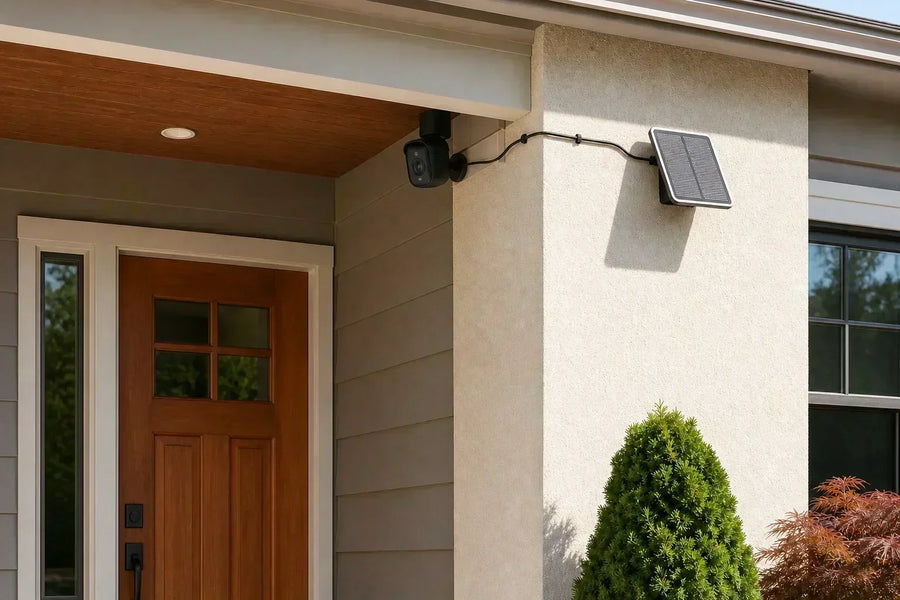
Check the gate-to-car view, the panel’s sunlight and the camera’s connection at the same proposed location. A separate panel gives you flexibility to aim the camera at people while placing the panel in better sun.
Leave a clear path for the moving view
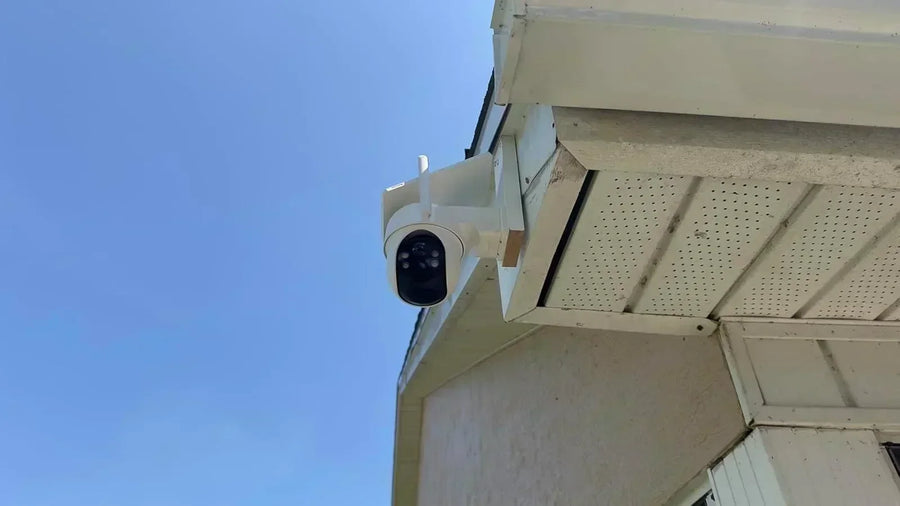
Use the mounting height and orientation specified for your model. Check the resting view and the directions the camera will turn during tracking. Keep the moving head clear of the wall, bracket, cables and nearby branches.
Frame the driveway entrance and the space beside parked cars. The same check applies to a backyard gate and the path toward the house.
Keep the panel in direct sunlight
Position the panel where rooflines, trees and fences do not block direct sunlight during useful charging hours. With a separate panel, confirm that the compatible cable reaches and route it clear of the moving camera.
With an integrated panel, assess sunlight at the camera’s actual mounting position. Use the manufacturer’s compatible panel and charging accessories; connector shape alone is not a compatibility check. Recheck the spot when seasonal shade changes.
 Aim the camera for coverage and position the separate solar panel where it receives direct sunlight.
Related links:
· Source: Solar generation and stored energy
Test the camera’s connection at the mounting spot
Pair the camera and test live view and a saved event at the intended location, with the doors and garage door in their normal positions. A phone showing Wi-Fi bars nearby is not the same test.
For a Wi-Fi model, check the supported band and whether it connects through a base station. For a cellular model, check service coverage and the required data plan. Solar power does not provide a network connection.
Repeat the Driveway Visit After Dark
At night, recording, tracking and infrared or white illumination draw on stored battery energy. A driveway with frequent nighttime arrivals needs enough reserve to support them.
Have someone repeat the walk from the gate to the car. Review the saved entrance, tracking movement and detail beside the car. If a spotlight turns on, check that its timing covers the part of the visit you need to see.
Conventional infrared night vision provides a monochrome image; white spotlights can supply visible light for color footage. Choose the mode that shows the person and what they are doing. Existing outdoor lighting can also improve the scene.
Longer lighting time uses more energy. Judge any reduction by the resulting footage: a shorter spotlight period is useful only if the important part of the visit remains clear.
Judge Battery Recovery and Saved Footage Together
For a first check, note the battery level at roughly the same time each day for seven days. Record sunny or cloudy conditions, unusually busy days, long live-view sessions and the lighting mode alongside it. Use the camera’s battery or activity history if available.
Review saved daytime and nighttime visits during the same period. Check that you can see people enter, follow what they do beside the car and catch the second arrival. Read those results alongside the battery trend:
Useful footage, with charge recovering
The location and settings are supporting the use you observed. Keep them, and repeat the check after a major change in sunlight or household activity. A summer week cannot establish how much charging the same spot will receive in winter.
Charge recovering, but visits are missed
Review the starting view, detection area, obstructions and second arrival. Improving the camera’s charge level has not solved a gap in coverage. Reposition it or add the entrance view you need, then check battery use with that coverage in place.
Useful footage, but charge keeps falling
Charging has not kept up during that period. Check for panel shade, unwanted traffic recordings and extended live viewing. Change one relevant placement choice or setting, then review both the battery trend and the saved footage again.
Keep the recording and lighting needed to see the visit clearly. If the setup cannot sustain them, choose a more suitable mounting spot or power arrangement.
Choose Solar PTZ Around the Visits You Need to See
A useful solar PTZ setup catches the arrival, follows the visit and is ready for the next person. Its charging must also sustain that coverage through ordinary daytime and nighttime use. Assess the footage and battery recovery together, and you have a practical basis for choosing the camera’s position, settings and any additional entrance view.
FAQs
Does automatic tracking use more battery?
Tracking adds motor movement and processing, and it can keep the camera active for longer. Its effect depends on how often and how long the camera follows subjects, along with recording, viewing and lighting use. There is no single battery-life reduction that applies to every model.
Can a solar PTZ camera record continuously?
Continuous recording requires both a camera that supports it and enough power to sustain it. Check whether the model saves full video continuously, records only events, or stores periodic snapshots. Adding a solar panel does not change the camera’s available recording modes.
Will a solar PTZ camera work without Wi-Fi?
A cellular model can provide remote viewing through a supported mobile network and data plan. A Wi-Fi model needs its specified network or base-station connection for remote access. Local recording during an outage depends on the model and storage setup.
Can the solar panel face a different direction from the camera?
Yes, with a separate panel and a compatible cable arrangement. Aim the camera at the area you need to see and place the panel in direct sunlight. Check the cable reach and keep it clear of the moving camera.