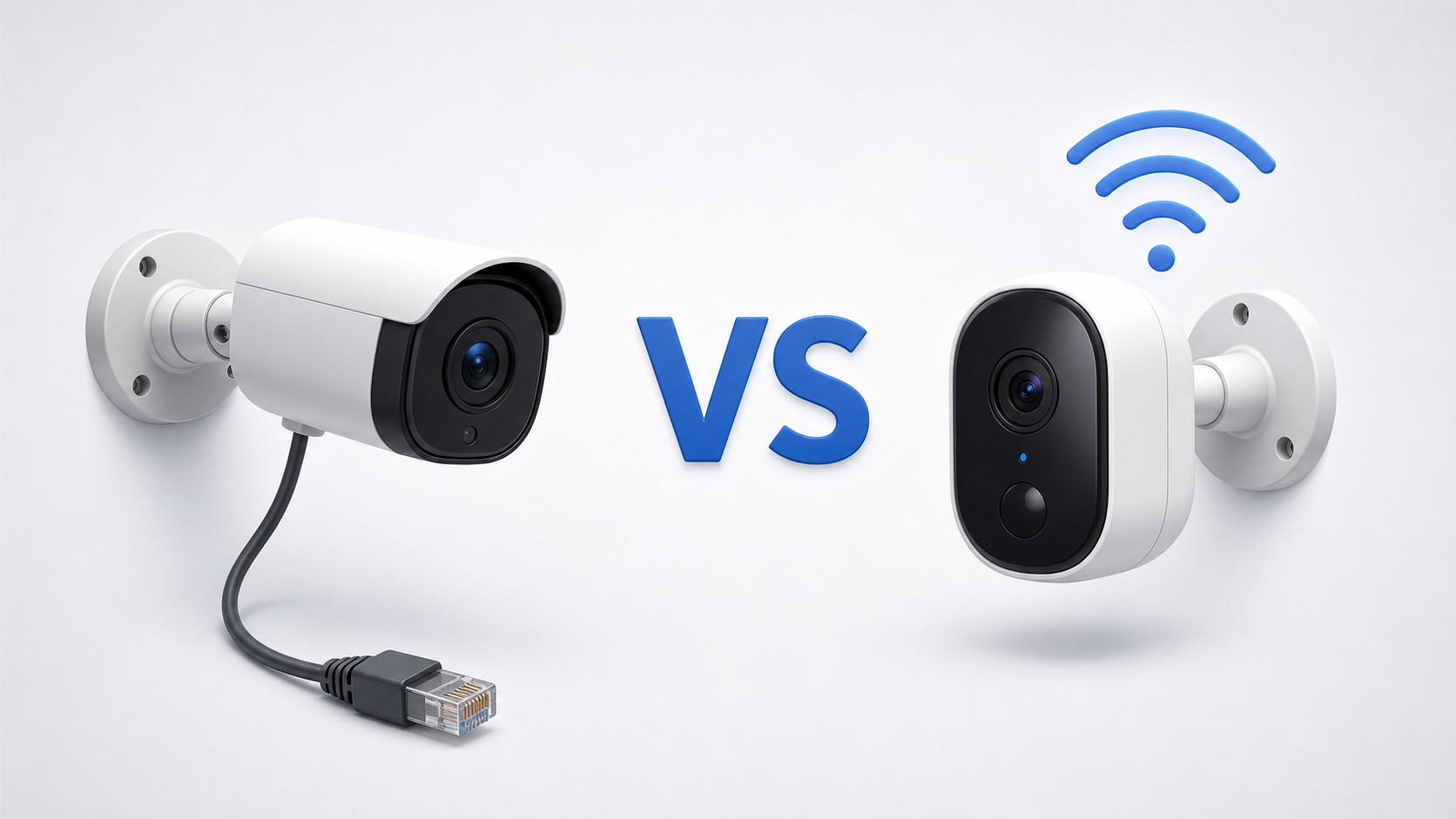
Choosing between wired and wireless security cameras sounds simple until you start shopping. One camera uses Wi-Fi but still plugs into an outlet. Another has no power cord but connects to a hub. A PoE camera uses one cable for both power and data. All three may be described as either wired or wireless, depending on who wrote the listing.
The easiest way through the confusion is to separate two questions: How does the camera get power, and how does it send video? Once those are clear, the right setup usually comes down to installation effort, recording needs, Wi-Fi coverage, and how much ongoing maintenance you are willing to handle.
The Short Answer
Neither type is automatically better. A well-installed PoE system is hard to beat for fixed, continuous coverage. A battery or solar Wi-Fi camera can be far more practical for a detached garage, side gate, rental home, or finished wall where new cable would be a major project.
Many homes do not need to choose only one. A hybrid setup can use wired cameras at the front door and driveway, then add wire-free cameras in places that are difficult to cable.
| Choose wired or PoE cameras if: | Choose wireless cameras if: |
|---|---|
|
|
First, Untangle What Wired and Wireless Mean
This distinction prevents one of the most common buying mistakes: assuming every Wi-Fi camera is wire-free. If a product page says wireless, check the power specification before deciding where it can go.
- PoE camera
One Ethernet cable carries network data and electrical power between the camera and a PoE switch, injector, or recorder. It is wired for both power and communication.
- Traditional wired camera
The camera sends video through a physical cable and may use a separate power cable. Older CCTV systems often use coaxial video cable, while modern network systems commonly use Ethernet.
- Plug-in Wi-Fi camera
Video travels wirelessly through Wi-Fi, but the camera still needs a power cord and nearby outlet. It is wireless for data, not for power.
- Battery or solar Wi-Fi camera
The camera sends data wirelessly and does not need a permanent power cable. A rechargeable battery supplies power, while a solar panel may reduce or largely eliminate manual charging in suitable sunlight.
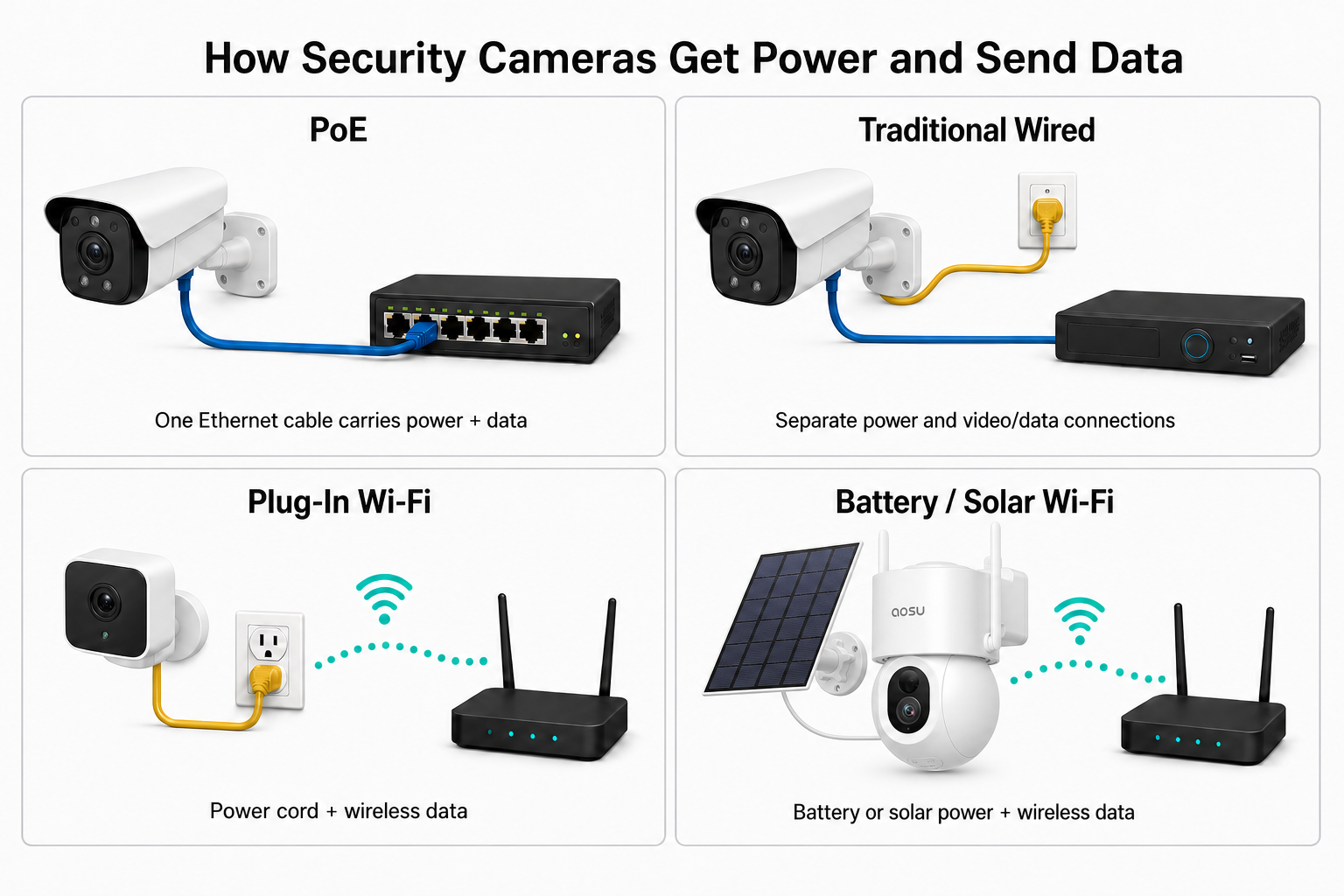
Power and data are separate questions. This is why a camera can use Wi-Fi and still have a power cord.
Read Cisco's explanation of Power over Ethernet
How Wired and Wireless Security Cameras Compare
- Installation
Wired systems require cable planning, drilling, weatherproof entry points, and sometimes professional help. Wireless cameras are generally faster to mount, although plug-in models still need an outlet and solar panels need a sunny position.
- Connection
A wired data connection avoids ordinary Wi-Fi congestion and weak-signal zones. Wireless cameras depend on the quality of the connection between the camera, router, or compatible hub.
- Recording style
Continuously powered cameras are better suited to 24/7 recording. Battery and solar cameras commonly conserve energy by recording detected events, so check the exact recording modes before buying.
- Routine maintenance
Wired cameras need little power-related attention after installation. Battery cameras need occasional charging; solar can reduce that work, but panel placement, shade, weather, and activity levels affect the result.
- Placement flexibility
Wireless cameras are easier to add to sheds, gates, trees, finished exterior walls, and temporary locations. Wired cameras are constrained by feasibility of running a cable.
- Up-front cost
A small wireless setup is often inexpensive to install yourself. A multi-camera wired system may cost more initially because of cable, a recorder or switch, and labor, but it can be efficient for larger permanent installations.
Which Type Is More Reliable?
Wired cameras generally have the advantage when reliability means a steady data path and uninterrupted power. A PoE camera does not have to compete for Wi-Fi airtime, and a central recorder, switch, and cameras can be protected together with an uninterruptible power supply.
That does not make every wired system outage-proof. If the recorder, PoE switch, router, or building power goes down, the system may still lose some or all functions. Likewise, a battery camera can stay powered during a household outage, but remote viewing may stop if the router or internet connection is down.
Storage also changes the answer. A camera that can record locally may preserve footage during an internet outage, while a cloud-only workflow may not. Before relying on any setup, test what continues to work when you disconnect the internet and when you turn off the router.
See what security cameras can do without Wi-Fi
Compare security camera storage options
What Is the Most Protected Security Camera Setup?
There is no single camera type that is best protected against every problem. A PoE camera has a stable power and data connection during normal operation, but it can stop if the building loses power and the switch or recorder has no backup. A battery camera may stay on during that outage, yet lose remote access or cloud uploads when the router goes down.
Storage creates another tradeoff. Footage kept on an SD card, hub, or NVR stays under your control, but the device can fail, become corrupted, or be stolen or damaged along with the cameras. Cloud storage keeps a copy away from the property, but depends on an internet connection, account security, the provider's retention rules, and your comfort with storing footage on someone else's systems.
The most resilient arrangement combines layers: continuously powered cameras, backup power for the cameras and recorder, concealed or physically secured local storage, and an encrypted off-site copy of important footage. Some households may choose to keep routine recordings local while sending only selected events or alerts off site.
Most Homes Do Not Need the Maximum Possible Protection
A typical household does not need every safeguard used by a business, critical facility, or high-risk property. More layers add cost, setup work, account management, and equipment that must eventually be tested and maintained.
For many homes, a reasonable baseline is dependable camera power, local or cloud recording that continues under the outages you consider likely, secure account settings, and at least one way to preserve an important clip outside the camera itself. Backup power and local storage can be worthwhile if brief power cuts are common. Off-site backup becomes more valuable when you are specifically concerned about theft, fire, or deliberate damage.
Choose protection in proportion to the risk. The goal is not to build a system that can never fail; it is to avoid one easy failure taking away the footage you are most likely to need.
Compare local and cloud security camera storage
Which Setup Fits Different Homes?
- A new build or major renovation
Plan Ethernet runs before the walls are closed. PoE becomes much easier and less expensive when cable routes are part of the construction plan.
- A finished home with difficult cable routes
Battery, solar, or plug-in Wi-Fi cameras can avoid opening walls and running exterior conduit. Check signal quality at each mounting point before drilling.
- A rental home
Wire-free cameras and reversible mounts are easier to remove. Confirm what the lease allows, avoid damaging surfaces, and make sure outdoor placement does not create privacy problems.
- A large property or detached building
Do not assume Wi-Fi will reach because your phone shows a bar near the location. Test the actual camera position. A wired network run, point-to-point bridge, compatible hub, or cellular camera may be more appropriate for a distant structure.
- A busy driveway or storefront
Continuous power is attractive where motion happens all day. PoE or another wired-power option avoids frequent battery drain and can support longer recording schedules.
- A side gate, shed, or hard-to-reach corner
A solar camera can make sense when running cable is excessive and the panel can receive dependable sunlight. Mount it where you can still reach it for cleaning, resets, and eventual battery service.
Four Tradeoffs That Are Easy to Miss
- Wireless does not mean internet-free
A Wi-Fi camera can communicate inside your home network without a working internet connection, but remote alerts, cloud recording, and app access away from home may depend on internet service.
- Wired does not always mean local recording
A physical cable describes the connection or power path. It does not tell you whether footage goes to an NVR, SD card, hub, or cloud service.
- Solar does not create a second data connection
A solar panel helps with power. The camera may still need Wi-Fi or a hub connection to send alerts and video.
- Battery life depends on the scenario
Traffic, detection sensitivity, live viewing, cold weather, night lighting, and weak wireless connections can all increase power use. Battery-life claims are most meaningful when compared with your expected activity.
Are solar security cameras worth it?
A Hybrid System Is Often the Most Practical Answer
Not every camera has to use the same power source. Put the most permanent, highest-traffic cameras on continuous power when practical. Use battery or solar cameras where cable routing would cost more than the added maintenance is worth.
For example, a home might use PoE cameras over the driveway and front entrance, a plug-in Wi-Fi camera indoors, and a solar camera on a detached shed. The important part is that your cameras serve the the purpose you got them for.
If you mix systems from different brands, consider how many apps, accounts, storage plans, and notification streams you will have to manage. A technically capable setup can still become frustrating if daily review is scattered across several places.
Do Wireless Cameras Create More Security Risk?
Any internet-connected camera needs careful account and network security, whether its video reaches the network by Wi-Fi or Ethernet. Use unique passwords, enable two-factor authentication when available, keep camera and app software updated, and secure the home router.
The Federal Trade Commission also recommends checking for encryption and using WPA3 or WPA2 on the home wireless network. A separate network for connected devices can reduce how easily a compromised device reaches computers and other sensitive equipment.
A cable is not a substitute for good security settings. Wired IP cameras can still be exposed by weak passwords, outdated firmware, unsafe remote access, or a poorly configured recorder.
Read the FTC guide to securing home security cameras
Check These Details Before You Choose
- Power at the exact mounting point
Look for an outlet, a viable Ethernet route, safe access for charging, or enough sun for a solar panel. Do not decide from the product label alone.
- Signal at camera height
Test where the camera will actually sit, with doors and exterior walls in the path. A phone test is a starting point, but not a guarantee of camera performance.
- Recording mode
Confirm whether the camera supports continuous recording, event clips, pre-roll, local storage, cloud storage, or a compatible recorder.
- Recovery after an outage
Find out whether the camera reconnects automatically, continues local recording, and keeps the correct time after losing power or internet.
- Long-term access
Plan how you will clean lenses, service batteries, replace equipment, and reach cable connections without creating a recurring ladder problem.
Learn how to mount a security camera on different surfaces
Where aosu Cameras Fit
aosu focuses largely on DIY-friendly cameras, including battery and solar options designed to avoid long cable runs. Depending on the model, features may include local storage, an aosuBase connection, and solar charging, all with app-based remote access.
That makes aosu most relevant when placement flexibility and a simpler installation are priorities. Check the product's power method, recording options, network requirements, and compatibility before building a larger system around it.
Browse aosu solar security cameras
Compare the T2 Pro with the T2 Ultra
To Wrap Up
Choose PoE or another wired setup when you want permanent cameras, continuous power, and a stable data path. Choose plug-in Wi-Fi when an outlet is available but network cabling is not. Choose battery or solar when placement freedom is worth more than continuous recording and zero maintenance.
Most importantly, compare power, connection, storage, and recording as separate features. Once you stop treating wired and wireless as two all-inclusive categories, the decision factors become much clearer.
FAQs
Are wired security cameras better than wireless cameras?
Wired cameras are often better for continuous power, 24/7 recording, and a stable data connection. Wireless cameras are often better for quick installation, rentals, and locations where cable would be difficult to run.
Do wireless security cameras need to be plugged in?
Some do. Plug-in Wi-Fi cameras send video wirelessly but still use a power cable. Battery and solar Wi-Fi cameras can operate without a permanent power cord.
Can wired security cameras work without internet?
Many wired systems can record to a local NVR or other local storage without internet, but the exact behavior depends on the camera and recorder. Remote viewing, cloud storage, and off-site alerts may stop when internet service is down.
Is PoE the same as a wired security camera?
PoE is one type of wired camera setup. It uses a single Ethernet cable to carry both data and electrical power between compatible equipment.
Can I mix wired and wireless security cameras?
Yes. A hybrid setup can use wired cameras in permanent high-traffic areas and wireless cameras where cable routing is difficult. Check whether the devices can share the same app, storage system, or hub if simple management is important.