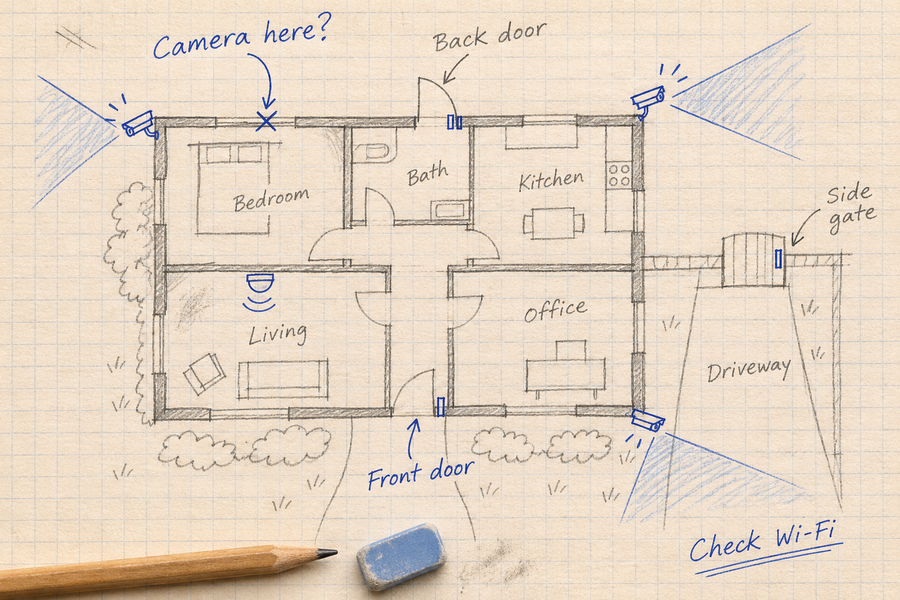
A single security camera is easy to understand. Once you have several cameras around the house, the harder part is keeping the footage, alerts, and event history organized.
aosuBase is a hub for compatible aosu camera systems. Its storage, event-review and notification functions depend on the exact hub, cameras, firmware and selected services. Do not treat one kit’s features as a specification for every aosuBase version.
Quick Answer: What aosuBase Does
A compatible hub can provide a local storage destination and support review of recordings from connected cameras. Check camera compatibility, storage management, event functions and fees separately before choosing or expanding a system.
Check the Hub Version Before Expanding
Match the camera’s model code to the exact hub version before buying an add-on camera. A kit listing confirms what is included in that package; it does not establish compatibility with every aosu camera or an older hub.
The T2 Ultra kit selector lists aosuBase 2.0 kits, aosuCortex kits and a single-camera option without aosuBase. Check the selected variant and included equipment before ordering.
For an existing system, confirm the camera model, hub model, supported device count and required firmware with the compatibility documentation or support.
A compatibility record should identify the camera model code, hub version, maximum supported device count, firmware requirements and an official source. A complete version-by-version compatibility table is not supplied here; do not infer a pairing result from a kit name.
| aosuBase may be worth assessing if: | Check the setup details if: |
|---|---|
|
|
What aosuBase Adds to an aosu Camera System
A memory card is storage media; a hub can provide a destination for footage from compatible cameras and supported system-management functions. The available functions are not established by the hub name alone.
- Local recording: Check where each selected camera saves new footage and which connections must remain available.
- Storage options: Verify the exact hub’s built-in capacity, supported expansion and storage-management instructions.
- Multi-camera review: Check whether the app groups related events from the selected camera-and-hub combination.
- Notifications: Verify filtering and notification settings separately from recording coverage.
- Placement: A hub does not remove camera blind spots or establish simultaneous coverage of every entrance.
Built-In Storage and Expansion Are Different Specifications
Check storage against the exact hub included in your kit. The T2 Ultra product listing advertises 32GB of internal local storage and expansion up to 1TB.
Do not assume these figures describe every aosuBase version, or add them together as usable recording capacity. Confirm the supported storage medium, capacity limit and how the hub uses internal and added storage before purchasing an upgrade.
Retention also depends on camera count, recording mode, video settings and daily activity. Export important clips before formatting or changing storage.
Before upgrading, obtain the exact hub’s supported card type and file system, formatting requirements, recording destination after expansion and whether internal storage remains in use. Those storage-management details are not established by the capacity figures alone.

Capacity illustration associated with the cited T2 Ultra listing, not a specification for every aosuBase version.

The advertised expansion limit does not establish the supported medium, combined usable capacity or how recording storage is managed. Confirm those details for the selected hub.
Read the broader security camera storage guide
Check Multi-Camera Events and Notifications Separately
Event grouping, camera movement and notification filtering are different functions. Check which ones your camera-and-hub combination supports.
To test event review, walk between two camera views and inspect the saved clips and timeline. Confirm whether both cameras recorded the event and whether the app groups them usefully.
Then check the notifications received. Fewer notifications do not prove that every required clip was saved, and separate clips do not necessarily mean tracking failed. Judge recording coverage and notification behavior separately.

Illustrative multi-camera event material, not a documented same-walk test or proof of seamless recording. A test comparison needs the saved timeline and notification screenshots from the same walk, labeled with camera and hub models, firmware, settings and time.
What Happens When a Connection Fails?
“Wi-Fi outage” can describe different failures. Check each one separately on your camera-and-hub configuration.
- Internet connection lost: The home network may still be running. Confirm whether new events reach local storage; remote viewing, cloud uploads and notifications may be unavailable.
- Router loses power: Whether camera-to-hub recording continues depends on the system’s connection design and which equipment remains powered.
- Camera-to-hub link lost: Do not assume the hub receives new footage. Camera-side buffering and later transfer require explicit support on the selected model.
Before relying on outage recording, create a test event during each condition, restore the connection and check the saved timeline. Record the camera and hub models, firmware, timestamps and any missing footage. Do not interrupt a firmware update to perform the test.
Read how cameras record without Wi-Fi
Check Included Features and Optional Plans
Review the basic recording functions included with your exact kit separately from optional services. Confirm whether the AI function, cloud backup or other feature you want requires a payment, and check what remains available without that plan.
Use the current product listing and in-app plan details for your market. “No mandatory storage subscription” should not be read as a promise that every feature is free.
Read about security cameras without subscription
Which aosu Systems Should You Consider with aosuBase?
Start with the camera model code and exact hub version, not the camera-family name. The T2 Ultra product selector distinguishes aosuBase 2.0 kits, aosuCortex kits and a single-camera option without aosuBase. A selected package’s contents do not establish cross-version compatibility.
When assessing T2 Pro or expanding an existing setup, verify the hub model, supported device count, required firmware, storage and event functions using compatibility documentation or support before ordering. Do not transfer T2 Ultra kit features to another combination.
SolarCam T2 Ultra
Review the selected kit’s hub, included equipment and recording options. Confirm compatibility and current service terms before ordering.

System illustration, not a version-by-version compatibility table or measured whole-home coverage result.
Compare aosu T2 Pro vs T2 Ultra
Common Mistakes to Avoid
Do not choose a hub only because the storage number sounds good. Start with the camera models, mounting positions, recording mode and expected activity.
Do not assume every aosu camera, kit or feature behaves the same way. Confirm compatibility and the included equipment for the exact variant.
Do not confuse local recording with remote access or assume that internet loss and camera-to-hub link loss have the same effect.
Check notification settings and the saved timeline separately. A quieter phone is not proof that all required events were recorded.
To Wrap Up
aosuBase can provide local storage and supported management functions for compatible camera systems. Confirm the hub version, camera model codes, firmware and storage behavior before expanding.
Test saved events, multi-camera review, notifications and each outage condition separately. Do not infer seamless coverage, universal compatibility or combined usable capacity from a kit listing.
FAQs About aosuBase
What is aosuBase?
aosuBase is a hub for compatible aosu camera systems. Local storage, multi-camera event functions and notification controls depend on the exact camera-and-hub combination, firmware and selected services.
Does aosuBase require a monthly fee?
Check the basic recording functions included with your exact kit and the current in-app plans for your market. Confirm which AI, cloud backup or other functions require payment and what remains available without a plan. “No mandatory storage subscription” does not mean every feature is free.
How much storage does aosuBase support?
The cited T2 Ultra listing advertises 32GB internal storage and expansion up to 1TB. Do not apply those figures to every hub or assume they add together. Confirm the supported storage medium and how internal and added storage are used on your hub version.
Can aosuBase Record During an Outage?
It depends on what failed. Confirm that the hub remains powered, the camera can still reach it and the selected configuration supports local recording in that condition. Internet loss and camera-to-hub link loss are different failures.
What is cross-camera tracking?
The term can refer to reviewing related activity across compatible camera views. Check what the exact combination supports. Event grouping, camera movement and notification filtering are separate functions, and a grouped event does not prove that the entire route was recorded.