


























Security cameras usually do not cost much to run from an electricity standpoint. A typical small camera may only add pennies to a dollar or two per month to your power bill, depending on how much power it uses and your local electricity rate.
The bigger question is the total running cost. Cloud storage, subscription plans, extra recorders, replacement batteries, larger systems, and internet setup typically cost more than electricity.
The Short Answer
No, most home security cameras do not cost a lot to run. Electricity use is usually low because cameras are small electronics.
Using an example electricity rate of 18.83 cents per kWh, a camera that averages 5 watts running all day would cost about 68 cents per month in electricity. A 10-watt camera would cost about $1.36 per month. Even a 20-watt device would be around $2.71 per month.
Those numbers are examples, not promises. Your actual cost depends on the camera's power draw, whether it records continuously, your local electricity rate, and whether you also run a recorder, hub, floodlight, or paid storage plan.
| Usually low cost | Can add up |
|---|---|
|
|
How Much Electricity Does a Security Camera Use?
The simple formula is: watts x hours used x days, divided by 1,000, then multiplied by your electricity rate.
For a camera that runs 24 hours a day, the monthly electricity formula looks like this: watts x 24 x 30 / 1,000 x electricity rate.
Here is what that looks like using 18.83 cents per kWh as an example rate.
| 5-watt camera | 10-watt camera | 20-watt device |
|---|---|---|
|
|
|
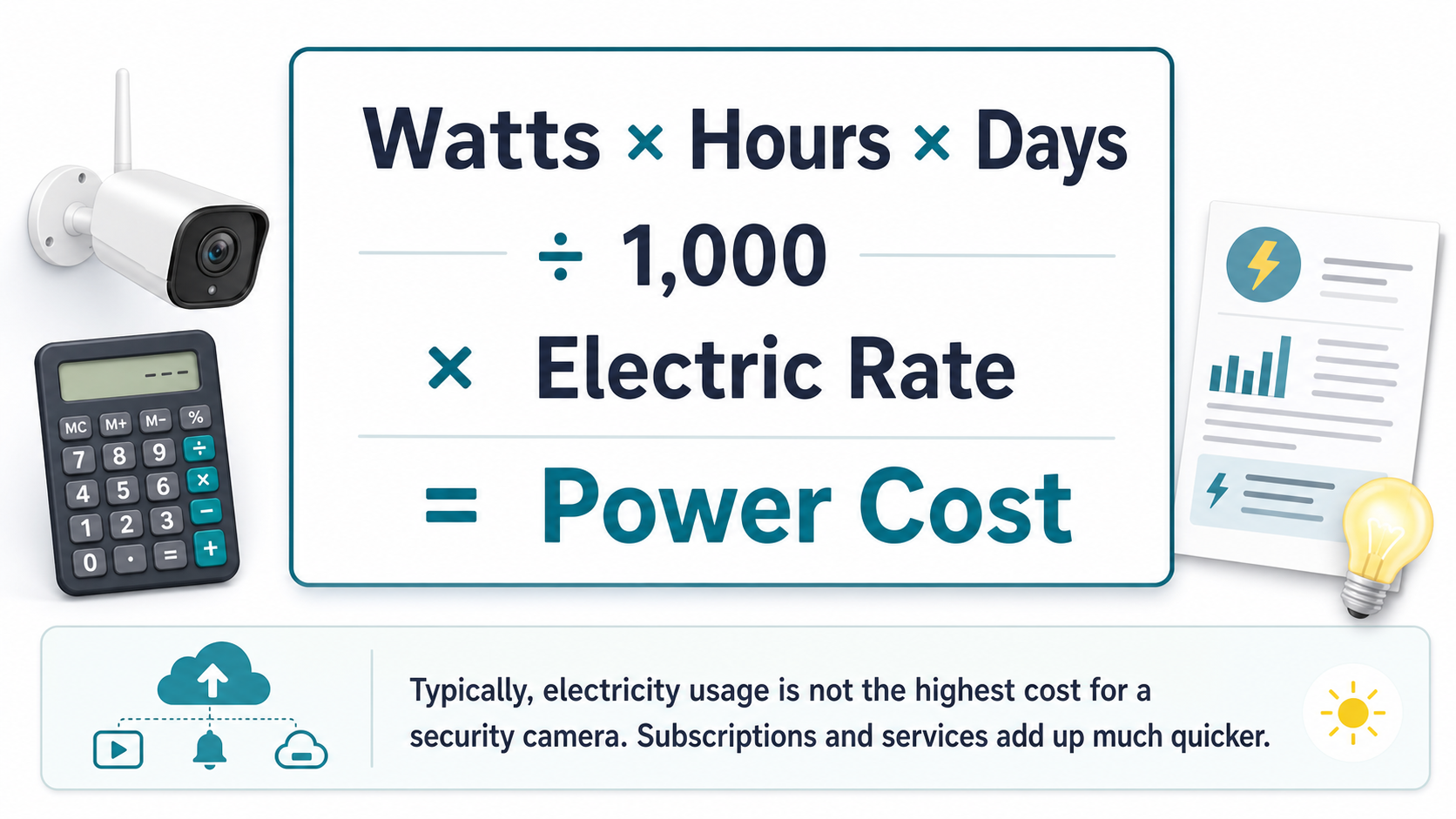
Electricity cost is usually small, but the formula helps you compare cameras honestly.
What Actually Costs Money With Security Cameras?
For most homes, the camera's electricity is the smallest line item. The bigger costs are usually tied to storage, subscriptions, accessories, and the size of the system.
- Cloud storage plans
A paid cloud plan almost always costs more per month than the electricity for the camera. This is why the monthly fee matters more than a tiny difference in wattage.
- Local storage equipment
SD cards, home hubs, NVRs, hard drives, and replacement storage are usually one-time or occasional costs, but they still belong in the total budget.
- Recorders and hubs
A home hub or NVR can add electricity use, especially if it records continuously. It's often still be worth it if it helps avoid monthly cloud fees.
- Lighting and sirens
A camera with a floodlight can use more power when the light turns on often. Good motion zones can reduce unnecessary activations.
- Batteries and charging
Battery cameras do not usually add much to the electric bill, but they can add maintenance time. Replacement batteries or extra charging accessories may add up over time.
The Monthly Fee Usually Matters More Than Electricity
If a camera has a $5 or $10 monthly plan, that subscription can be several times higher than the power cost of running the camera.
That does not make cloud storage bad. Cloud storage can be useful for remote access, clip backup, and footage protection if a camera is stolen. It just means the subscription should be judged as the main recurring cost.
If you want to reduce monthly costs, look closely at security cameras without subscription and check what features are still available with local storage.
Security cameras without subscription
How security cameras store footage
Do Wi-Fi Cameras Make Your Internet Bill Higher?
For most homes, a Wi-Fi camera does not directly raise the internet bill. Your router is usually already running, and many home internet plans do not charge by the gigabyte.
The bigger issue is bandwidth and data caps. A camera that uploads a lot of cloud video can use more data than a camera that records locally and only sends motion alerts. Continuous recording, high resolution, long clips, and multiple cameras all increase upload activity.
If your internet plan has a data cap or slow upload speed, storage style matters. Local storage can reduce cloud upload, while cloud-first systems may depend more heavily on the internet connection.
Can security cameras record without Wi-Fi?
Wired, Wireless, Battery, and Solar Running Costs
Different camera types shift the cost in different places. A wired camera may have steady electricity use. A battery camera may cost very little to charge but needs occasional maintenance. A solar camera may reduce manual charging, but it needs reliable sunlight.
| Plug-in or PoE camera | Battery camera | Solar camera |
|---|---|---|
|
|
|
Are solar security cameras worth it?
Optimize security camera battery life
Sample Running Cost Scenarios
Use these examples as a rough way to think about the total. The exact numbers will change with your camera model, electricity rate, storage plan, and settings.
| One Wi-Fi camera, local storage | Four cameras with cloud plans | Wired 24/7 system with recorder | Solar outdoor camera |
|---|---|---|---|
|
|
|
|
aosu Example: What Nearly Zero Ongoing Cost Can Look Like
A simple way to see the cost difference is to look at a solar camera with local storage. For example, the aosu SolarCam D1 Classic is listed at $79.99 at the time of this draft, is designed around solar charging, and can use SD card storage or cloud storage.
If it is installed correctly in a sunny location and SD card storage gives you the playback you need, the ongoing cost can be close to zero: no grid electricity for the camera, no required cloud storage bill for local recording, and no routine manual charging under normal sunny conditions.
That is the kind of setup where the purchase price matters much more than monthly operating cost.
| Why running cost can stay low | What still matters |
|---|---|
|
|
How to Keep Security Camera Costs Down
You do not have to buy the cheapest camera to keep costs low. The better move is to avoid paying every month for features you do not need and avoid recording more video than you will ever review.
- Choose local storage when it fits
A camera with SD card, home hub, or NVR storage can reduce or remove monthly cloud fees.
- Use smart motion zones
Exclude busy streets, swaying trees, and low-value areas so the camera records fewer useless clips.
- Match resolution to the job
Higher resolution can be useful, but it can also increase storage and upload needs. Use the resolution that gives enough detail for the area.
- Avoid unnecessary 24/7 recording
Motion recording is often enough for homes and can reduce storage, bandwidth, and battery pressure.
- Look at the whole system cost
Compare camera price, subscription, storage, accessories, installation, and power use together instead of judging only the sticker price.
Bottom Line
Security cameras usually do not cost a lot to run in electricity. A small camera running all day often costs well under a few dollars per month in power.
The real running cost depends more on storage and subscriptions. If you want the lowest ongoing cost, pay attention to local storage, subscription requirements, motion settings, and whether the system is sized for your actual home.
FAQs
Do security cameras use a lot of electricity?
Most home security cameras do not use a lot of electricity. A small camera that averages 5 to 10 watts and runs all day may cost roughly under $1 to $2 per month at common residential electricity rates.
How much does it cost to run a security camera 24/7?
Use this formula: watts x 24 x 30 / 1,000 x electricity rate. At an example rate of 18.83 cents per kWh, a 5-watt camera costs about 68 cents per month and a 10-watt camera costs about $1.36 per month.
Are security camera subscriptions more expensive than electricity?
Often, yes. A cloud plan can cost several dollars per month, while the electricity for a single camera may be under a dollar or two. That is why subscription cost often matters more than power use.
Do wireless security cameras raise your internet bill?
Usually not directly, unless your internet plan has data caps or charges for extra usage. Cameras that upload lots of cloud video can use more data, while local storage can reduce cloud upload.
Do solar security cameras cost anything to run?
A solar security camera may use little to no grid electricity when the panel gets enough sun. Running costs still depend on storage choices, subscriptions, battery health, and whether the camera needs occasional manual charging.