The best outdoor time-lapse camera depends on the timeline you need. Choose a security camera when alerts, event video, live viewing, and a quick look at property changes matter most. Choose a dedicated project camera when you need fixed framing, scheduled intervals, months of capture, and a finished construction or landscape sequence.
The five picks below cover both sides of that decision. Start with the camera type, then compare power, connection, interval control, outdoor protection, and the file you want at the end.
Security Time-Lapse vs. Project Time-Lapse: Which Do You Need?
A security camera and a project camera can both compress a long period into a short review, but they collect and present the day differently. The right choice starts with whether you need to respond to activity or document gradual change.
| Decision point | Security or hybrid camera | Dedicated project camera |
|---|---|---|
| Primary purpose | Monitor people, vehicles, animals, entrances, and property activity | Document construction, landscaping, weather, art, or another slow project |
| Typical timeline | Motion clips, alerts, live view, and sometimes snapshots or a separate time-lapse mode | Frames captured at a chosen interval on a fixed schedule |
| Remote access | Common through Wi-Fi, Ethernet, or 4G, depending on the model | Ranges from no remote access to professional cloud management |
| Power priority | Enough power for detection, communication, night vision, and recording | Long standby life and predictable interval capture |
| Finished result | A security history or short time-lapse clip alongside other camera features | A project-focused time-lapse video or image sequence |
| Best fit | A home, gate, remote property, or worksite that also needs security coverage | A renovation, build, garden, landscape, or long-duration visual record |
 Security cameras combine motion events with context snapshots; project cameras use evenly spaced frames to show gradual change.
Best Outdoor Time-Lapse Cameras at a Glance
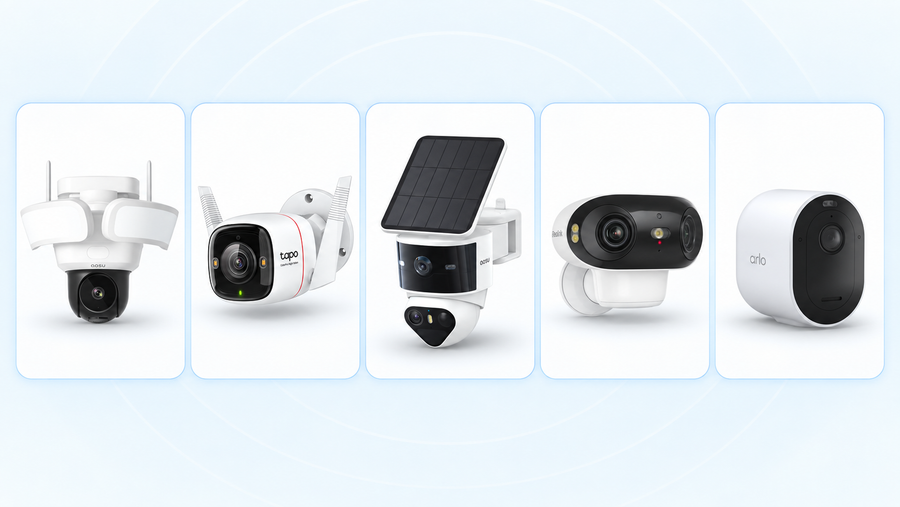
These are use-case picks, not five interchangeable cameras. The first two are security cameras with timeline or time-lapse functions. The final three put project capture first.
| Camera | Type | Best for | Core facts | Main tradeoff |
|---|---|---|---|---|
| aosu SolarCam T2 | Solar security camera with day review | Homeowners who want context between motion events | Five-minute snapshots plus motion-event video in one condensed review | Not a configurable construction time-lapse recorder |
| Reolink TrackMix LTE Plus 2 | 4G solar security and time-lapse hybrid | Remote sites that need alerts and time-lapse capture | 4G, solar power, dual views, smart detection, and a time-lapse mode | Cellular service and a security-camera workflow add cost and setup |
| Brinno TLC2020-C | Dedicated project time-lapse bundle | Long unattended construction or renovation capture | 1080p HDR, 118-degree view, flexible schedule, and up to 99 days at a five-minute interval | No normal security alerts or live monitoring |
| Afidus ATL-800i | Dedicated 4K time-lapse camera | Projects that need detailed framing and optical adjustment | 4K output, motorized 2.8-8 mm lens, app setup, and up to 60 days at a five-minute interval | Its listed operating range starts at 32 F (0 C) |
| Enlaps Tikee 4 | Professional connected project camera | Large sites that need remote management and panoramic documentation | 6K panoramic output, solar power, 4G, Wi-Fi, GPS, IP66 protection, and up to 1 TB microSD | Professional pricing and cloud-plan requirements |
Best Security Cameras With Time-Lapse or Day-Review Features
Choose from this group when the camera still needs to protect a home, entrance, remote building, or worksite. Time lapse is an added way to review change; alerts and event recording remain central.
aosu SolarCam T2 - Best for Everyday Security Context
Best for: a yard, garden, driveway, or entrance where you want motion-event video and a quick sense of what changed between events.
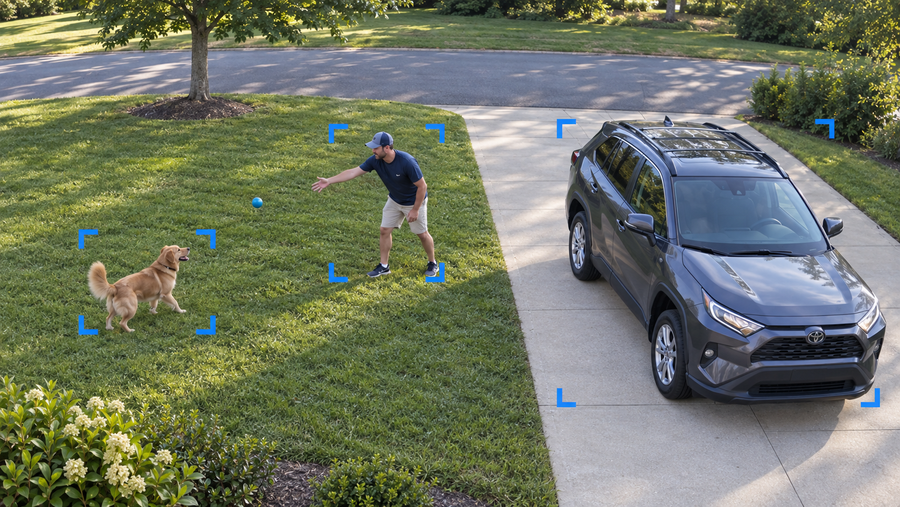
SolarCam T2 All Day Snapshots saves one still every five minutes. Its condensed day review combines those stills with normal-speed motion-event video, so you can move quickly through quiet periods and still watch recorded activity in context.
This is the right format for questions such as when rain reached the patio, how sunlight moved across a garden, or what happened before and after a visitor arrived. It is not presented as an adjustable interval camera for a months-long construction film.
Related links:
· See how All Day Snapshots combines five-minute stills with motion events

aosu SolarCam T2 with its separate solar panel. Image: aosu.
Reolink TrackMix LTE Plus 2 - Best for an Off-Grid Security Site
Best for: a gate, farm, detached building, temporary site, or construction area without dependable Wi-Fi or wired power.
TrackMix LTE Plus 2 combines a solar battery system with 4G LTE, a wide 2K view, a telephoto view, person, vehicle, and animal detection, two-way audio, and a time-lapse mode. Reolink specifically positions the time-lapse function for sunsets, construction progress, and quick review of a longer period.
Choose it when one camera needs to provide remote security and occasional time-lapse clips. Include the cellular plan, mounting security, solar exposure, and local signal strength in the installation plan.
 Reolink TrackMix LTE Plus 2 with its solar panel and battery mount. Image: Reolink.
Best Dedicated Outdoor Time-Lapse Cameras for Projects
Choose a dedicated project camera when the final sequence matters more than security alerts. These models prioritize interval control, fixed framing, long capture periods, and project-ready output.
Brinno TLC2020-C - Best for Long Unattended Projects
Best for: home builds, renovations, landscaping, garden growth, and other projects that may run for weeks or months.
The TLC2020 records 1080p HDR time lapse through a 118-degree lens and automatically creates a video when recording ends. Brinno lists up to 99 days of battery life at a five-minute interval with four lithium AA batteries. Its schedule controls let a weekday construction project record during working hours instead of spending power overnight.
The TLC2020-C bundle adds a waterproof housing and clamp mount for outdoor use. Brinno advises trial recording before a project and ongoing housing and desiccant maintenance, so access for inspection still matters.

Brinno TLC2020-C in its waterproof housing with the clamp mount. Image: Brinno.
Afidus ATL-800i - Best for 4K Detail and Framing Control
Best for: a project where 4K output and careful framing matter more than remote security features.
ATL-800i records 4K time lapse and uses a motorized 2.8-8 mm lens with a 120-degree maximum horizontal field of view. App controls support schedules, framing, and image alignment, which helps restore the same composition after a battery change or temporary removal.
Afidus lists 60 days at a five-minute interval on four AA batteries, microSD support up to 128 GB, and IPX5 protection with the silicone sleeve. Its listed operating temperature is 32 F to 122 F (0 C to 50 C), so it is not the strongest fit for an exposed winter project in a freezing climate.
 Afidus ATL-800i 4K time-lapse camera. Image: Afidus.
Enlaps Tikee 4 - Best for Professional Remote Project Documentation
Best for: commercial construction, infrastructure, and large outdoor sites that need remote status checks as well as a polished panoramic time lapse.
Tikee 4 combines two 12MP camera modules into a 220-degree horizontal panorama with output up to 6K. It includes a built-in battery and solar panel, 4G LTE, Wi-Fi, GPS, IP66 protection, and microSD support up to 1 TB. Long-term sequences can use intervals from 30 seconds upward.
Remote management and automatic cloud upload make it the most complete project system here. The 6K time-lapse workflow requires a myTikee subscription, so hardware, connectivity, cloud service, and site security should be budgeted together.
 Enlaps Tikee 4 panoramic time-lapse camera with its built-in solar panel. Image: Enlaps.
How to Choose the Best Outdoor Time-Lapse Camera
Start with the result you need at the end. Resolution matters, but it cannot correct the wrong recording mode, an unstable mount, a dead battery, or a camera that cannot deliver the finished timeline you planned.
Define the finished output
· Security history with alerts and event clips
· A short time-lapse video ready to share
· Individual stills for editing or evidence
· A remotely managed construction archive
Match the interval to the change
· Seconds for fast clouds, crowds, or short work
· Minutes for construction, gardens, and daylight changes
· Longer intervals for very slow change
· Confirm whether the interval and daily schedule are adjustable
Plan power and connection separately
· Battery life depends on interval, preview use, temperature, and network activity
· Solar needs dependable direct sunlight at the panel
· PoE provides stable power and data through one cable
· 4G needs local coverage and an ongoing data plan
Check the complete outdoor setup
· Operating-temperature range
· Built-in rating or required weather housing
· Condensation and desiccant maintenance
· Mount security, cable protection, and access for service
Lock the composition
· Use a rigid mount that will not shift in wind
· Keep growing plants and temporary equipment out of the main view
· Frame the whole area where visible change will happen
· Mark the mount position if the camera must be removed
Run a trial before the real project
· Test a full day or work cycle
· Review changing light, glare, shadows, and night behavior
· Confirm storage, interval, schedule, and battery use
· Open the final file on the device you will use for editing or sharing
Related links:
· Compare motion events, 24/7 video, snapshots, and low-power readiness
· Compare security-camera storage methods
Common Time-Lapse Camera Mistakes to Avoid
1. Buying a security camera without checking the time-lapse output: A snapshot timeline, a scheduled time-lapse clip, event history, and low-frame-rate recording are different outputs. Confirm what the camera saves and how you can retrieve it.
2. Using a project camera as the only security camera: A dedicated time-lapse camera may not provide person alerts, live response, two-way audio, or event video. Add separate security coverage when the site needs an immediate response.
3. Choosing resolution before framing: A stable, useful view of the full work area matters more than extra pixels aimed at the wrong section of the site.
4. Treating weather protection as maintenance-free: Inspect seals, housings, cables, desiccants, lenses, and mounts throughout a long outdoor deployment.
5. Starting the real project without a trial: A one-day test can expose glare, moving branches, weak signal, poor solar exposure, storage errors, or a schedule that misses the work you wanted to capture.
To Wrap Up
The best outdoor time-lapse camera is the one built for the timeline you want to keep. SolarCam T2 is the most relevant aosu option for a homeowner who wants five-minute visual context around security events. TrackMix LTE Plus 2 adds a conventional time-lapse function to an off-grid 4G security setup.
Choose Brinno TLC2020-C for a simple long-running project, Afidus ATL-800i for 4K framing control, or Enlaps Tikee 4 for professional remote documentation. Once the camera type fits, compare interval control, power, storage, outdoor protection, and the final file workflow before you buy.
FAQs
Is a security-camera time lapse the same as continuous recording?
No. Time lapse samples frames at intervals and plays them back quickly. Continuous recording saves normal video across the recording period. A security camera may also keep motion clips or periodic snapshots, which create different timelines.
Can I use an outdoor security camera for a construction time lapse?
Yes, if the model supports a future-event time-lapse mode, the interval and schedule fit the project, and you can export the result you need. A dedicated project camera is usually better for months of fixed, unattended capture.
What time-lapse interval should I use for an outdoor project?
Use seconds for fast movement, a few minutes for construction or daylight changes, and longer intervals for very slow progress. Test one full work cycle before the main project so you can judge the finished pace.
Can an outdoor time-lapse camera work without Wi-Fi?
Yes. Brinno TLC2020-C and Afidus ATL-800i can record to a memory card without an internet connection. Wi-Fi, Ethernet, or 4G is needed when you want remote viewing, alerts, cloud upload, or off-site management.