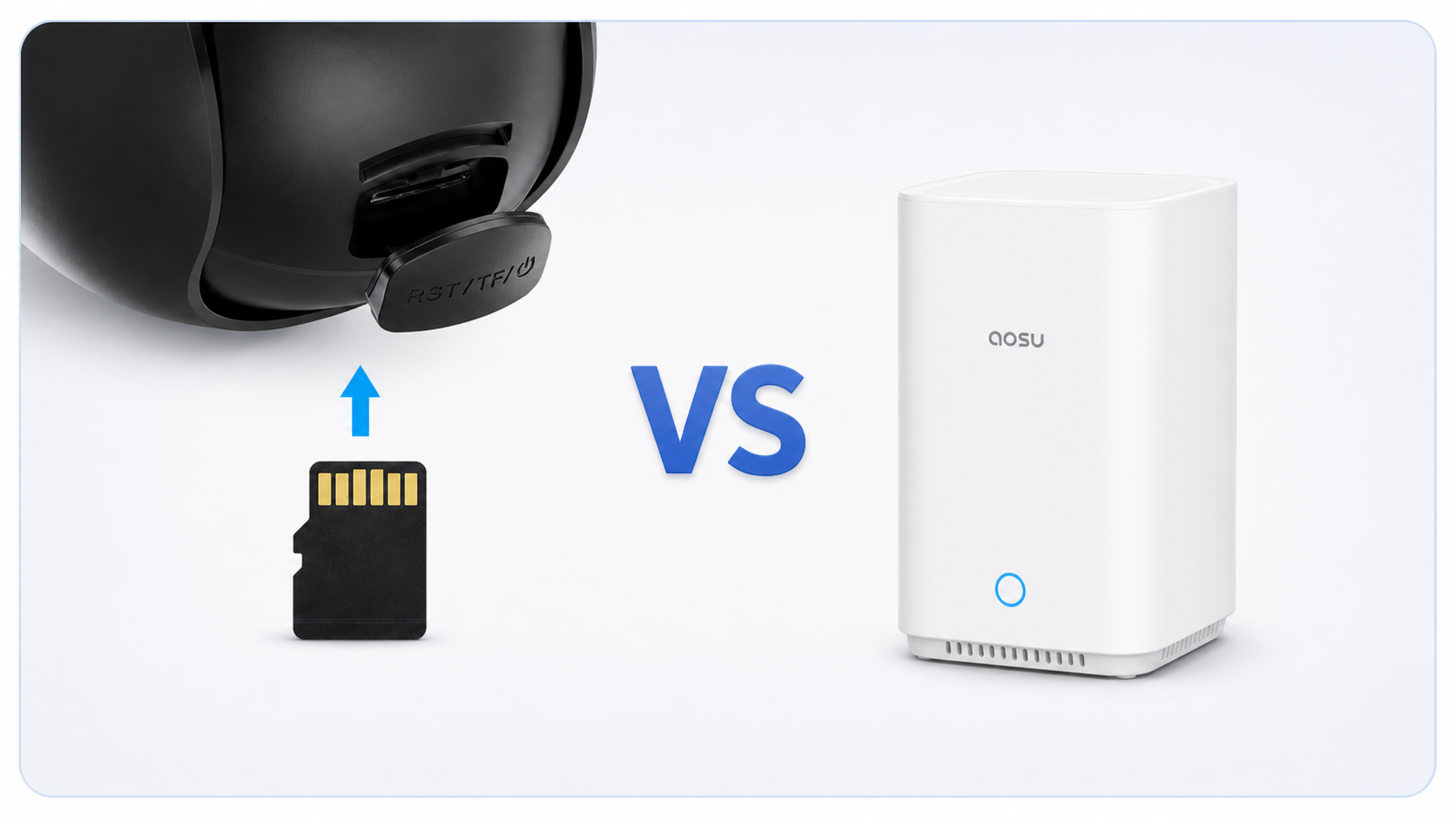
A microSD card and an indoor storage hub, often called a base station, can both store footage locally without requiring cloud storage. The difference is where the storage sits and how the cameras use it.
With on-camera microSD storage, each camera saves recordings to a card installed inside that camera. With a base station, compatible cameras send recordings to a separate device kept inside the home. That difference affects cost, theft risk, storage capacity, playback, expansion, and what can fail.
For one camera, a microSD card is often the simpler choice. For a multi-camera system, a base station is usually easier to manage and keeps the footage away from easy reach.
The Short Answer
A base station is often the more premium solution, but is not automatically better value. It usually adds an additional cost, power requirements, compatibility limits, and another device that can fail. The advantage becomes more meaningful as the camera count and importance of the footage increase.
| Choose a microSD card in the camera if: | Choose a base station if: |
|---|---|
|
|
The Main Difference: Where the Footage Lives
| microSD storage stays with the camera | Base-station storage stays indoors |
|---|---|
|
|
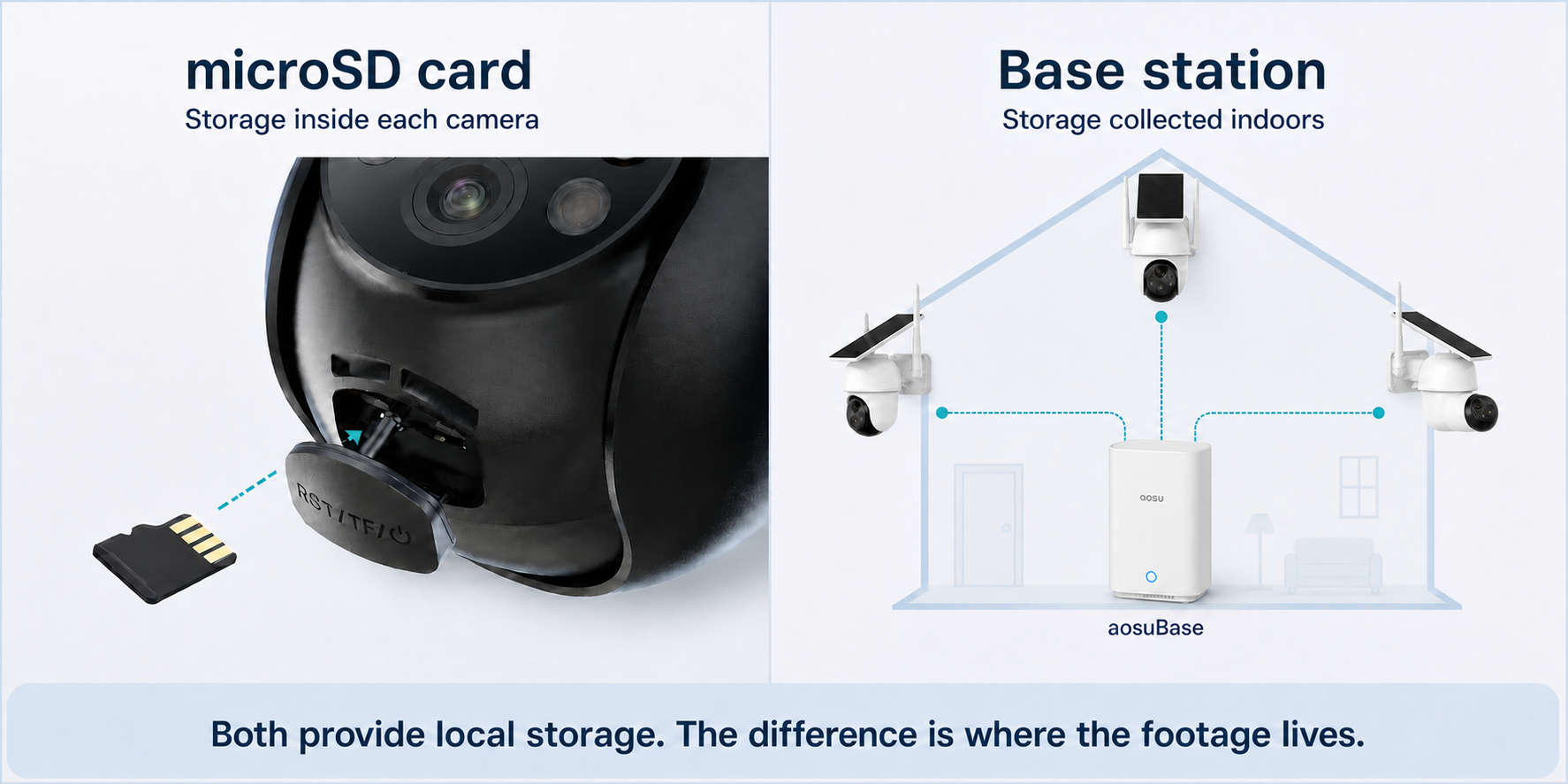
Both options provide local storage. The main difference is whether footage stays inside each camera or is collected on protected hardware indoors.
How the Two Options Compare
- Cost and setup
On-camera microSD storage usually has the lower entry cost. A base-station system costs more up front and needs indoor space, power, and a network connection or camera-to-base link. Some kits include the base; others sell it separately.
- One camera versus several
A card is easy to manage when one camera has one job. With several cameras, a base station can make it easier to review related events and recordings from one place. Exact playback tools vary by system.
- Theft and damage
An indoor base has the stronger physical-storage position because removing an outdoor camera does not automatically remove footage already sent inside. It is still local hardware, not an off-site backup.
- Capacity and recording history
A base station often provides a clearer upgrade path for several cameras, but not every base is expandable. Compare included storage, maximum capacity, event load, recording mode, and overwrite behavior.
- Playback and exporting clips
Both options may support app playback. A base becomes more useful when the app can show several cameras in one timeline or combine related events. Confirm how clips are found, downloaded, and shared without a paid plan.
- Failure points
Separate cards avoid one central point of storage failure, but each camera and card must be maintained. A base centralizes management while creating a shared dependency on the hub, its power, storage, and connection.
What Happens During an Internet or Wi-Fi Outage?
Local storage does not mean every feature works offline. Recording, remote live view, phone alerts, and cloud upload are separate functions.
A camera that writes directly to its own microSD card may continue recording when internet service is down, provided the camera still has power and its recording process does not depend on the connection. App access away from home and push notifications will usually be affected.
A base-station system may continue recording if the cameras can still communicate with the base and the base still has power. Some systems use a direct or local connection that can keep working during an internet outage; others depend more heavily on the router, Wi-Fi network, or cloud service.
Do not decide from the words local storage alone. Check three separate situations for the exact model: internet service disconnected while local equipment stays on, the Wi-Fi router turned off, and household power lost.
Read what security cameras can do without Wi-Fi
Which Storage Setup Fits Your Home?
- One indoor or outdoor camera
A standalone camera with a microSD card is usually enough when the setup is small, the camera is not easy to steal, and you mainly need routine event playback.
- Several cameras around one home
A base station is usually the cleaner choice when multiple compatible cameras need shared storage and easier event review. Check supported camera count and storage expansion.
- A front door, driveway, or easy-to-reach camera
An indoor base station is preferable when local footage should not leave with the outdoor camera. Optional cloud backup may add another layer for footage that must survive a property-wide loss.
- Cameras across separate buildings
Check range and connection quality at every mounting point. Cards can reduce dependence on one central link, while a suitable hub may improve coordination if all cameras can reach it reliably.
- A system you expect to expand
Confirm the base station's camera limit, maximum storage, expansion method, and compatibility with future cameras. A standalone camera may not be the best foundation for a larger system.
What to Check Before You Buy
- Physical storage location
Is footage stored inside each camera, inside the base station, or in both places?
- Included storage
A card slot does not mean a card is supplied. Check the included amount and maximum supported expansion.
- Recording and overwrite rules
Confirm event or continuous recording, what happens when storage fills, and whether important clips can be locked or exported.
- Offline behavior
Ask separately what happens during an internet outage, router outage, and household power outage.
- Playback without a plan
Confirm that finding, downloading, and sharing local clips works the way you expect without a cloud-storage subscription.
- System compatibility
Check supported cameras, camera count, simultaneous live view, expansion method, and whether the base is included in the exact bundle.
Where aosu Fits
aosu offers both types of local-storage setup. Some standalone cameras record to a microSD card in the camera, while compatible multi-camera systems store recordings on an indoor aosuBase. This makes the choice less about brand and more about the size and layout of the system.
Current aosuBase configurations also show why the exact hardware matters. Some systems include local storage and support microSD expansion, while larger hub-based systems may use a supported HDD or SSD. Camera capacity, included storage, and expansion limits vary by product and bundle.
When comparing products, use the live product page to confirm the included base station, supported camera count, and storage limit.
Keep Comparing Storage Options
This article compares two forms of local-storage hardware. Use the broader guides if you are still deciding whether footage should stay local, go to the cloud, or use a combination of both.
How do Security Cameras Store Footage?
Cloud Storage vs Local Storage
To Wrap Up
Choose on-camera microSD storage when you want the simplest and least expensive local recording setup for one or two cameras. Choose a base station when you want indoor storage, centralized playback, easier multi-camera management, or a clearer expansion path.
The most important distinction is not card or no card. A base station may use a microSD card too. The real question is whether footage should stay inside each camera or be collected on protected hardware indoors.
If you are still comparing local storage with online backup, continue with the cloud-versus-local guide. For an overview of every common recording method, use the complete security camera storage guide.
FAQs
Is a security camera base station better than a microSD card?
A base station is usually better for multiple cameras, centralized playback, and keeping footage away from an outdoor camera. A microSD card in the camera is usually simpler and less expensive for one or two cameras. The better option depends on camera count, theft risk, storage needs, and compatibility.
Does a security camera base station use a microSD card?
Some do. Base station describes the device and its role, not the storage medium inside it. A base may have built-in storage, accept a microSD card, support an HDD or SSD, or use another fixed storage format.
Can a security camera record to a microSD card without Wi-Fi?
Some cameras can continue recording locally during an internet or Wi-Fi outage if they still have power and the recording function does not depend on that connection. Remote viewing, phone notifications, cloud upload, and app access may stop. Check and test the exact model.
What happens if someone steals a camera with a microSD card?
If the only copy is on a card inside the camera, the footage may be lost with the camera. An indoor base station or an off-site cloud copy can reduce that risk if the recording reached the other storage location before the camera was removed.
Do I need cloud storage if I use a base station or microSD card?
Not necessarily. Many cameras can record and play back local footage without a cloud-storage subscription. Optional cloud storage can still be useful for off-site backup or extra features, depending on the system.
How much microSD storage does a security camera need?
It depends on resolution, number of cameras, event frequency, clip length, and recording mode. Compare the camera's supported card capacity and overwrite behavior rather than relying on a universal estimate.